
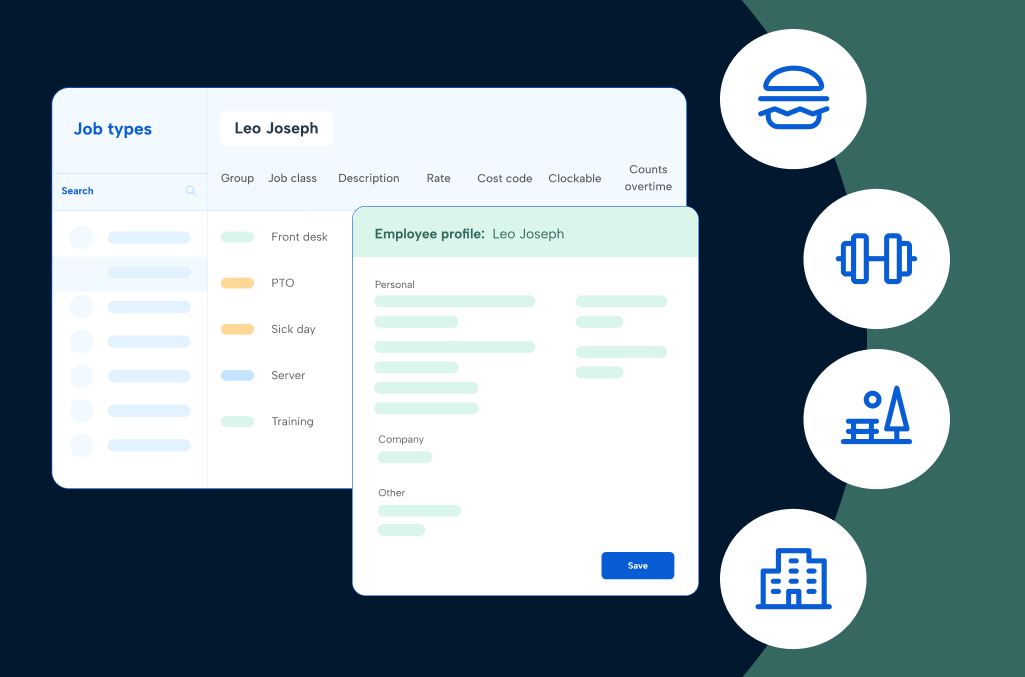
Hospitality time tracking software is the difference between knowing exactly what a shift cost you and finding out three weeks later, once payroll has already run. In restaurants, hotels, parks, and travel operations, hours move across roles, locations, and pay rates faster than most systems are built to follow, and every gap shows up later as a compliance risk, a payroll correction, or a guest who waited too long for service.
Whatever seat you’re in, the guide ahead is built to meet you there.
The roles this guide is for: Operations, HR, payroll, and finance leaders in food and beverage, travel and accommodations, and entertainment and recreation organizations dealing with complex hourly workforces, multi-role staff, variable pay, or compliance requirements across one or more locations.
What you’re doing: Managing time tracking that doesn’t quite match how your operation actually runs. You may be on paper, on a basic tool you’ve outgrown, or on an enterprise system that’s too rigid to configure for your real-world pay rules. The goal is to help you find a better fit.
What’s in this guide
In this guide, we’ll explore:
- Why hospitality time and attendance software matters for you
- Which capabilities you need to look for
- How to evaluate hospitality time and attendance software vendors
- What the total cost of ownership and ROI for software are
- Which questions to ask before you commit
- How to take the next steps in finding the software for you
If you're looking for more specific applications for hospitality time tracking software, check out our in-depth guides on entertainment and recreation, food and beverage, and travel and accommodation services.
Why time tracking is different in hospitality
Every hospitality operation has one thing in common: the work doesn’t stay in neat boxes. People move between roles, locations, and tasks in ways most time and attendance systems weren’t designed to follow, and pay rules, break laws, and compliance requirements layer on top of that movement. The stakes are real when the records don’t match reality.
Some of that pressure is universal across hospitality.
The personas below that share the same pain points are grouped together. Where the pressure is specific to one audience, it gets its own section.
Operations and department leaders
Whether you’re a restaurant operator managing a Friday dinner rush, a GM watching occupancy swing between floors, or a rec center director juggling lifeguard rotations and personal training schedules, the core problem is the same: labor needs change faster than manual tracking can keep up.
You’re accountable for coverage, cost, and guest or member experience, but the time data you need to make good calls in the moment is either delayed, incomplete, or buried in a spreadsheet someone else built.
When time tracking lags reality, overtime surfaces after payroll has run, coverage gaps are visible only after they’ve affected service, and the question of who worked where and for how long turns into detective work.
HR, payroll, and finance
Across food and beverage, travel and accommodations, and entertainment and recreation, HR and payroll teams share the same exposure: everyone else’s improvising shows up as their problem.
Different pay rates, shift differentials, tip rules, commission structures, multi-state requirements, and locations that send data in different formats or at different levels of completeness. The inputs arrive flat. The outputs still need to be accurate, compliant, and defensible if questioned.
When time is inconsistent, so are pay and compliance. Every missing punch, every time tracking spreadsheet on the side, every “we’ll fix it later” edit is something that may need to be justified with little context.
Multi-site and regional leadership
If you oversee multiple locations, whether hotel properties, restaurant units, park facilities, or branch offices, you’re trying to use labor as a strategic lever rather than just read it as a line item. That means comparing overtime trends across sites, spotting where coverage consistently runs short, and making decisions based on data you can actually trust.
When each location tracks time in its own way, or some are still on paper, that comparison falls apart. You end up steering with a dashboard full of gaps, unsure whether the labor numbers reflect reality or just the limits of your current system.
FOH and BOH managers (food and beverage)
Front-of-house movement never stops. Servers become runners, bartenders cover wells, hosts pick up tables. Each shift in responsibility alters pay rates and tip eligibility, and a single missed punch can become a pay dispute.
Back of house has the same multi-station reality without the tip layer: line cooks, dishwashers, and prep staff move through positions all shift, employee breaks are required but hard to protect during peak periods, and when transitions aren’t captured cleanly, payroll and reporting lose accuracy.
Travel advisors and consultants (travel and accommodations)
Advisors rarely work a clean shift. Client time zones, supplier calls, and disruptions pull them from the branch, from home, and on the road, often in the same day. Research, rebooking, follow-up, and client communication happen outside clear booking blocks but still need to count somewhere.
When that time isn’t captured, commission credit gets murky and advisors end up fighting for pay they’ve already earned.
Housekeeping and facilities (travel and accommodations)
Occupancy spikes, late checkouts, and last-minute work orders constantly reshuffle the plan, often across a mix of full-time, part-time, and outsourced staff. Moving people across floors, buildings, and task lists mid-shift is the norm.
Time tracking should give housekeeping and facilities managers time back to plan, not consume their week doing after-the-fact damage control.
Attractions and park operations (entertainment and recreation)
A ride operator might start the morning on one attraction, assist with a show midday, and finish in another zone. Seasonal staff rotate through greeter positions, queues, and clean-up as crowds and weather shift. The stakes are higher than just payroll accuracy: safety-critical roles need a verifiable time record attached to them.
When time tracking can’t follow people as they move, you’re reconstructing who was where after the fact, which is not where you want to be after an incident or audit.
Guest services, ticketing, and front desk (entertainment and recreation)
Staff in these roles spend the day chasing where guests actually are, not where the schedule said they’d be. Ticket scanners handle membership questions when volumes spike. Supervisors step behind the desk. People stay late so no one is left in line. When the system expects fixed roles and neat end times, all of that flexibility becomes end-of-week manual cleanup.
From timecard clean-up to time tracking strategy
Across all of these roles and audiences, the requests sound the same:
“Can you fix my hours?”
“I forgot to clock in, can you add it?”
“Why does my pay look different this time?”
On their own, those are small issues. At scale, they’re a signal that time isn’t being captured in a way that matches how work really happens. Treating time tracking as strategy, not just a task for payroll week, starts with understanding these realities and building your solution around them.
Core capabilities every hospitality time tracking software should have
Manual methods and basic tools can get you through a pay period, but they don’t hold up in a 24/7, service-heavy environment. Paper timesheets, ad hoc spreadsheets, or generic time clocks invite errors, make it easy to bend the rules, and give you almost no real-time visibility.
Whether you’re running a restaurant group, a hotel portfolio, or a regional park and recreation network, a purpose-built time tracking solution needs to do five things well.
1. Capture accurate time across roles, departments, locations, and tasks
In hotels, one person might clean rooms in the morning and assist with a banquet setup in the afternoon. In travel, advisors bounce between clients, destinations, and booking and admin tasks, sometimes from different locations. In entertainment and recreation, a staff member might start the day scanning tickets, move to ride operations, and finish in a retail shop.
If your system only shows “8 hours worked,” you’re guessing where labor actually happened and which hours should be mapped to which rate, outlet, or client.
Look for software that:
- Lets staff select job, outlet, floor, branch, or client at clock-in and when they switch tasks
- Supports on-site clocks (front desk, BOH, branch office, ride platform) plus mobile/web for remote and field staff
- Captures location details — property, building, branch, zone — in each punch for clean reporting
- Shows real-time views of who’s on the clock by department, outlet, and location
- Reports labor by role, outlet, and revenue center without manual recoding in spreadsheets
- Supports job codes/location codes for catering events, banquets, and off-site service
For travel and accommodations specifically: records location details (property, building, branch) in each punch for clean reporting, and reports labor by role, outlet, and revenue center without manual record.
2. Automate complex pay rules, including tips, commissions, and overtime
Hotels juggle base pay, overtime, differentials, tips, and sometimes service charges or union rules. Travel agencies combine hourly or salary pay with commissions, incentives, and various schedules. Restaurants add tip credits, tip pools, blended overtime, and minors’ rules to the mix.
When time tracking doesn’t “know” those rules, you see mismatched rates, repeated adjustments, and staff questioning their pay.
Look for software that:
- Applies pay rules automatically based on job, outlet, location, and employee type
- Calculates overtime, blended rates, and shift differentials without manual edits in payroll
- Adjusts pay rates automatically when roles or stations change mid-shift
- Flags compliance issues before payroll closes
For food and beverage specifically: distinguishes tipped vs. non-tipped work and side work at the time entry level, handles tip credits, tip pools, and service-charge allocation, and applies minors’ hour restrictions and role-based rules
3. Protect time integrity and manage compliance by design
In every hospitality operation, compliance is baked into daily operations: employee break laws, maximum hours, minors’ rules, multi-state regulations, sometimes union agreements. Layer on risks like time theft, off-the-clock work, or “save it for later” edits, and you have a lot riding on how honestly and consistently time is captured.
A stronger approach treats time integrity and compliance as guardrails inside the system, so managers don’t have to carry it all in their heads.
Look for software that:
- Supports secure time clock methods — PIN, badge, biometric, or device-based — for each site
- Offers geofencing or GPS/IP controls to keep mobile punches tied to real work locations
- Prompts for required meal breaks and rest breaks, and records attestations when breaks are missed or taken late
- Enforces maximum hours and turnaround rules with alerts before violations occur
- Applies break, overtime, and youth labor rules automatically and consistently, configured by site, jurisdiction, and worker type
- Maintains a complete audit trail of punches, edits, overrides, and approvals for every employee
For entertainment and recreation specifically: provides specific controls and alerts for compliance with minor labor laws and other restricted worker groups, including certification and credential tracking for safety-critical roles.
4. Simplify exceptions, approvals, and self-service for managers and staff
No matter how good your setup is, real life still creates exceptions: missed punches, early clock-ins, rebookings that spill into longer hours, people swapping tasks on the fly. If every one of those turns into a text, email, or hallway conversation, managers end up spending their best hours on timecard repair instead of running operations.
On the staff side, simple questions pile up: “How many hours do I have?” “Can you fix my Friday hours?” “What’s my PTO balance?” When the only way to get those answers is to track down a manager or HR, people lose trust in the system.
Look for software that:
- Gives employees access to timecards, hours worked, and balances without having to ask
- Lets staff submit corrections, notes, and basic requests without forms or emails
- Provides simple workflows for staff to submit and manage time off requests
- Highlights exceptions and issues on a dashboard so managers fix them daily, not at payroll
- Supports mobile approvals and corrections without leaving the floor
- Tracks who approved what and when so there’s a clear trail for disputed changes
5. Deliver one source of truth for payroll and labor insights
All of this work around capturing, calculating, and correcting time has to lead somewhere. If the final step into payroll is still a gauntlet of exports, file edits, and manual checks, you’ve just kicked the time tracking problem down the road.
The goal is a single, reliable time dataset that payroll can trust and leadership can analyze. It should have consistent mappings to cost centers and pay codes, predictable exports, and reporting that mirrors how you run the business.
Look for software that:
- Integrates directly with payroll and HCM systems using stable, well-documented mappings
- Validates time data before export and flags anomalies or missing information for review
- Supports scheduled exports and automated feeds so payroll doesn’t rebuild files every cycle
- Syncs time tracking data for punches, job codes, and tips cleanly with your hospitality scheduling solution
- Provides dashboards and reports that reflect your org structure and revenue centers — by property, outlet, branch, advisor team, attraction, facility, program, or region
- Lets finance, HR, and operations all pull information from the same underlying dataset
How to evaluate time tracking vendors based on your needs
A boutique hotel on paper timesheets and a multi-brand host agency wrestling with an overgrown HCM shouldn’t be shopping the same way. Neither should a single-site gym and a national theme park group. You’ll get a better fit if you anchor your search to where you are today and where you expect to be in the next few years.
The three stages below map what most hospitality organizations actually need at each level of scale and complexity. Find the one that sounds most like you, read the table, then check the notes below it for anything specific to your segment of hospitality.
Basic: Manual processes, single site, or early-stage operations
This is you if you’re tracking time on paper, spreadsheets, wall clocks, or group chats, and the main goal is getting everyone onto one consistent system without disrupting daily operations.
Organizations at this stage include independent hotels and inns, small restaurants and food trucks, single-site gyms and rec centers, and smaller seasonal attractions.
| What you need | Why it matters | Risks to watch for |
| Simple, reliable time capture | One consistent method — web, mobile, or on-site clock — reduces missed punches and manual cleanup | Adoption fails if the system feels harder than pen and paper |
| Basic overtime and pay rule enforcement | Reduces common payroll math errors without requiring complex configuration | Continued reliance on manual calculations for edge cases |
| Manager approval and edit tracking | Makes someone clearly accountable for each timecard and creates a record of every change | Silent edits with no audit trail create disputes later |
| Clean payroll export | Cuts re-keying work and reduces errors between time tracking and payroll | Data getting manipulated between export and the payroll run |
| Fast, low-friction rollout | Keeps teams from rejecting the system before it has a chance to work | Shadow systems — paper, spreadsheets — lingering in parallel |
In food and beverage, make sure the system can handle a second location without a full rebuild (small restaurants add units faster than most industries).
In travel and accommodations, prioritize missed punch alerts and edit tracking from day one. Property operations run around the clock and exceptions left until payroll week are hard to reconstruct accurately.
In entertainment and recreation, employee visibility into their own time records is worth prioritizing early, as it reduces back-and-forth around pay accuracy in high-turnover hourly environments.
Intermediate: Outgrowing basic tools, adding locations, or hitting compliance gaps
This is you if you have multiple locations, roles, or departments and your current setup can’t keep up. You’re patching things with spreadsheets, workarounds, or systems that weren’t built for this much complexity.
Organizations at this stage include regional restaurant groups and franchises, multi-department hotels and growing travel agencies, multi-site fitness brands, and mid-sized parks and attractions.
| What you need | Why it matters | Risks to watch for |
| Role- and job-based time capture | Hours map to the right pay rate, outlet, or cost center — not just to the employee clock-in/out | Misallocated labor, incorrect rates, and messy reporting |
| Multi-location visibility | Consistent rules and a shared view across sites — not one version of the truth per location | Each site operating as an island with no common data |
| Automated overtime and pay rule handling | Reduces recurring manual adjustments in payroll; rates change mid-shift without manual intervention | Quiet workarounds and side spreadsheets as complexity grows |
| Built-in compliance alerts | Managers get notified before a break violation or hours limit is crossed, not after | Learning about problems only when someone complains or an audit hits |
| Tighter payroll and HR integration | Removes double-entry, keeps core systems aligned, and reduces reconciliation work | Conflicting data and finger-pointing when paychecks are wrong |
In food and beverage, look specifically for scheduling and time tracking alignment. When the schedule and time records don’t talk to each other, labor waste and overtime surprises compound quickly.
In travel and accommodations, verify the system handles commission hour tagging for advisor roles, which is often an afterthought in generic tools.
In entertainment and recreation, minor labor support — hour limits, role restrictions, automated alerts — should be a hard requirement if your workforce includes seasonal or youth staff.
Advanced: Displacing an enterprise system or managing at scale
This is you if you’re already on a large workforce or HCM solution that looked right on paper but is hard to configure, slow to change, or costing you more than it’s saving.
Organizations at this stage include franchise groups, multi-brand restaurant operators, large hotel groups and resort chains, enterprise park and attraction groups, and national fitness and recreation organizations.
| What you need | Why it matters | Risks to watch for |
| Deep configurability for complex pay and compliance rules | Encodes real-world agreements and multi-state rules without relying on custom development workarounds | “Close enough” setups that produce quiet over- or underpayments over time |
| Strong integrations and open APIs | Keeps time data aligned across ERP, HCM, payroll, and analytics systems without manual reconciliation | Data silos and finger-pointing between systems at the worst possible times |
| Multi-brand and multi-region reporting | Gives regional and executive leadership a reliable rolled-up view of labor across all sites and business units | Decisions based on incomplete or lagging data |
| Robust audit and exception management | Speeds up investigations and gives HR and legal a clear, traceable record for every timecard | Painful, drawn-out audit responses and slow resolution of disputes |
| A vendor that scales with you | Implementation support, ongoing configuration help, and a roadmap that keeps pace with how your operation grows | Long stalled rollouts and shadow tools that never fully go away |
In food and beverage, the interface matters as much as the feature set at this scale. Solutions built for desk workers often fail in front-of-house and back-of-house environments where managers are making decisions mid-service, not at a computer.
In travel and accommodations, multi-brand and multi-region reporting should be pressure-tested specifically/ Property groups and host networks often find that enterprise tools produce rolled-up numbers that don’t reflect how labor is actually structured across brands or regions.
In entertainment and recreation, enterprise-grade onboarding and post-launch support should be evaluated as seriously as the product itself. Large park and attraction operations are complex to configure and the implementation period is where most advanced deployments go wrong.
Questions to ask before you buy hospitality time tracking software
Once you know your maturity stage, the next step is pressure-testing vendors. The questions below are designed to test how well a solution really understands hospitality, not just generic time tracking.
Use them in demos, RFPs, or internal evaluations.
Questions that apply across all hospitality organizations
☑ How does your system handle staff who work multiple roles, outlets, or locations in a single day?
☑ Can employees select or change jobs, outlets, branches, or clients at the time clock without starting a brand-new shift?
☑ What features do managers have to see who’s actually on the clock right now across properties, branches, or facilities?
☑ How does your software enforce and document break, meal, and maximum-hours rules across different states or regions?
☑ How are edits and exceptions tracked? Can we see who changed what, when, and why for any time record?
☑ What out-of-the-box integrations do you offer with common hospitality payroll and HCM systems, and how are errors handled?
☑ What does implementation and training look like for managers and frontline staff, and how do you support multi-site rollouts?
☑ What support windows are we looking at? Are there resources available for when your team isn’t on the clock, including during rush periods and payroll deadlines?
Additional questions for food and beverage operations
- How fast can we go live, and what setup is required, including multi-site?
- Can employees clock in and switch roles or locations easily from terminals, tablets, or mobile while keeping pay, tips, and blended overtime correct?
- How are missed punches and other exceptions handled in the moment? Can managers fix issues on mobile with a clear audit trail?
- What does payroll look like at week’s end? Can we preview exports, consolidate across locations, and produce audit-ready reports?
- How well does it scale? Can we standardize policies, handle state-by-state rules, and expand integrations without rebuilding?
Additional questions for travel and accommodations organizations
- How do you support mixed compensation models, like hourly plus tips in hotels or hourly plus commission in travel agencies? How easy is it to configure new pay or compliance rules as our business grows or regulations change?
- What mechanisms do you provide to reduce time theft while still keeping the experience simple for staff?
- How do you handle time capture for remote and after-hours advisor work outside traditional branch or office settings?
Additional questions for entertainment and recreation organizations
- How do you handle different pay rates for the same employee based on job, attraction, outlet, or facility?
- How are break rules, maximum hours, and youth labor limits configured and enforced across different states or regions?
- What options are available to reduce time theft while keeping the day-to-day experience simple for staff?
- What reporting is available out of the box to break down labor by park, facility, attraction, program, outlet, or region?
- How do you support configuration changes — new locations, pay rules, or agreements — after go-live without disrupting day-to-day operations?
ROI and total cost of ownership
Time tracking software is an investment.
The inefficiencies you absorb every week — from payroll corrections to overtime you didn’t see coming to compliance exposure that only surfaces during an audit — cost more than the software to fix them. The five themes below map where that cost typically lives across hospitality.
Manager and admin time
Manually processing timecards, chasing missing punches, and reconciling exceptions before payroll closes is a significant drain on the people who should be running operations, not auditing spreadsheets.
- Hotel managers spend 8-12 hours per week on timecard processing and payroll reconciliation.
- Restaurant managers routinely lose most of a day each week to scheduling and time and attendance admin in manual or spreadsheet-heavy environments.
Overtime and labor cost
Overtime that builds up before anyone notices is one of the most common and controllable sources of labor overspend in hospitality. It shows up in different forms depending on the operation, but the root cause is usually the same: no visibility until after the fact.
- Restaurants overspend by 2-4% on overtime due to last-minute changes, early clock-ins, or missed breaks. Every percentage point hits already-thin margins.
- Hotels carry the same 2-4% overtime overspend from early clock-ins, missed breaks, and manual schedule adjustments.
- Parks and attractions see labor costs run 20-30% of operating expenses; avoidable overtime and error-driven overpayments add up fast across seasonal headcount.
Payroll accuracy and punch corrections
Every missed punch, rounded timecard, or manual fix is a potential error in the next paycheck. Across hospitality, the correction rate is remarkably consistent, and the compounding effect on payroll processing time is real.
- Around 3-5% of all time punches require manual corrections for timesheet errors in operations using basic tools, in both restaurants and hotels.
- For travel agencies, inconsistent time capture creates commission disputes that stall processing and erode advisor trust over time.
Turnover and retention
Inaccurate pay is a retention problem, not just a payroll problem. Across hospitality, where turnover is one of the highest rates in nation and replacement costs are material, pay errors accelerate the cycle.
- Over half of employees say they’d start job hunting if their paycheck keeps coming out wrong — a direct risk in any high-volume hourly environment.
- Replacing one hourly hotel or accommodations employee costs $2,000-3,000 in lost productivity and retraining.
- In recreation, roughly 80% of gyms survive year one but only about half reach five years. Retaining trained staff is one of the controllable levers in that equation.
Compliance and credential risk
Compliance exposure in hospitality isn’t theoretical. Break violations, wage-and-hour disputes, and lapsed certifications all carry real financial and operational consequences. Most of them are preventable with the right guardrails in place.
- In attractions, parks, gyms, and rec facilities, lapsed certifications and credentials can trigger fines, denied reimbursements, or program shutdowns.
- For advisors handling after-hours work — which accounts for 20-30% of weekly time for many — capturing those hours is both a pay equity issue and a compliance one.
Find clarity in your hospitality time tracking strategy with TCP
When time tracking is scattered across spreadsheets, basic clock-in/clock-out punches, point solutions, and whatever managers remember, every pay period turns into damage control.
Over time, that combination of manual work, payroll surprises, and compliance anxiety wears people down, and the impact affects the experience you deliver, not just the people behind the scenes.
With the right hospitality time tracking software, those same moving parts start working for you.
Hours, roles, outlets, properties, and advisor work all flow cleanly into payroll. Break rules, minors’ protections, and multi-state requirements are enforced consistently every time. Managers see exceptions in real time instead of at the end of the week. Staff can check their own timecards and balances without chasing someone down.
That’s the gap TCP is designed to fill with our time tracking solutions TimeClock Plus and Humanity Time.
No matter where you are in hospitality — networks, corporate travel teams, restaurants, bars, catering operations, parks, attractions, gyms, recreation organizations — TCP has a solution built for you. Over 37,000 companies trust us to capture time, automate complex pay and compliance rules, and keep scheduling in order without piling more admin tasks on managers.
When time tracking stops being a constant fire to put out, your team gets more of its energy back for what your customers actually (and always) notice: the experience you deliver.
If you’re ready to take the pain out of time tracking, our team is prepared to help you explore what’s possible.
TCP Software’s employee scheduling and time and attendance solutions have the flexibility and scalability to suit your business and your employees, now and as you grow.
From TimeClock Plus, which automates even the most complex payroll calculations and leave management requests, to Humanity Schedule for dynamic employee scheduling that saves you time and money, we have everything you need to meet your organization’s needs, no matter how unique. Plus, with Aladtec, we offer 24/7 public safety scheduling solutions for your hometown heroes.
Ready to learn how TCP Software takes the pain out of employee scheduling and time tracking? Speak with an expert today.
What to read next
Explore all resources



 Link copied!


