
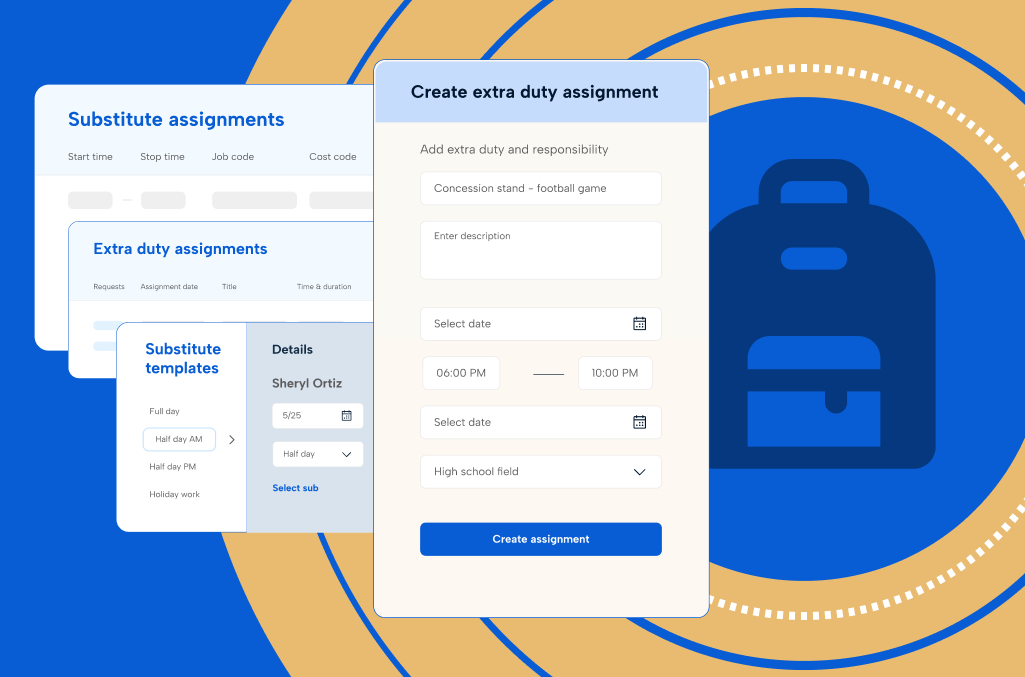
K-12 time tracking software has to handle a lot that a typical workforce system was never built for: substitute coverage, extra duty pay, multiple funding sources, and a workforce that spans teachers, paraprofessionals, bus drivers, and cafeteria staff.
When those processes are manual or disconnected, the cleanup falls to administrators and central office teams who already have more than enough on their plates. The details vary depending on your structure:
- Private schools often have leaner administrative teams, but they still need accurate timekeeping, leave tracking, and clean payroll processes for hourly and support staff.
- Public school districts need districtwide visibility, policy control, audit trails, and reliable integration with payroll and finance systems.
- Charter school networks need centralized oversight without making every campus operate the same way.
This guide breaks down what K-12 time and attendance software should actually do, how those requirements shift as a district grows, and which questions separate a strong fit from an expensive mismatch. You’ll also find the financial case administrators need when they bring this to their board or finance office.
Download the PDF version of this guide to view offline
Why time tracking is different in K-12
If you work in K-12, you already know how quickly a normal day can go sideways.
A teacher calls out with the flu before the first bell. A paraprofessional is covering two needs at once. A bus driver is out. Someone’s extra duty hours never made it into payroll. A leave balance looks off, and now HR, payroll, and school leadership are all trying to sort out what happened.
Across the U.S., K-12 operations span more than 19,000 public school districts, nearly 100,000 public schools, and more than 49 million public school students. Add in charter networks and roughly 29,700 private schools, and you are looking at a workforce environment spread across thousands of campuses, employee groups, and local processes.
Before the first bell rings, dozens of moving parts already have to line up:
Teachers and support staff need to be where they are supposed to be.
Substitutes need to be placed.
Buses need to run. Cafeterias need coverage.
Extra duty assignments, leave requests, and time approvals all have to land where they belong if payroll is going to stay accurate later.
And when something changes, it usually does so quickly. That constant movement is part of what makes time tracking in K-12 different. The pressure gets heavier when staffing is already strained. When schools are already operating under that kind of strain, even routine time tracking issues can create ripple effects far beyond payroll management.
To understand what the right time tracking software should do, it helps to start with the people managing that reality every day.
Five key K-12 roles and how time tracking impacts them
Five groups touch K-12 time and attendance data every day, each with a different stake in getting it right:
| Stakeholder | Who | What they need |
| Frontline School Leadership | Principals and administrators | Unified visibility into absences, coverage requirements, extra duty assignments, and worked hours without toggling between disconnected systems |
| District Operations | Superintendents and operations leaders | Cross-campus insight into substitute shortages, emerging overtime patterns, absence trends, and policy consistency across schools |
| HR and Payroll | HR and payroll teams | Support for union terms, district policies, leave balances, FMLA, and multiple employee groups, without inheriting missed punches, late approvals, and leave discrepancies |
| Finance and School Business Office | Finance leaders | Reliable labor data to explain substitute cost increases, overtime spending by school or department, and hour distribution across budgets and funding sources |
| IT and Systems | Technology teams | Time tracking that works across multiple campuses, keeps capturing data through a network outage, and integrates cleanly with payroll, HR, and ERP systems |
Frontline school leadership: the first responder
Principals, assistant principals, school administrators, and athletic directors usually feel time friction first.
You see it in the teacher’s absence that came in before sunrise, the paraprofessional callout that changes classroom support plans, the lunch duty gap, or the coach whose extra duty hours still need approval. A school leader’s day can quickly turn into a long chain of coverage decisions, communication updates, and follow-up on hours that were never captured cleanly in the first place.
The day-to-day pressure often centers on a few recurring trouble spots:
- Teacher and support staff absences that need quick coverage
- Extra duty work that still has to be approved and paid correctly
- Supervision gaps that spill into the rest of the day
- Too much time spent chasing details across disconnected tools
For frontline leaders, time tracking problems rarely stay in the back office. You need one place to see absences, coverage needs, extra duty assignments, and worked hours, without jumping between systems or relying on email trails and memory.
District operations and administration: the steady hand
Superintendents, operations leaders, and school business officials are trying to keep the whole system steady.
At that level, the issue is not a single absence at a single school. You are looking across campuses and asking where substitute shortages are building, where overtime is creeping up, where absence patterns are becoming disruptive, and whether schools are handling time and attendance consistently enough to avoid bigger problems later. In a district environment, even small inconsistencies multiply quickly when they are repeated across campuses and employee groups.
A lot of that pressure comes down to visibility:
- Seeing substitute and absence patterns across schools
- Spotting overtime or extra duty pressure before it spreads
- Understanding where labor hours are creating friction
- Balancing districtwide consistency with school-level flexibility
What district leaders need isn’t more raw data. You need a clearer view of how time, absences, extra duty work, and labor hours are playing out across the district, so pressure shows up earlier, and decisions do not have to rely on guesswork.
HR and payroll: the record keeper
HR, payroll, and benefits teams often inherit the problems that were missed upstream.
Missed punches, late approvals, leave questions, overtime issues, and employee complaints about pay all tend to land here. On top of that, your team is managing the more complex aspects of K-12 workforce administration: union terms, district policies, leave balances, FMLA, comp time where applicable, and multiple employee groups with different rules. In many organizations, all of that is still spread across separate systems for time, leave, substitutes, and payroll.
The friction tends to look the same, pay cycle after pay cycle:
- Missed punches and late approvals surfacing too close to payroll
- Leave records that do not match what schools think happened
- Disconnected systems that force manual reconciliation
- Records that are harder to trust when edits are scattered
When the system is weak, payroll becomes a cleanup exercise. A stronger setup gives your team cleaner timecards, earlier exception visibility, clearer records, and fewer surprises right before pay needs to go out. In a school environment, that affects staff trust as much as it affects efficiency.
Finance and school business office: the translator
Finance teams are often asked to explain labor spending after the fact.
You need to understand where substitute costs are rising, which schools are carrying more extra duty expenses, whether overtime pay is increasing in certain departments, and how labor hours are trending across schools, roles, and budgets. That gets much harder when time data is incomplete, inconsistently coded, or disconnected from the payroll and reporting systems.
From the finance side, the common questions are usually these:
- Where substitute and extra duty costs are climbing
- Which schools or departments are generating more overtime
- How labor hours are landing across budgets, grants, and cost centers
- Whether the time data underneath payroll and reporting is reliable enough to use confidently
Finance leaders are looking for more than accurate pay. You need labor visibility you can trust. Better time tracking data gives you a clearer line between hours worked, money spent, and the operational realities driving both.
IT and systems: the connector
Technology leaders are often brought in once the organization has already felt the cost of disconnected tools.
Your team is trying to support time tracking across campuses without adding another system that staff will avoid, another export someone has to manage manually, or another platform that works fine centrally but falls apart in actual school use. In districts and multi-school organizations especially, adoption matters just as much as feature depth. If school staff find the system too difficult or too fragmented, they will work around it, and the data will start breaking down again.
The challenge usually is not just the software itself, but everything around it:
- Time, leave, substitutes, payroll, and approvals living in separate places
- Manual exports and workarounds holding the process together
- School staff resisting tools that feel clunky or confusing
- Pressure to modernize without disrupting day-to-day operations
What IT leaders need is software that integrates cleanly with payroll, HR, and ERP systems, holds up across multiple campuses, and still feels usable to the people entering time, approving exceptions, and managing absences every day.
Across all these roles, the pattern is consistent. You are trying to spend less time piecing together hours, absences, approvals, and pay details by hand. You want fewer surprises, fewer corrections, and a better handle on what is happening before a time tracking issue turns into a payroll issue, a compliance issue, or a disruption to the school day.
This is where the right time tracking software starts to earn its place.
Core capabilities every K-12 time tracking software should have
If you’re working with them, you understand it: manual time tracking spreadsheets, isolated substitute tools, email-based approvals, and payroll cleanup at the end of every cycle are not sustainable. K-12 time tracking software needs to support how your schools actually work day-to-day.
Here are the core capabilities every K-12 organization should expect:
- Time capture that fits school workflows
- Leave and absence management
- Substitute and coverage tracking
- Overtime, comp time, and extra duty management
- Labor costing and role-based tracking
- Payroll-ready automation and compliance records
- Connects with employee scheduling solutions
1. Time capture that fits school workflows
K-12 time tracking software should support multiple ways to capture time, including web, kiosk, mobile, badge, and biometric time clock options, depending on the employee and work environment. The software should tie hours to specific campuses, departments, roles, or assignments during recording to reduce missed punches and manual edits.
Whatever capture method a campus uses, it should keep working through a network outage — queuing punches locally and syncing them once the connection is back — since spotty connectivity in older school buildings is common, not rare.
2. Leave and absence management
A strong K-12 time tracking solution should handle leave requests, approvals, accrual tracking, balance visibility, and absence reporting, in addition to time tracking. Employees should be able to request sick leave, PTO, personal days, or other leave through the same system leaders use to review staffing needs and payroll implications.
When leave lives in the same workflow as time tracking, schools get a clearer view of who is out, what coverage may be needed, and how leave affects payroll and compliance.
3. Substitute and coverage tracking
Marking someone absent is only the start. The software should also handle coverage assignment creation, substitute notifications, acceptance tracking, and connect performed work back to time records and payroll.
4. Overtime, comp time, and extra duty management
For coaching, tutoring, after-school programs, events, and summer work, the software should apply overtime rules, public-agency comp time rules, and supplemental pay workflows — and surface threshold issues early, before they turn into a payroll surprise.
5. Labor costing and role-based tracking
Support for job costing codes, multi-position employees, and blended rates matters because K-12 districts need tracking capabilities by role, school, department, cost center, grant, funding source, or supplemental assignment.
6. Payroll-ready automation and compliance records
Your time tracking software should flag exceptions early, route timecards through approvals, preserve edit histories, apply pay rules consistently, and move approved data into payroll, ERP, and HR systems without heavy manual cleanup. It should also support configurable rules tied to district policies, union agreements, leave requirements, and labor regulations.
Downstream, payroll teams have cleaner inputs, stronger documentation, and fewer end-of-cycle surprises when it’s time to process pay.
7. Connections with employee scheduling solutions
Time tracking stands on its own, but it gets stronger when paired with employee scheduling. Districts that connect the two give principals a faster way to fill absences, administrators a single place to see staffing status, and payroll teams cleaner data going into each pay cycle instead of schedules and timecards reconciled after the fact.
A shared record across scheduling and time tracking also helps district leaders spot labor patterns across campuses, including where substitute spend, overtime, or extra duty hours are concentrating. Staffing and budget decisions then reflect what actually happened, rather than what was planned.
How core capabilities apply to your K-12 district
Not every district needs the same starting point. A smaller school may be trying to move away from paper timesheets and manual substitute call lists, while a larger district may be dealing with a different problem entirely: too many disconnected tools, inconsistent adoption, and weak visibility across schools.
Basic time tracking stage
Who this is for: smaller private schools, charter schools, or districts still relying on paper timesheets, spreadsheets, manual leave tracking, shared calendars, email chains, or phone trees to manage staff time and substitute coverage. Extra duty work may still be tracked through separate forms, inboxes, or spreadsheets.
What you’re doing:
- “We track hours on paper and enter them into payroll later.”
- “We usually call substitutes one by one when someone is out.”
- “We don’t have a good way to track leave balances or absences.”
At this stage, the biggest problem is usually manual effort. Too often, the time tracking process relies on memory, email follow-up, paper forms, or disconnected files. The right software should make it easier to capture hours accurately, track absences in one place, and give administrators a simple way to see who is working, who is out, and what still needs approval.
| What you need | Why it matters | Risks to watch for |
| Basic time capture through kiosk, web, or mobile | Gives staff a consistent way to record time from the start | Missed punches, hand-entered hours, payroll delays |
| Simple approval workflows | Helps managers review time before payroll | Late signoff, undocumented edits, last-minute corrections |
| Leave requests and balance tracking | Gives staff and administrators one place to manage absences | Inaccurate balances, staffing surprises, and manual follow-up |
| Substitute assignment notifications | Speeds up coverage and reduces phone-tree work | Slower fill times, more classroom disruption |
| Payroll-ready reporting | Cuts down on re-entry and spreadsheet cleanup | More manual payroll prep, higher error risk |
Intermediate time tracking stage
Who this is for: growing districts, charter networks, or private school systems already using basic time tracking, absence management, or substitute tools but still struggling with disconnected workflows, limited visibility, and too much payroll cleanup.
What you’re doing:
- “Our current system works for time tracking, but it doesn’t connect to substitutes or leave.”
- “We spend too much time fixing missed punches before payroll.”
- “We can’t easily see absences or coverage across all schools.”
- “Extra duty assignments are hard to track and reconcile with payroll.”
- “We need better visibility into overtime, absences, and staffing trends.”
At this stage, the issue is usually not the absence of a system. It’s having several partial systems that still leave teams doing manual cleanup in the middle. Time, leave, substitute coverage, and extra duty work may all exist digitally, but not in a way that creates one clean operational picture.
| What you need | Why it matters | Risks to watch for |
| Connected time, leave, and substitute workflows | Keeps staffing decisions and payroll records aligned | Hours, absences, and coverage live in separate systems |
| Automated exception alerts | Flags missed punches, long shifts, or irregular hours earlier | Payroll teams still finding problems at the last minute |
| Advanced time tracking with job codes and pay rules | Supports multi-role employees, stipends, comp time, and extra duty | Incorrect pay, manual reconciliation, and budget confusion |
| Multi-school dashboards | Gives leaders visibility across campuses and departments | Weak visibility into absence trends, overtime pay, or labor distribution |
| Payroll and ERP integrations | Reduces duplicate entry and speeds up payroll prep | More rekeying, slower processing, higher error rates |
Advanced time tracking stage
Who this is for: larger districts or multi-school organizations already using enterprise payroll, HR, or workforce platforms but frustrated with complexity, adoption problems, or too many disconnected tools for time, substitutes, leave, and approvals.
What you’re doing:
- “We already have a workforce system, but it’s too complicated for school staff.”
- “Our administrators don’t want to use it because it’s difficult to navigate.”
- “We’re paying for features we don’t need.”
- “Our labor data and payroll records don’t always match.”
- “We have no feedback loop between time tracking and scheduling”
At this stage, the problem is more about trust, consistency, and usability versus capacity. If school staff work around the system, you still have administrators chasing missing data, fixing approvals, and making reports line up after the fact. When schedules and hours live in separate systems, planned coverage never reconciles against actual coverage, which you only find out at payroll.
Connecting time tracking and scheduling closes that loop, so one record tells the whole story.
| What you need | Why it matters | Risks to watch for |
| Connected time tracking, substitute management, leave, and extra duty workflows | Creates one cleaner system of record across functions | Multiple versions of the truth across schools and departments |
| Districtwide dashboards and labor reporting | Gives leadership visibility into hours, absences, overtime, and labor costs | Blind spots across campuses and delayed decisions |
| Strong audit trails and approval histories | Supports payroll, compliance, disputes, and reporting | Weak documentation and more difficult reviews |
| Configurable rules for contracts, district policies, and labor requirements | Reflects real district complexity without extra manual checks | Inconsistent rule application and more payroll rework |
| Simpler school-level workflows with enterprise-level visibility | Improves adoption without giving up central oversight | Expensive systems that still depend on spreadsheets and workarounds |
Questions to ask before you buy
Time tracking software decisions in K-12 usually sit at the intersection of school operations, HR, payroll, finance, and IT. That means the right questions go beyond whether the software can capture hours.
The strongest questions move past the surface fairly quickly.
They help you understand how the software handles the details that tend to create the most friction in schools: missed punches, absence tracking, substitute hours, overtime, leave balances, payroll corrections, and visibility across campuses. You’re looking for a clearer picture of how the system works in practice, how consistently it applies rules, and how much effort still falls on your team after implementation.
Time capture and exceptions
☑ How does the system catch missed punches, long shifts, and irregular hours before payroll runs?
☑ Can employees clock in through the methods that fit their roles and work environments?
☑ How are timecard corrections submitted, reviewed, and approved?
☑ Can we track hours by school, role, department, or assignment when employees work across multiple areas? Are there safeguards in place to prevent time theft?
Leave and absence management
☑ Can leave requests, balances, approvals, and absence records live in the same workflow as time tracking?
☑ How does the system handle leave management, PTO, personal days, FMLA, and district-specific leave rules?
☑ Will school leaders be able to see upcoming absences early enough to respond before coverage becomes a problem?
☑ Can HR and payroll rely on the same leave records, or will they still need manual reconciliation?
Substitute coverage and extra duty work
☑ How are substitute assignments created, filled, and tracked from absence through payroll?
☑ Can the system notify qualified substitutes automatically and track fill rates across schools?
☑ How does it handle extra duty work such as coaching, tutoring, after-school programs, events, or summer assignments?
☑ Can extra duty hours be approved, coded, and sent to payroll without separate spreadsheets or side processes?
Payroll accuracy and approvals
☑ How does the system route timecards, approvals, and exceptions before payroll is submitted?
☑ What happens when hours, leave, substitute time, and extra duty all affect the same paycheck?
☑ Are editing histories and approval records easy to review if there is a dispute or audit?
☑ How much manual cleanup should payroll expect after time is exported?
Compliance and policy rules
☑ How does the software apply overtime rules, comp time, leave policies, union terms, and district requirements across different employee groups?
☑ Can we configure the system to reflect our actual policies, calendars, and approvals?
☑ How are labor compliance risks flagged before payroll or audit issues?
☑ What kinds of records are available for disputes, reviews, and audits?
Labor visibility and reporting
☑ Can we report hours, substitutes, overtime, leave, and extra duty by school, department, role, cost center, grant, or funding source?
☑ How easily can district and finance leaders see labor patterns across campuses?
☑ Can we identify where substitute spend, overtime, or extra duty costs are rising?
☑ Will the reporting help us make better staffing and budget decisions, or just show totals after the fact?
Integrations and administration
☑ How well does the system integrate with payroll, HR, ERP, employee scheduling and related district systems?
☑ What still has to be handled manually after implementation?
☑ Is the software usable enough for school-level staff without heavy workarounds?
☑ Can the system support districtwide visibility without forcing every school into the same process?
☑ If scheduling and time tracking are separate, how is planned coverage reconciled against actual hours worked?
☑ Can administrators see schedules, absences, and substitutes in one place, without inputting data between systems?
ROI and total cost of ownership for time tracking software
The technical cost of K-12 time tracking software is easy to see because it shows up as a line item.
But the actual cost of poor time tracking itself is harder to spot because it gets spread across payroll staff time, approval delays, substitute inefficiency, manual leave tracking, overtime creep, extra duty errors, and administrators spending hours on coverage and corrections instead of supporting schools.
The financial case is rarely about one dramatic problem. More often, it is a stack of smaller operational frictions that add up every pay cycle and every school week. Here’s how the ROI of K-12 time tracking software shows up to address these friction points.
Administrative efficiency
- Less payroll cleanup – Cleaner time capture, earlier exception alerts, and stronger approval workflows reduce the manual corrections that slow down payroll. In one K-12 example, the Jasper County Board of Education cut payroll processing from 4 days to 2 hours and reclaimed 60% of payroll staff time after moving to automated time and attendance.
- Better use of administrative time – Principals, payroll teams, HR staff, and district leaders spend less time piecing together absences, hours, approvals, extra duty records, and substitute assignments by hand. When time tracking data feeds back into scheduling, you can see where coverage gaps, last-minute fills, and inconsistent staffing are happening across campuses, instead of rebuilding from memory every week.
Payroll and labor accuracy
- Fewer payroll errors – Missed punches, disconnected records, and manual edits create avoidable pay issues. Districts using automated time tracking have improved payroll accuracy and reduced rework, including Pasco County School District and Edina Public Schools.
- Lower overtime and comp time leakage – Districts gain earlier visibility into long shifts, overtime patterns, and extra duty hours before those costs build quietly across schools and departments. That is especially useful for nonexempt staff and public agencies managing comp time rules.
Compliance and audit readiness
- Stronger audit readiness – Clear edit histories, approval records, and policy-based rules make it easier to respond to labor reviews, payroll questions, and compliance issues without rebuilding the record after the fact. That matters in K-12 environments shaped by FLSA, FMLA, ACA hour tracking requirements, district policy, and collective bargaining agreements.
- Lower compliance risk – Better visibility into worked hours, leave, overtime, comp time, and extra duty reduces the chance that policy issues surface too late. That becomes more important when schools are already juggling multiple employee groups and rule sets across campuses.
Operational resilience and planning
- More stable operations during staffing strain – Schools are already carrying heavy workforce pressure. Better time tracking processes don’t remove those pressures, but they do reduce the operational friction around filling absences with substitutes, approvals, payroll accuracy, and balancing coverage with costs.
- Faster recovery during disruption – Time and attendance systems also matter when operations are under stress. Tucson Unified School District restored time and attendance for 7,500 employees in just two weeks after a ransomware attack, ensuring payroll runs on time and staff hours remain accurate.
Take the pain out of time tracking in K-12 with TCP
In K-12, time tracking issues rarely stay in one lane for long.
A missed punch can slow down payroll. An absence record can turn into a coverage issue. Extra duty hours tracked in the wrong place can create budget confusion, delayed approvals, and more cleanup for teams already stretched thin. For school leaders, HR, payroll, finance, and IT, those small breakdowns add up fast.
When time tracking works the way it should, the pressure eases across the board. Hours are captured more accurately. Leave and absences are easier to manage. Extra duty work is easier to approve and pay correctly. Payroll teams spend less time cleaning up preventable errors, and school leaders gain better visibility before a problem drags into the rest of the day.
That’s the value of a stronger time and attendance system in K-12. It gives your district cleaner records, fewer manual workarounds, and a more dependable way to manage the hours, approvals, and policies that keep schools running.
TCP helps bring all your time tracking workflows together in a way your staff will actually want to use.
With TimeClock Plus, schools can improve payroll accuracy, simplify approvals, strengthen labor visibility, and maintain cleaner records across campuses and employee groups. And when employee scheduling sits alongside it, with Humanity Schedule, districts get the full picture: planned coverage, total hours worked, and the data to reconcile the two before payroll runs.
The result is less time spent chasing details, and more time for the work your teams are actually there to do.
Schools already deal with enough unpredictability. Time tracking should make the day easier to manage, not harder.
TCP Software’s employee scheduling and time and attendance solutions have the flexibility and scalability to suit your business and your employees, now and as you grow.
From TimeClock Plus, which automates even the most complex payroll calculations and leave management requests, to Humanity Schedule for dynamic employee scheduling that saves you time and money, we have everything you need to meet your organization’s needs, no matter how unique. Plus, with Aladtec, we offer 24/7 public safety scheduling solutions for your hometown heroes.
Ready to learn how TCP Software takes the pain out of employee scheduling and time tracking? Speak with an expert today.
What to read next
Explore all resources





 Link copied!


