
It’s one of the biggest shopping day for consumers.
A cashier called out before opening. A manager jumps in to cover a register. Two high school employees can’t stay past 1:00 p.m. because of minor labor rules. The associate who could cover the afternoon already stayed late twice this week.
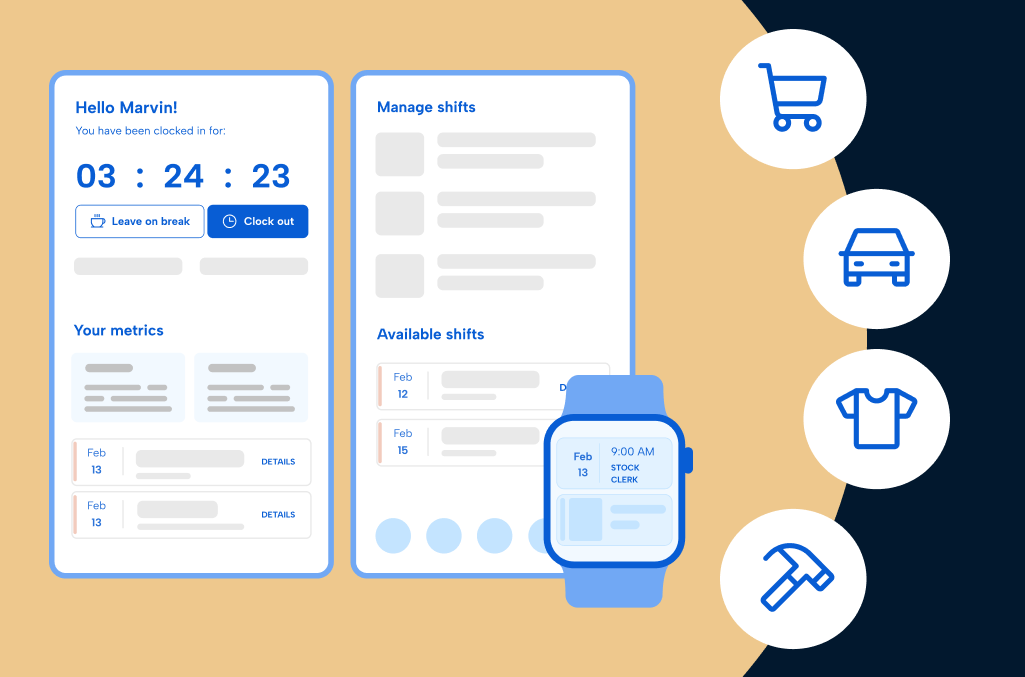
By mid-morning, the store is full, and every scheduling decision affects coverage on the floor, service speed, and whether hours stay within budget. Across retail, scheduling pressures are shared, but the day-to-day realities differ depending on the environment you operate in:
- Grocery and personal care retailers – Long hours, strict break and minor labor rules, and coverage that must hold steady 24/7.
- Specialty and apparel retailers – Customer rushes, promotions, and the need for fair weekend and peak shift rotations.
- Home improvement and lifestyle retailers – Department coverage, specialist roles, and associates moving between teams.
- Auto retailers – Sales-driven staffing, parts specialists, and constant shift coordination.
Different retail environments. Same reality.
Retail scheduling decisions simultaneously shape service experience, employee morale, compliance exposure, and payroll accuracy, which all roll up into your store’s revenue performance. One coverage gap during a customer rush can determine if customers walk out or buy. One missed break can create a compliance issue. One miscalculated shift swap can increase overtime and trigger payroll corrections.
This guide breaks down what scheduling success looks like in each retail environment, highlights the operational pressure points managers face, and outlines the capabilities that matter most. The goal is simple: help you evaluate employee scheduling software through the lens of how your store actually runs, rather than forcing your team to sort through long feature checklists that may not apply.
Download the PDF version of this guide to view offline
Why employee scheduling is different in retail
Retail competition today isn’t just about price or product selection. Customers come back because of the experience they have in your store — how quickly they’re helped, how knowledgeable your staff is, and how smooth the visit feels from start to finish. The customer experience depends on having the right coverage on the floor at the right time, which is why so many retailers are looking for ways to improve employee scheduling in retail environments.
When coverage breaks down, customers notice immediately. Service slows down, the right expertise isn’t available when it matters most, and some customers will leave without buying. Over time, those moments shape whether shoppers return, spend more, or choose a different store next time.
Retail scheduling has to move at the pace of every person who walks in the door. Customer traffic shifts by the hour. Promotions and weather can change demand overnight, while associates often move across multiple departments.
Each team member feels these scheduling pressures differently:
- Store managers – Spend hours each week building schedules, backfilling callouts, and adjusting shifts to keep coverage steady during rushes.
- Department managers – Struggle to maintain consistent staffing within their departments, especially when associates are cross-trained or frequently move between roles.
- Payroll and HR teams – Deal with the downstream effects of scheduling decisions, including overtime spikes, compliance exceptions, and payroll adjustments.
- Regional and operations leaders – Lack clear visibility into staffing patterns, labor costs, and scheduling consistency across multiple stores.
- Hourly associates – Want predictable schedules, fair shift rotations, and clear communication when changes happen.
Layering labor laws on top of these daily pressures becomes even more complex. Minor labor rules, break requirements, overtime limits, and predictive scheduling regulations all shape how shifts can be built and changed. And while every retailer faces these challenges, how they appear depends heavily on the type of operation you run. In the sections ahead, we’ll look at how employee scheduling plays out across these different retail environments and what capabilities matter most for each one.
The right scheduling solution helps you stay in control of these pressures while reducing the manual work that drains managers’ time. Because when schedules constantly break down, managers burn out, employees leave, and customers don’t come back.
Core capabilities every retail scheduling solution should have
Retail schedules rarely stay static. Peak times shift each day and hour, promotions create sudden surges, and last-minute callouts can leave entire departments uncovered. When manual schedules are built in spreadsheets, text threads, or whiteboards, managers spend hours rebuilding shifts and fixing problems after they happen.
Modern retail scheduling requires tools designed for the pace and complexity of the unexpected. The right software helps managers create schedules quickly, adapt to changes without interruptions, and maintain the coverage needed to support both employees and customers.
The following capabilities help retail teams keep schedules predictable with the ability to flex quickly to every change:
- Demand-based scheduling
- Automated shift coverage and callout response
- Compliance management
- Role and department based scheduling
- Multi-location scheduling visibility
- Labor-to-sales alignment
Demand-based scheduling
Retail traffic fluctuates by hour, day, season, promotion, and even weather. Scheduling systems should help managers build shifts around demand patterns rather than relying on guesswork. When staffing aligns with traffic trends, stores maintain strong coverage during rushes without overscheduling during slower periods. Without this visibility, managers often default to overstaffing to avoid risk or understaffing during unexpected spikes. Demand-based scheduling helps reduce that uncertainty and keeps labor aligned with real-world conditions.
Automated shift coverage and callout response
Callouts and no-shows are a constant reality in retail. Managers need features that fill open shifts quickly by notifying available, qualified employees and let team members pick up or swap shifts when needed. This reduces the cognitive load of finding coverage, keeps schedules fair, avoids compliance issues, and helps managers resolve gaps without stepping away. The key is resolving gaps quickly without creating new problems. Strong coverage features close open shifts faster, which lowers overtime risk and keeps hours balanced across the team.
Compliance management
Retail schedules must account for labor law compliance such as meal and rest break requirements, overtime thresholds, predictive scheduling rules, and minor labor restrictions. Built-in compliance guardrails flag potential violations while schedules are being created and after each update so managers can resolve issues before they become fines. As schedules change throughout the week, maintaining compliance manually becomes difficult. Software that surfaces issues instantly gives managers time to fix problems before they become violations.
Role- and department-based scheduling
Retail employees frequently work across departments or roles, often within the same day. Software that supports role- or department-based assignments helps managers confirm the employees scheduled are qualified for the job they’re scheduled for. This also helps maintain consistency on the floor. When the right people are in the right roles, tasks get completed more efficiently and customers receive better support during key moments.
Multi-location scheduling visibility
Retail organizations with multiple stores need visibility beyond a single location. Centralized dashboards let leaders monitor staffing patterns, labor allocation, and scheduling consistency across locations, while store managers keep control over their own schedules and store-specific policies. This level of visibility makes it easier to identify trends, spot risks early, and maintain consistency across locations without removing flexibility at the store level.
Labor-to-sales alignment
Scheduling decisions directly influence labor costs and store performance. The clearest way to see that connection is to track labor next to the numbers that matter on the floor: sales per labor hour, conversion rate, and transactions per labor hour, compared against actual sales and traffic rather than just scheduled hours. Software that shows expected, actual, and target values side by side, synced from your POS or time clock, turns a schedule from a static plan into something you can adjust mid-week, before a slow Tuesday or an understaffed Saturday shows up in next month’s numbers. When labor and demand are aligned this closely, stores are better positioned to support customer needs while maintaining control over costs. This balance is key to sustaining both service quality and profitability.
While these capabilities benefit every retailer, how they show up in practice varies depending on the type of retail environment. The next section looks at how these scheduling fundamentals apply across different retail industries and what that means for day-to-day operations.
How core capabilities apply to your retail segment
Every retail operation needs structure in how schedules are built, adjusted, and managed. What changes is how that structure supports your specific staffing model.
Some retailers manage seasonal roles and extended hours, while others depend on weekend traffic and promotional spikes. Some coordinate certifications and department specialists, while others balance commission structures and mixed pay rules. The core capabilities remain the same, but how they apply depends on how your stores actually run.
In the sections that follow, we’ll break down how these capabilities apply across:
- Grocery and personal care retailers
- Specialty and apparel retailers
- Home improvement and lifestyle retailers
- Auto retail and services
Grocery and personal care retailers
What makes staffing different here: Grocery, pharmacy, convenience, and health and beauty retail share a similar operational profile:
- Long operating hours – Often open seven days a week, with early opens and late closes that stretch staffing buffers thin.
- Regulated roles – Pharmacy technicians, alcohol sales certification, food safety credentials, fuel operations, and other role-based skill requirements.
- Coverage-critical shifts – A missed cashier, deli clerk, or pharmacy tech impacts service immediately.
- High minor labor usage – Heavy reliance on part-time and under-18 employees with strict break and hour restrictions.
Capabilities that matter most:
While all retail environments benefit from strong scheduling systems, grocery and personal care teams depend heavily on:
- Compliance-aware scheduling
- Break and minor labor guardrails
- Credential and role tracking
- Fast, structured callout coverage
Look for software that:
☑ Flags break, minor hours, overtime, and credential conflicts before they become fines
☑ Matches required skills to qualified staff automatically
☑ Enables rapid shift backfill without triggering compliance violations
☑ Gives store and regional leaders visibility into labor-to-sales alignment, including sales per labor hour by shift
Evaluating employee scheduling software vendors based on size and maturity
Basic scheduling stage
Who fits here: Independent stores, small chains, or mom-and-pop operations still relying on paper schedules, whiteboards, spreadsheets, wall clocks, texts, or disconnected systems.
What you’re doing
“We just build the schedule in a spreadsheet or on paper.”
“We text or call people when we need someone to cover a shift.”
“We rely on guesswork to build the schedule”
At this stage, scheduling is reactive. Managers spend 6–10 hours per week building schedules, finding last-minute coverage, and correcting timecards. Meal and rest break laws and minor labor tracking often rely on memory or manual scheduling oversight. Payroll corrections are as common as the lunch hour rush.
| What you need | Why it matters | Warning signs |
| Drag-and-drop scheduling templates | Confirms credentialed roles are always covered by qualified staff | Overly complex or all-in-one systems reduce adoption at store level |
| Mobile time capture | Reduces missed punches, breaks, and manual edits | Punches happening outside store location without location guardrails. |
| Break & minor labor tracking | Protects compliance and tracks every occurrence for audits | Violations discovered after payroll or audits |
| Shift trades with approval workflows | Reduces time spending finding coverage for callouts | Informal swaps create fairness and compliance risks |
| Payroll-ready reporting | Speeds up payroll processing | Disconnected data for schedules and time worked still cause corrections |
Intermediate scheduling stage
Who fits here: Growing grocery, pharmacy, or convenience groups using basic tools that no longer scale with complexity.
What you’re doing
“Our scheduling system works fine for one store, but falls apart across multiple locations.”
“We’re trying to keep overtime and breaks under control, but it’s hard to stay on top of it.”
“We can see the hours we scheduled, but we don’t really know where labor costs are going.”
At this stage, complexity increases. Associates work multiple roles. Overtime creeps up quietly. Compliance risk grows across locations. Managers want visibility without extra admin burden.
| What you need | Why it matters | Warning signs |
| Role- and skill-based scheduling | Ensures credentialed roles are always covered by qualified staff | Expirations or missing credentials can slip through without alerts |
| Shift backfill automation | Fills coverage gaps faster | Overtime spikes during peak demand |
| Department-based scheduling | Keeps key departments properly staffed with floating coverage | Double scheduling staff or missing required credentials |
| Automated overtime monitoring | Helps managers spot overtime risk when building schedules or filling callouts | Hidden premium pay increases |
| Multi-location dashboards | Provides regional staffing and labor cost visibility | Inconsistent scheduling practices across stores |
Advanced scheduling stage
Who fits here: Mid-market and enterprise grocery or pharmacy organizations using large HCM platforms that feel complex, expensive, or underutilized.
What you’re doing
“We have a big scheduling system, but it’s more complicated than we need.”
“It’s hard to adjust schedules quickly for hourly teams.”
“Our schedules don’t really reflect what’s happening on the floor.”
Here, the challenge isn’t capability, it’s usability and alignment. Leaders want visibility into labor costs relative to performance. Managers want tools they’ll actually use. Payroll wants clean data and the ability to make bulk edits fast.
| What you need | Why it matters | Warning signs |
| Connected scheduling and labor cost visibility | Aligns staffing decisions with payroll and labor reporting | Data discrepancies between systems |
| Multi-site executive dashboards | Compares labor efficiency across locations | Limited strategic oversight if all locations aren’t using the same system |
| Configurable compliance controls | Supports complex labor rules and localized rules without manual oversight | Generic rules without location-specific configuration creates friction |
| Labor-to-sales reporting | Protects thin margins | No insight into labor efficiency |
| Simplified payroll workflows | Reduces administrative burden | Change history and timesheets edits not being tracked |
Specialty and apparel retailers
What makes staffing different here: Specialty and apparel retail includes mall stores, boutiques, outlets, and other discretionary retail environments where staffing needs rise and fall with customer traffic. Evenings, weekends, and promotional events drive concentrated selling periods, while holidays and seasonal peaks require stores to scale part-time and seasonal staff quickly. When revenue and profitability hinge on traffic peaks and delivering great store experiences, employee scheduling becomes the first line of control for keeping the floor staffed and sales opportunities from slipping away.
Capabilities that matter most:
Specialty and apparel teams depend on employee scheduling capabilities that protect coverage while maintaining fairness and compliance:
- Demand-based scheduling aligned to promotional and weekend peaks
- Automated shift backfill that fills callouts quickly without unfair distribution
- Fair scheduling features that prevent clopenings and burnout
- Compliance guardrails for minor labor and break rules
- Multi-role labor tracking for associates working across sales floor, stockroom, and fulfillment
Look for software that:
☑ Builds schedules with visibility into labor cost while staffing peak selling hours
☑ Enables mobile shift swaps and self-service requests with manager oversight
☑ Flags minor labor conflicts and break violations before they become fines
☑ Provides district leaders visibility into labor-to-sales alignment across stores, down to sales per labor hour and conversion rate
Evaluating employee scheduling software vendors based on size and maturity
Basic scheduling stage
Who fits here: Independent boutiques, small specialty chains, and local apparel retailers still relying on spreadsheets, whiteboards, shared calendars, POS clocks, text messages, or disconnected systems.
What you’re doing
“We text associates when someone calls out.”
“We try to keep it fair, but it’s hard to track.”
“Payroll takes too long because we’re fixing punches.”
At this stage, scheduling is reactive. Managers spend hours each week building and adjusting schedules around changing availability, manually filling callouts, and correcting timecards before payroll runs. Coverage decisions are often based on habit rather than what’s best for employee retention, morale and bottom lines.
| What you need | Why it matters | Warning signs |
| Drag-and-drop scheduling templates | Simplifies schedule creation without having to rebuild from scratch every time | Managers revert to spreadsheets if the system feels heavy |
| Mobile schedule access | Improves visibility and reduces confusion | Late schedule changes or missed changes frustrate staff |
| Availability tracking | Helps managers schedule around changing staff availability | Last-minute gaps when availability isn’t clear |
| Shift swap approvals | Controls fairness and keeps scheduling flexible | Informal swaps create compliance risk |
| Basic schedule reporting | Improves payroll handoff accuracy | Limited insight into labor trends |
Intermediate scheduling stage
Who fits here: Growing regional specialty brands or multi-location apparel retailers using basic scheduling systems that no longer scale across departments and stores.
What you’re doing
“Our system works fine for one location, but it doesn’t scale across all our stores.”
“We spend a lot of time adjusting schedules after they’re already posted.”
“We don’t have a clear way to track credentials or compliance rules.”
At this stage, complexity increases. Associates work across roles, sometimes within the same shift: sales floor, stockroom, fitting room, fulfillment. Different pay rates and job codes introduce payroll complications. Promotional periods require more deliberate staffing, but visibility into labor performance remains limited.
| What you need | Why it matters | Warning signs |
| Demand-based scheduling | Aligns staffing to peak selling times | Understaffed promotions hurt sales |
| Automated shift backfill | Reduces time spent filling last-minute callouts | Burnout from uneven distribution |
| Role-based schedule assignments | Ensures the right staff cover key selling roles | Coverage gaps during peak traffic |
| Overtime monitoring | Controls labor percentage of sales | Margin erosion during peaks |
| Multi-location dashboards | Supports regional oversight | Inconsistent store practices |
Advanced scheduling stage
Who fits here: Mid-market or enterprise specialty and apparel groups already using workforce or HCM platforms that feel complex, expensive, or underutilized.
What you’re doing
“We have a large system, but it’s too heavy for store teams.”
“It’s difficult to customize for hourly retail staff.”
“We’re paying for features we don’t need.”
At this stage, the focus shifts to usability, performance visibility, and reducing system friction while maintaining compliance and scale.
| What you need | Why it matters | Warning signs |
| Connected scheduling and labor visibility | Aligns staffing decisions with sales performance | Data inconsistencies between systems |
| Executive labor dashboards | Compares stores and promotional impact | Limited actionable insight when all locations don’t use the same process |
| Configurable compliance rules | Protects minor labor and break laws | Overly rigid systems reduce adoption and prevent local flexibility |
| Connected payroll workflows | Reduces corrections and disputes | Change history and timesheets edits not being tracked |
| Simplified user experience | Improves store-level adoption | Shadow systems emerge |
Home improvement and lifestyle retailers
What makes staffing different here: Home improvement and home lifestyle retailers operate large, multi-department stores where coverage must stretch across areas like sales, receiving, garden, appliances, and specialty services. Demand shifts by department, time of day, weather, and season. Specialized roles and cross-trained associates add another layer of complexity to how shifts get built. Managers must coordinate floor coverage, service appointments, and physically demanding shifts while keeping departments staffed safely and efficiently.
How departments are staffed directly impacts safety, wait times, productivity, and revenue performance.
Capabilities that matter most
Home improvement and lifestyle retailers require structured scheduling capabilities that align to the reality of specialized teams and large footprint locations:
- Department-based scheduling aligned to demand patterns
- Skill and certification tracking within shift assignments
- Automated callout coverage without triggering overtime
- Proactive overtime visibility during schedule creation
- Department-level labor reporting
- Compliance guardrails for longer shifts and minor labor rules
Look for software that:
☑ Aligns staffing by department rather than just store totals
☑ Flags certification conflicts before scheduling staff
☑ Tracks labor by department and job code automatically
☑ Provides proactive overtime alerts
☑ Gives multi-location leaders department-level visibility, including labor cost against department sales
Evaluating employee scheduling software vendors based on size and maturity
Basic scheduling stage
Who fits here: Independent hardware stores, furniture retailers, garden centers, and small chains relying on spreadsheets, or whiteboards.
What you’re doing
“We use a whiteboard in the back.”
“We text staff when someone calls out.”
“We don’t see overtime until after it happens.”
Managers spend significant time rebuilding schedules and correcting timecards. Overtime and compliance issues are discovered after hours are worked. The main need is structure and visibility without taking a ton of time.
| What you need | Why it matters | Warning signs |
| Drag-and-drop scheduling templates | Makes it faster to build weekly department schedules | Managers fall back to spreadsheets or whiteboards |
| Mobile schedule access | Helps associates see shifts and updates quickly | Missed shifts from poor communication |
| Availability tracking | Helps managers schedule around changing staff availability | Last‑minute gaps when availability isn’t clear |
| Shift swap approvals | Allows flexibility while keeping manager oversight | Untracked swaps create coverage problems |
| Single source of truth for scheduling | Help managers organize coverage by area of the store, without double booking staff | Confusion around which department has coverage |
Intermediate scheduling stage
Who fits here: Growing multi-department or multi-location retailers using basic tools that lack department visibility or can’t scale properly.
What you’re doing
“Our system works for one department, but not across the store.”
“We don’t have clear labor visibility by department.”
“We struggle to track certifications and roles.”
As stores grow in size and complexity, department coordination becomes harder. Leaders need visibility into department-level labor performance and overtime exposure across locations.
| What you need | Why it matters | Warning signs |
| Department-based scheduling aligned to demand | Aligns coverage with department traffic and seasonal demand | High-demand areas understaffed while others are overcovered |
| Skill and certification tracking | Confirms qualified associates are scheduled correctly | Safety and missing credentials when with last-minute shift fills |
| Automated shift backfill with rule checks | Fills open shifts without triggering avoidable overtime | Overtime creep and employee fatigue |
| Advanced job and department code tracking | Captures hours accurately across departments | Misallocated labor and payroll errors |
| Multi-location dashboards with department visibility | Standardizes labor oversight across stores | Inconsistent execution and limited visibility when stores don’t use the same processes |
Advanced scheduling stage
Who fits here: Mid-market or enterprise retailers using enterprise workforce platforms but facing complexity or adoption challenges.
What you’re doing
“Our system is too complex for store teams.”
“Department labor visibility is limited.”
“Overtime and payroll still require manual review.”
Leaders need simplified control, proactive overtime visibility, and alignment between scheduled and worked hours without overwhelming store teams.
| What you need | Why it matters | Risks to watch for |
| Connected scheduling and labor cost visibility | Brings scheduled and worked hours into one view | Data mismatches and reconciliation work |
| Department-level performance dashboards | Shows labor cost by department and store | High-level reporting without clear action |
| Proactive overtime forecasting | Flags overtime risk before thresholds hit | Reactive cost control after payroll |
| Configurable compliance controls | Supports regional labor rules at scale | Rigid systems that don’t flex to individual store needs |
| Streamlined payroll workflows | Reduces manual adjustments and rework | Ongoing payroll corrections and bulk changes needed |
Auto retail and services
What makes staffing different here: Auto retail and service operations run on a performance-driven labor model shaped by sales pressure, mixed pay structures, and event-based traffic. Weekends, promotions, and seasonal buying cycles drive concentrated demand. Sales consultants, service advisors, parts specialists, and support staff all need careful scheduling to maintain coverage during key buying moments. Frequent turnover and strict commission pay requirements add another layer of complexity to building accurate, effective schedules.
Capabilities that matter most
Auto retail teams depend on scheduling systems that protect revenue opportunities while maintaining profitability through just-right staffing, using capabilities like:
- Demand-aligned scheduling for weekends and peak events
- Automated shift backfill for callouts
- Commission-aware time tracking
- Overtime and break compliance alerts
- Mixed pay and job code visibility
- Multi-location oversight dashboards
Look for software that:
☑ Fairly rotates peak weekend coverage and prevents burnout among top performers
☑ Tracks hours accurately for commission minimum wage compliance
☑ Flags break and overtime issues before payroll runs
☑ Supports mixed pay roles and multiple job codes
☑ Gives regional leaders visibility into labor spend versus sales, including sales per labor hour by shift
Evaluating employee scheduling software vendors based on size and maturity
Basic scheduling stage
Who fits here: Independent dealerships, small used car lots, and single-location auto retailers relying on spreadsheets, whiteboards, or text messages to manage coverage.
What you’re doing
“We build schedules in Excel.”
“We text people when someone calls out.”
“Weekends are chaotic so we’re always calling people in.”
At this stage, scheduling is reactive. Managers manually juggle weekend coverage, handle callouts, and attempt to rotate shifts fairly.
| What you need | Why it matters | Warning signs |
| Drag-and-drop scheduling templates | Reduces time building weekly and weekend schedules | Manual errors and unfair coverage persist |
| Mobile schedule access | Keeps sales teams informed of shifts and changes | Late or missed updates frustrate staff |
| Shift swap approvals | Allows flexibility while protecting fairness | Untracked swaps create imbalance |
| Basic overtime alerts | Flags excessive hours before schedules finalize | Overtime discovered after the fact |
| Hour tracking for commission pay | Track hours worked for accurate commission draws and pay | Inaccurate hours and pay create compliance fines |
Intermediate scheduling stage
Who fits here: Growing dealership groups or multi-location parts and tire retailers using basic scheduling tools that no longer scale.
What you’re doing
“Our system works for one store, not across locations.”
“Weekend rotations aren’t consistent.”
“Coverage during promotions feels uneven.”
As operations expand, scheduling complexity increases. Leaders need clearer visibility into, peak coverage, fair scheduling, and staffing consistency across locations.
| What you need | Why it matters | Warning signs |
| Scheduling that flexes based on peak periods | Aligns coverage with weekend and sales events | Missed sales during busy periods |
| Automated shift coverage | Fills open shifts quickly during peak hours | Coverage gaps and burnout |
| Fair rotation management | Distributes high-demand shifts evenly | Burnout of top performers and morale decline |
| Role-aware scheduling | Ensures qualified staff cover specialized positions | Expertise gaps on the floor causing long wait times |
| Multi-location visibility | Standardizes scheduling practices across stores | Inconsistent execution |
Advanced scheduling stage
Who fits here: Mid-market and enterprise dealership groups, powersports retailers, or multi-location auto parts and tire chains that already use workforce platforms but need stronger alignment between scheduling strategy and sales performance.
What you’re doing
“Our system handles schedules, but it doesn’t reflect how our floor actually runs.”
“Weekend rotations still feel uneven.”
“We don’t clearly see how staffing impacts revenue.”
At this stage, scheduling maturity is less about basic coverage and more about performance alignment. The focus shifts to precision and adoption.
| What you need | Why it matters | Warning signs |
| Peak-period staffing alignment dashboards | Provides visibility into whether high-traffic weekends and promotions are properly staffed across locations | Missed sales when coverage does not match walks ups |
| Fair rotation management | Ensures weekend and bell-to-bell shifts are distributed consistently across the sales team | Burnout of top performers and morale decline |
| Performance-linked scheduling insights | Connects staffing patterns to sales to refine staffing models | Reactive scheduling based on instinct |
| Proactive overtime tracking | Identifies excessive hours before they escalate during peak periods | Margin erosion from unnoticed overtime creep |
| Enterprise-level schedule governance | Maintains consistent standards across locations and keeps room for local flexibility | Fragmented practices and shadow scheduling systems |
Questions to ask before you buy
Once you start evaluating employee scheduling software, the goal is to confirm the software can handle how your stores actually operate. A scheduling tool should support real staffing decisions, not force managers to work around the system when things change on the floor.
Begin with foundational questions that test how scheduling works day to day. Then layer in questions specific to your retail environment. Different types of stores face different coverage pressures, compliance rules, and staffing patterns, so the right software should account for those differences.
Use these questions to pressure-test vendors and uncover whether their solution supports the realities of your workforce. Bringing up real scheduling scenarios from your stores can quickly reveal which software will help your managers and which will leave them doing extra manual work, or go unused altogether.
Grocery and personal care
- How does the software handle sudden callouts in coverage-critical roles like cashiers, stock associates, or pharmacy technicians?
- Can the software automatically match certified employees to required shifts?
- How does the software track minor labor rules, breaks, and overtime?
- Can regional leaders see staffing trends across stores and understand where labor costs are going?
Home improvement and lifestyle
- How does scheduling account for multiple departments that need coverage at the same time, such as lumber, appliances, and garden?
- How does the software confirm the right specialists or equipment-trained associates are scheduled in the correct departments?
- Can it flag overtime risks or scheduling conflicts across multiple departments or locations?
- How does the software standardize scheduling practices across large stores with many departments?
Auto retail and services
- Can the software coordinate schedules across sales consultants and support roles with sales events in mind?
- Can schedules align staffing levels with weekend sales events and slower periods?
- How does the software support labor compliance when different roles follow different pay structures?
- Can leadership view staffing and labor costs alongside sales performance in one place?
Specialty and apparel
- How easily can managers adjust schedules during promotions, seasonal peaks, or high-traffic weekends?
- How does the software help maintain the right mix of keyholders, sales associates, and part-time staff during busy periods?
- How are break rules, minor labor limits, and fair scheduling practices flagged when shifts change frequently?
- Can leaders compare staffing patterns across locations to track labor cost trends and revenue performance?
ROI and total cost of ownership
If you’ve made it this far, you’re not exploring scheduling software out of curiosity. You’re trying to solve a real operational strain, because sticking with what you’re doing now costs more than the software would.
Retail margins are tight. So, adapting your coverage without overspending, proactively planning schedules instead of reacting to overtime and missed sales, and preventing turnover and inefficiency before they happen is top of mind for you.
The exact ROI depends on the type of retail operation and the challenges it faces. Some environments struggle most with coverage gaps during peak hours, while others feel the impact through turnover, compliance exposure, or lost sales when experienced staff aren’t available.
The following sections break down the scheduling business case for each type of retailer, showing how operational improvements translate into measurable impact.
(Statistics collected from TCP Software’s internal research on retail organizations)
Grocery and personal care ROI
- Labor typically represents 14–20% of sales, so even small scheduling inefficiencies or coverage gaps can materially affect store profitability.
- Store managers often spend 6–10 hours per week building schedules, handling callouts, and reworking shifts, time pulled away from supporting staff and customers on the floor.
- Grocery and convenience retailers often overspend 1–3% on overtime and compliance-related labor due to last-minute coverage changes and reactive scheduling decisions.
- Coverage gaps during busy periods can quickly show up as long checkout lines, empty shelves, delayed prescriptions, or reduced service levels.
- Overstaffing to “play it safe” can add unnecessary labor spend, and one extra associate per shift can cost $6K–$10K annually per location.
Home improvement and lifestyle ROI
- Replacing hourly retail associates can run ~$2,000–$10,000 per person (costing you in recruiting, onboarding, training, and lost productivity).
- Understaffing in peak periods can drive ~10% revenue impact when selling coverage is insufficient. High-ticket customers with project-based purchases need expertise from your team.
- Department coverage gaps can increase customer wait times and reduce conversion when knowledgeable associates aren’t available to support project decisions.
- Overtime can creep up during peak seasons, weather events, and promotions when schedules aren’t aligned with demand across departments.
- Labor rule violations can become expensive fast, with exposure that can reach thousands per violation when breaks, policies, or documentation aren’t enforced consistently.
Auto retail and services ROI
- Replacing a sales consultant is estimated at ~$24,000–$45,000 (recruiting, onboarding, ramp time, lost gross profit).
- Close rates can drop 15–20% once customers wait more than 10 minutes. That makes proper sales floor coverage critical during busy periods.
- Weekend sales events and promotions concentrate demand. Schedule coverage has to be strong, or missed opportunities follow.
- Mixed teams of sales consultants, porters, drivers, and support staff make balanced scheduling difficult without clear visibility into coverage.
- Coverage gaps or uneven rotations can lead to employee burnout, fairness concerns, and increased turnover among high-performing sales staff.
Specialty and apparel ROI
- Turnover cost per associate is ~$2,000–$10,000 (recruiting, onboarding, training, lost productivity).
- Understaffed peak hours can create ~10% revenue impact when selling coverage is insufficient.
- Evenings, weekends, and promotions concentrate on customer traffic, making accurate floor coverage critical for conversion.
- Overtime often climbs past budget during holidays and major sales events when schedules aren’t adjusted to demand in advance.
- Frequent callouts and schedule changes in part-time heavy teams create coverage instability that affects both service levels and employee morale.
Track labor against sales in real time
Retail margins move fast, and by the time a labor problem shows up in a P&L, the shift that caused it is long over. The retailers getting the most from their scheduling software track a few numbers against each other continuously, not just at month-end:
- Sales per labor hour, compared against a target for the shift or day
- Conversion rate, so a quiet register reads as low traffic instead of a guess about understaffing
- Scheduled hours next to actual clocked hours, so overtime risk shows up before payroll runs
- Labor cost as a percentage of sales, tracked by day and by location
None of this replaces a manager’s judgment. But seeing actual performance next to what you expected, while there’s still time to adjust the next shift, is what turns a schedule from a plan you set once a week into a tool you use every day.
Elevate your retail operations with better scheduling
Imagine a store where coverage feels intentional. Your customers never wait in line too long, while employee breaks and labor rules are honored without disrupting service.
Your managers? Not spending hours fixing callouts or communicating last-minute changes. Your staff and associates? Know exactly when they work and trust that shifts are fair.
That kind of efficiency doesn’t happen by accident. It comes from a scheduling strategy designed for the realities of retail.
Your stores run differently when schedules align to demand, protect compliance automatically, and give leaders visibility across locations. Before you know it, customer experience improves and you’re not burning through overtime to make it happen. Managers spend less time in the back office and more time leading their teams. Employees feel supported instead of burned out.
Retail is unpredictable.
Callouts, promotions, unexpected rushes: they’re a constant in retail. The difference is whether your scheduling system absorbs that pressure or amplifies it.
If you’re ready to move from reactive scheduling to confident, controlled coverage across every shift, this is the moment to take that step.
TCP Software’s employee scheduling and time and attendance solutions have the flexibility and scalability to suit your business and your employees, now and as you grow.
From TimeClock Plus, which automates even the most complex payroll calculations and leave management requests, to Humanity Schedule for dynamic employee scheduling that saves you time and money, we have everything you need to meet your organization’s needs, no matter how unique. Plus, with Aladtec, we offer 24/7 public safety scheduling solutions for your hometown heroes.
Ready to learn how TCP Software takes the pain out of employee scheduling and time tracking? Speak with an expert today.
What to read next
Explore all resources




 Link copied!


