A nurse calls out two hours before a night shift. The ICU is already tight on coverage, another nurse is nearing overtime, and the replacement needs the right credentials for the unit. In healthcare, one schedule change can quickly become a staffing, cost, and compliance problem.
Healthcare employee scheduling has to account for that reality 24/7. Hospitals, clinics, and long-term care facilities need to cover nights, weekends, holidays, and last-minute callouts while balancing staffing requirements, employee qualifications, overtime, and labor rules.
As your workforce grows, keeping all of those pieces aligned gets harder. The right scheduling approach gives managers clearer visibility into coverage, helps them respond faster when plans change, and gives employees more clarity about when and where they’re working.
Whether you manage a hospital, outpatient clinic, or long-term care facility, the fundamentals are the same. Here are six healthcare scheduling best practices, the challenges they address, and the software capabilities that can make the work easier.
The challenges of employee scheduling in healthcare
While every industry has their own unique scheduling needs, healthcare organizations have additional challenges that they need to consider. For instance, facilities must balance things like compliance, employee well-being, cost control, and patient care quality. Let’s explore what makes healthcare employee scheduling so complex.
Managing 24/7 coverage and shift work
Hospitals, clinics, and long-term care facilities need round-the-clock staffing to keep patient care consistent. Healthcare doesn’t run on a predictable nine-to-five pattern. Overnight, weekend, and rotating shifts are the norm, and that pattern wears on staff fast.
An emergency room has to stay fully staffed even though patient volume swings hour to hour. Miss a high-traffic window and staff get overwhelmed, wait times climb, and stress builds. Overstaff instead, and labor costs climb for no reason.
Urban hospitals feel this hardest. An accident, a natural disaster, or a seasonal illness spike can slam a unit with almost no warning. Without solid scheduling software, those spikes turn into burnout and turnover fast. Rural hospitals face the opposite problem: too few people nearby to fill night shifts. Offering incentives for hard-to-fill shifts, backed by automated scheduling, helps fill those shifts without burning out the staff who are already stretched thin.
Compliance with healthcare labor laws and regulations
Key areas of labor law compliance include:
- Mandatory rest periods to prevent fatigue-related errors
- Overtime regulations that limit the number of hours an employee can work consecutively
- Union agreements that dictate how shifts must be distributed fairly
- Nurse-to-patient ratio laws that require a specific number of staff per patient to protect safety
HIPAA regulations also shape how you communicate schedules. Sensitive scheduling information has to move securely, without exposing patient or employee data.
California and New York enforce some of the strictest scheduling, break, and overtime rules in the country. California’s nurse-to-patient ratio law is the clearest example, mandating a 1:2 ratio in intensive care units and a 1:5 ratio in medical-surgical units. Break that ratio and the fines are steep: $15,000 for a first violation and $30,000 for every violation after that from the California Department of Public Health.
New York hospitals face their own exposure. A former nurse at New York-Presbyterian sued the hospital over unpaid wages for hours worked past 40 a week or 10 a day. Mount Sinai faced a similar class action when billing coordinators said they were denied overtime under the Fair Labor Standards Act and New York State Labor Law.
Automated compliance tracking software helps you catch these issues before they become violations. It tracks hours, breaks, and overtime, then flags risk in real time.
Employee well-being and burnout prevention
Healthcare employee scheduling isn’t just about filling shifts. It’s about protecting the people doing the work.
Burnout is a real problem in healthcare. Overworked employees experience stress, exhaustion, and disengagement, and fatigued healthcare workers make more critical mistakes. Physician burnout doubles the odds of a lower patient-satisfaction score. Provider burnout can double patient-safety issues, too.
Picture a nurse working back-to-back shifts because coverage fell through at the last minute. Without rest, they’re more likely to miss something: a wrong dose, a missed symptom. Predictable schedules, real time off, and fair workload distribution keep that from happening.
Balancing cost efficiency and patient care
Cost control and patient safety pull in opposite directions if you let them. Understaff and patient outcomes suffer. Overstaff and payroll balloons. Smart healthcare employee scheduling finds the middle.
Overstaffing burns payroll for no return. Understaffing drives patient dissatisfaction and slower response times. Healthcare scheduling also has to flex for seasonal spikes: more flu cases in winter, more ER visits during holidays.
Large healthcare networks are already using AI and predictive analytics to solve this. These tools spot patient trends ahead of time, so hospitals staff correctly during peak hours without paying for overtime they don’t need.
6 best practices for efficient employee scheduling in healthcare
Good healthcare employee scheduling takes planning, compliance, and the flexibility to handle whatever the week throws at you. Follow these six best practices to build schedules that work for patients and staff alike.
Align schedules with patient demand and staffing ratios
Build schedules around patient demand, not guesswork. Historical data shows you when patient volume peaks, like flu season, so you can staff up before the surge hits instead of playing catch-up once it does.
Ratio laws add another layer. States like California require a set number of nurses per patient, and healthcare scheduling software can enforce that automatically so a ratio violation never makes it onto a published schedule.
Some healthcare scheduling software goes further and factors in patient acuity – how sick or resource-intensive a patient population actually is – not just headcount. Two units with the same number of patients can need very different staffing levels depending on acuity, so software that accounts for it helps you assign the right skill mix, not just the right number of people.
Provide fair and compliant scheduling
Fair scheduling means following overtime rules, rest periods, and union agreements without playing favorites. Rotate weekend and overnight shifts across the team. Stack the worst shifts on the same few people, and dissatisfaction and burnout show up fast.
Automating scheduling spreads shifts evenly and consistently. Hospitals that automate scheduling report higher employee satisfaction and better retention. Automated compliance tracking also cuts payroll errors and keeps labor law violations from slipping through, especially around overtime and breaks.
Leverage data-driven insights
Past staffing patterns predict future needs. Historical data and predictive analytics help administrators anticipate staffing before problems hit, cutting down on last-minute changes.
A Florida hospital serving an aging population saw a sharp rise in emergency visits during extreme heat. Predictive analytics helped them staff up ahead of each heat wave, cutting wait times and improving care.
Improve communication and scheduling flexibility
Communication and flexibility keep a healthcare workforce running. Give employees real-time schedule access and self-service options to request time off, swap shifts, or update availability.
Self-scheduling software lets nurses pick shifts around their own availability, which cuts last-minute call-offs and builds a more engaged team. Real-time updates also help managers react fast when someone calls out or an emergency changes the plan.
Most scheduling conflicts start small: a missed text, an outdated printout, a shift swap nobody confirmed. Centralized scheduling software fixes that by giving every employee real-time access to their schedule from a mobile app. They can request time off, swap shifts, and check coverage without a single phone call. Managers get less admin work. Employees get more control over their own hours.
Plan for emergencies and last-minute changes
Staff illnesses, emergencies, and sudden patient surges need a real contingency plan. A pool of per diem or float staff keeps last-minute coverage gaps from touching patient care.
Automated shift-swapping and notification software fills open shifts fast, without piling extra work onto managers.
A children’s hospital dealing with frequent last-minute call-offs rolled out an automated solution that notified available staff the moment a shift opened. Coverage improved, and the core team stopped absorbing the extra shifts
The role of employee scheduling software in healthcare
Spreadsheets and paper schedules are slow and error-prone, and healthcare can’t afford either. Manually juggling shift changes, overtime, and compliance eats time and invites mistakes. That’s why more healthcare providers are switching to employee scheduling software to run operations, stay compliant, and support staff well-being.
Why manual employee scheduling falls short for healthcare
Manual scheduling has real limits, and they show up fast in healthcare:
- Coverage gaps – Updating schedules by hand raises the odds of unexpected shortages, which disrupt operations and put patient care at risk
- Compliance risks – Tracking labor laws, union agreements, and overtime limits by hand is slow and increases the odds of violations and penalties
- Burnout and inefficiencies – Manual processes make it hard to track fatigue, leading to overworked staff and higher turnover
How employee scheduling software solves these problems
Modern healthcare employee scheduling software automates the heavy lifting, so facilities maintain staffing without drowning in admin work.
Look for software that includes:
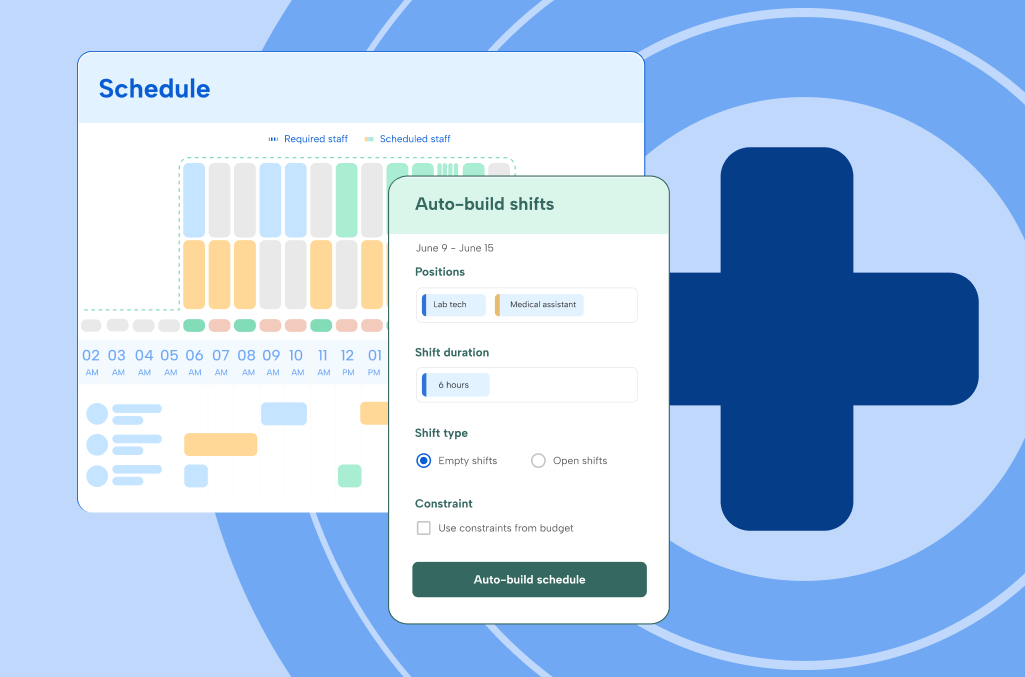
- AI-driven scheduling – Adjusts schedules automatically based on patient demand, staff availability, and compliance rules
- Automated shift adjustments – Updates in real time so last-minute changes and emergency coverage get handled without manual work
- Self-service scheduling tools – Employees swap shifts, request time off, and manage availability from an app, cutting down on admin work
- Overtime and labor law tracking – Keeps you compliant with industry regulations and cuts the risk of costly violations
- Credential and certification tracking – Flags expiring licenses, certifications, and required training automatically, so you only schedule staff who are currently qualified for a role or unit
- Integrations with HR, payroll, and clinical software – Connects scheduling data to the HR, payroll, and clinical software you already run, cutting duplicate data entry across teams
Facility-specific benefits
Different healthcare settings need different things from scheduling software. Here’s how it plays out across three common facility types.
| Facility type | Key benefit | Example in practice |
| Hospitals | Maintain 24/7 coverage, cut nurse fatigue, and track compliance by matching shifts to patient needs and labor law | A large metro hospital facing sudden ER surges can use scheduling software to predict peak hours and adjust coverage before care quality slips |
| Clinics and private practices | Manage swings in patient load by automating shift changes around appointment volume and staff availability | A dermatology clinic with heavier traffic on certain days can staff accordingly and skip overstaffing on slow days |
| Long-term care facilities | Improve care continuity by balancing shifts so residents see familiar caregivers, while keeping staff burnout in check | A skilled nursing facility can build stable rotations that keep the same care team together, supporting residents and staff alike |
Employee scheduling checklist for healthcare organizations
A solid approach to scheduling keeps compliance, efficiency, and employee well-being in check. Run through this checklist to sharpen your scheduling practices:
- Schedule around patient demand and historical trends – Use predictive analytics to anticipate peak volumes and staff accordingly
- Follow nurse-to-patient ratio guidelines and labor laws – Maintain compliance with regulations to keep patient care safe and effective
- Automate shifts and compliance tracking – Use scheduling software to streamline operations and cut admin work
- Offer self-scheduling and shift-swapping – Let employees manage their own schedules, which improves satisfaction and retention
- Build a backup staffing plan – Keep a float pool or per diem staff ready for unexpected absences and emergencies
Frequently asked questions about healthcare employee scheduling
What is healthcare employee scheduling?
Healthcare employee scheduling is the process of planning shifts for hospitals, clinics, and long-term care facilities so patient care never has a gap in coverage. It has to account for 24/7 staffing, nurse-to-patient ratio laws, credential requirements, and constant last-minute changes that most industries don’t deal with.
How do you schedule employees in healthcare?
Start with patient demand data to predict peak hours, then build shifts around ratio laws and credential requirements. Give staff self-service tools to swap shifts and request time off, and keep a float pool ready for last-minute call-offs. Healthcare scheduling software handles most of this automatically, which is why most hospitals and clinics use it instead of spreadsheets.
How does scheduling software help with nurse-to-patient ratio compliance?
Scheduling software applies ratio rules automatically as you build the schedule, flagging a shift before it publishes if it falls short. Manual scheduling usually catches a ratio violation only after a shift is already understaffed.
Can scheduling software reduce burnout among healthcare staff?
It won’t erase the demands of healthcare work, but it can cut what drives burnout: back-to-back shifts, unpredictable schedules, and last-minute coverage requests landing on the same few people. Predictable, evenly distributed schedules and fast shift-swap options give staff more control over their hours.
How does credential tracking work in healthcare scheduling software?
Credential tracking software stores license, certification, and training records for every employee and flags them as they near expiration. When you build a schedule, the software blocks an employee with a lapsed credential from being assigned to a role that requires it, so a compliance issue doesn’t slip through unnoticed.
Transform your organization with better healthcare employee scheduling
Employee scheduling in healthcare is complex, but it’s not optional to get right. It touches patient care, employee satisfaction, and operational efficiency all at once. The right practices and the right software cut compliance risk, reduce burnout, and keep staffing where it needs to be.
Facilities that adopt modern scheduling solutions now will handle workforce challenges better later, from sudden shortages to the next public health event. Automation, predictive analytics, and employee-centric scheduling are where healthcare workforce management is headed, and the facilities that get there first will run leaner and keep their people longer.
TCP Software’s employee scheduling, time, and attendance solutions are flexible and scalable to accommodate your organization and employees as you grow.
From TimeClock Plus, which automates even the most complex payroll calculations and leave management requests, to Humanity Schedule for dynamic employee scheduling that saves you time and money, we have everything you need to meet your organization’s needs, no matter how unique.
Plus, with Aladtec, we offer 24/7 public safety scheduling solutions for your hometown heroes.
Ready to learn how TCP Software takes the pain out of employee scheduling and time tracking? Speak with an expert today.