
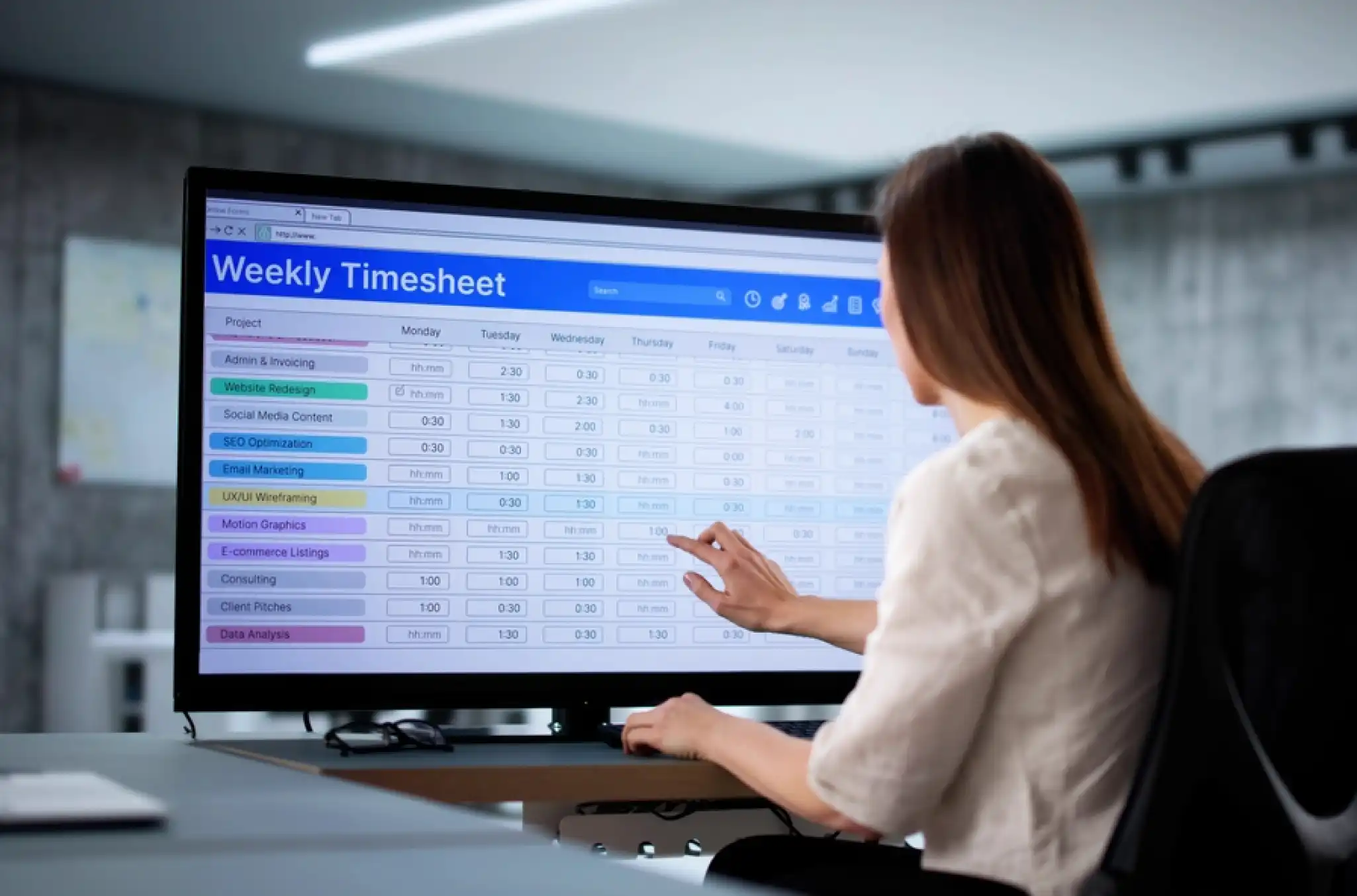
How you calculate hours worked determines whether payroll comes out right the first time.
For organizations running hourly, shift-based labor — healthcare, retail, hospitality, and government — a missed punch or a misclassified break can mean an underpaid employee, an FLSA violation, or a correction cycle that eats more time than the original calculation would have. This guide walks through exactly how to calculate hours worked in six steps, what time actually counts as compensable, and how those hours connect to gross pay.
What counts as hours worked?
Counting hours isn’t as simple as pulling up a calculator and adding numbers, because federal, state, and local rules on breaks, overtime, and time off — plus any union collective bargaining agreement (CBA) your organization operates under — all shape what counts toward an employee’s total.
Before you can calculate hours worked accurately, you need to know what time actually counts. The Fair Labor Standards Act (FLSA) treats any time an employee is “suffered or permitted” to work as compensable, even if you didn’t explicitly ask them to do it. For hourly and frontline workforces, this line matters most when it comes to breaks, pre-shift prep, and on-call time.
| Time that counts as hours worked | Time that does not count |
| ☑ All time on duty, including slow periods and downtime between tasks ☑ Short rest breaks of 20 minutes or less ☑ Required training sessions and mandatory meetings ☑ Travel between job sites during a shift (not commuting to the first site) ☑ Pre-shift or post-shift work the employer knows is happening — prep, cleanup, closing duties | ☑ Standard commuting before the first shift and after the last ☑ Bona fide meal breaks of 30 minutes or more — but only if the employee is completely relieved of all duties. If a manager calls, a customer approaches, or a task comes in during that window, the break becomes compensable. ☑ Voluntary activities outside work hours ☑ On-call time where the employee is free to use the time for personal purposes |
Types of hours you need to track
“Hours worked” isn’t one bucket — how a given hour gets classified changes how it’s paid and whether it counts toward overtime. Four categories cover most of what you’ll track:
- Full-time hours – hours for employees regularly scheduled at or above your organization’s full-time threshold, commonly 30–40 hours a week. This threshold typically determines benefits eligibility.
- Part-time hours – hours below that threshold, often carrying different benefits eligibility and, in some states, different scheduling notice requirements.
- Overtime hours – hours beyond the applicable daily or weekly threshold, paid at the FLSA-required 1.5x rate or the state/CBA rate, whichever is higher.
- On-call hours – compensable only when restrictions on the employee’s personal time make them “engaged to wait,” rather than simply “waiting to be engaged.” An employee confined to the worksite is engaged to wait; one who’s free to run errands and just needs to answer a phone typically is not.
The distinction between these categories matters most for overtime. Misclassify a break as unpaid when the employee was actually on duty, and you can push their weekly total past 40 hours, triggering overtime pay that wasn’t budgeted for.
For frontline organizations with high headcount, that error at scale creates material payroll exposure. See our FLSA overview for more on how federal wage and hour law applies to hourly workforces.
How to calculate hours worked in 6 steps
Pay miscalculations through inaccurate hour calculations can lead to compliance lapses, employee churn, and snowballing costs. But calculating work hours gets complicated when you’re managing mobile/hybrid workforces, differing pay rates, overtime pay, and multiple time tracking methods.
Calculating hours worked for employees doesn’t mean you always need a high-tech solution. By determining start and end times, converting to military time and decimals, and subtracting unpaid breaks, you can do the math manually.
To calculate hours worked, determine the employee's start and end times, convert them to 24-hour military time, and turn the minutes into decimals. From there, subtract the start time from the end time and deduct any unpaid breaks to find the total daily hours.
Step 1: Determine start and end time
The first step is to establish when an employee started and stopped working — “clocking in” and “clocking out” times. For example, an employee might begin working at 8:30 a.m. and finish at 5:00 p.m.
Employees might log these times using a punch card, timesheet, or digital time clock. We’ll discuss these different methods in more detail later.
Step 2: Convert standard time to military time
Standard time formatting makes calculating hours worked more difficult, since am and pm denotations require an extra mental step. Military time removes that step because it’s based on a 24-hour clock, and each hour in the day gets its own number.
Converting to military time is easy — add a zero to the beginning of and drop the colon for all am hours, then simply add 12 to all pm hours. So:
- 7:30 a.m. becomes 0730
- 3:00 p.m. becomes 1500
- 8:45 p.m. becomes 2045
For employees who started at 8:30 a.m. and ended at 5:00 p.m., these hours would appear in military time as 0830 and 1700.
Step 3: Convert digital time to decimal hours
The real benefit of converting to military time comes with pay calculations later on — work duration must appear as a number, rather than as hours and minutes. Because an hour is 60 minutes long, converting to decimals is simple: divide the number of minutes by 60.
For example, if an employee stopped working at 1730, divide 30 by 60 to get .5, so the end time would be 17.5.
1715 = 17.25 (divide 15 by 60 minutes)
1700 = 17 (divide 0 by 60 minutes)
0839 = 8.65 (divide 39 by 60 minutes)
Minutes-to-decimal quick reference
| Minutes | Decimal | Minutes | Decimal |
| 5 min | 0.08 | 35 min | 0.58 |
| 10 min | 0.17 | 40 min | 0.67 |
| 15 min | 0.25 | 45 min | 0.75 |
| 20 min | 0.33 | 50 min | 0.83 |
| 25 min | 0.42 | 55 min | 0.92 |
| 30 min | 0.50 | 60 min | 1.00 |
Step 4: Subtract decimal start time from decimal end time
Now that you’ve successfully converted from standard to military time and minutes to decimals, you can subtract the start time from the end time.
If the start time was 0830 and the end time was 1700, subtract 8.5 from 17: 17 – 8.5 = 8.5.
Step 5: Subtract unpaid breaks
The next step is to subtract any unpaid breaks, and you can use the same steps listed above to calculate the length of the break. For example, if an employee’s break started at 1330 and ended at 1400, the break was 30 minutes long, converting to .5 hours.
For the employee whose workday lasted 8.5 hours, subtracting a .5-hour-long break would yield 8 hours worked.
Step 6: Calculate total hours worked
Once you’ve calculated the total hours worked for each day, add the hours across all the employee’s days within the pay period. Say the employee in our example above worked 10 days total during the pay period.
For four of those days, the employee worked 8 hours. For six of the days, the employee worked 8.5 hours. So the manual breakdown of hours would look like this:
8 + 8 + 8 + 8 + 8.5 + 8.5 + 8.5 + 8.5 + 8.5 + 8.5
4(8) + 6(8.5)
32 + 51 = 83
With this math, you now know that the employee worked 83 hours total during the pay period.
Bonus step: Set a rounding policy
Via the FLSA, you can round the time worked by your employees to the nearest quarter hour to simplify time tracking. For example, times between 8:01 and 8:07 may be rounded down to 8:00, and times between 8:08 and 8:14 may be rounded up to 8:15.
Be careful when rounding times so that the calculated hours are less than the actual total hours worked. This may violate FLSA rules on overtime or minimum wage pay.
How to track overtime
Some of your employees might be eligible for overtime pay: compensation for working beyond a set limit per day, week, or pay period. Under the FLSA, non-exempt employees are entitled to 1.5 times their regular rate for all hours over 40 in a workweek.
To track overtime, compare each employee’s total decimal hours for the week against the applicable threshold. For most hourly employees in the US, anything over 40 hours triggers federal overtime. Some states set daily overtime thresholds as well. California, for example, requires overtime pay after 8 hours in a day.
For employees covered by a collective bargaining agreement, the overtime threshold may be different. Always apply the threshold that’s most favorable to the employee when federal and state or contractual rules conflict.
Tracking overtime manually requires adding up daily totals accurately throughout the week. Errors in daily totals — missed punches, uncounted break time, transposed numbers — compound into incorrect overtime calculations that can result in underpayment, retro pay obligations, or FLSA exposure.
Converting hours worked to gross pay
Once you have total hours in decimal format, calculating gross pay for hourly employees is straightforward:
Gross pay = total hours worked × hourly rate
For an employee who worked 83 hours at $18.50/hour: 83 × $18.50 = $1,535.50.
For shifts that include overtime, the calculation splits into regular and overtime portions:
| Pay type | Calculation | Amount |
| Regular (40 hrs) | 40 × $18.50 | $740.00 |
| Overtime (43 hrs) | 43 × $27.75 | $1,193.25 |
| Gross pay total | $1,933.25 |
The accuracy of this calculation depends entirely on having the correct total hours going in. Errors in time calculation impact hours, compounding into pay discrepancies, correction cycles, and in some cases, wage and hour violations.
For organizations managing large hourly workforces, a small per-employee error repeated across a full pay period adds up fast. See how overtime pay works for a deeper look at how overtime rates apply across different pay structures.
Different methods to calculate hours worked
There is no “right” way to calculate hours worked, and we’ll cover four different methods. The best system for your organization will depend on your operations, types of employees, and existing technology. For more on tracking employee hours, read our in-depth review of employee time tracking.
| Method | Best for | Where it falls short |
| Manual timecards | Small organizations where everyone works from one location | Doesn’t scale, and it puts compliance checks entirely on you |
| Spreadsheets and online timesheets | Organizations that want more accuracy than paper without a full software switch | Struggles with blended overtime, comp time, and multiple pay thresholds; manual entry invites error |
| Payroll software | Organizations that want time tracking and payroll running in one place | Can carry unnecessary features and cost; may not handle CBAs or state-specific rules |
| Time clocks and time-tracking software | Frontline and hourly workforces with complex pay rules or multiple locations | Requires upfront setup and employee adoption |
Manual timecards
Manual timecards are just what the name implies — employees handwrite their start and end times on a timecard for each shift. Each employee will need to record precisely any breaks, days off, or variations from their regular schedule.
Handwritten timecards work well for small companies where all employees work from the same location. However, for larger organizations with distributed employees, handwritten timecards may not match your organization’s complexities.
Spreadsheets and online timesheets
Spreadsheets can reduce the overhead for calculating hours worked. Thanks to formulas and pre-built solutions like online timesheets, the steps outlined in the previous section become faster with fewer mistakes.
However, spreadsheets or timesheets may not easily account for scenarios like blended overtime, compensatory time, and overtime thresholds. Plus, if you manually enter values from handwritten timecards, the overhead admin hours can be immense with a high potential for user error.
Payroll software
As its name indicates, payroll software helps you track employees’ time and run payroll, potentially creating efficiency gains. However, payroll software can be more expensive, and subscriptions might include unnecessary features.
Depending on your organization’s requirements, payroll software may not be able to comply with CBAs, industry-specific regulations, and state-level laws.
Time clocks and time-tracking software
Digital time clocks capture punch data automatically and calculate hours, breaks, and overtime in the background. For frontline and hourly workforces with complex pay rules, multiple locations, or compliance requirements, purpose-built time clock software eliminates the manual work and reduces calculation errors.
Automating how you calculate work hours
For frontline and hourly workforce organizations, manual time calculation doesn’t scale. The math works for five employees, but it breaks down for 50, 500, or 5,000. At that point, errors aren’t occasional; they’re built into the process.
Time tracking software automates every step in this guide: capturing punch data, applying pay rules, calculating breaks and overtime, and producing payroll-ready hours totals.
For organizations with complex pay rules, multiple locations, or union contracts, automation also enforces those rules consistently, so the calculation is correct every time, not just when someone remembers to check.
What to look for in a time tracking solution for hourly workforces:
- Flexible time clock options – Mobile, web, and physical terminals to match how your teams actually work
- Automated pay rule application – Overtime, differentials, and union rules applied without manual configuration each pay period
- Exception tracking – Flags missed punches, early clock-ins, and break violations before they reach payroll
- Payroll integrations – Exports clean, calculation-ready data directly to your payroll system
- Audit-ready reporting – Complete time records for compliance documentation and dispute resolution
We’ve covered how you can calculate employee hours worked and reviewed several time tracking methods. When you shift to time tracking software to simplify this process, you can reclaim hours every week for your organization.
TCP Software’s employee scheduling and time and attendance solutions have the flexibility and scalability to suit your business and your employees, now and as you grow.
From TimeClock Plus, which automates even the most complex payroll calculations and leave management requests, to Humanity Schedule for dynamic employee scheduling that saves you time and money, we have everything you need to meet your organization’s needs, no matter how unique. Plus, with Aladtec, we offer 24/7 public safety scheduling solutions for your hometown heroes.
Ready to learn how TCP Software takes the pain out of employee scheduling and time tracking? Speak with an expert today.





 Link copied!


