
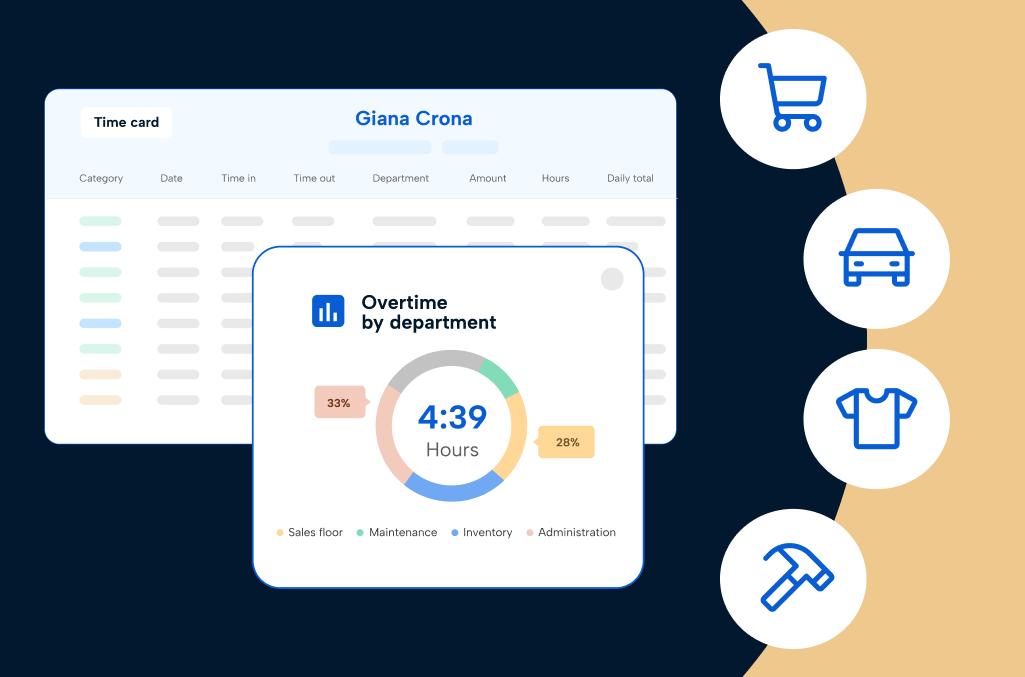
The right retail time tracking software — often called retail time and attendance software — fits how your store runs, not a generic office tool retrofitted for shift work. If you manage a store, you’ve probably lost many of your afternoons and nights fixing messy schedules, missed punches, payroll headaches, or overtime that keeps creeping up where it shouldn’t.
Breaks are hard to track when the floor gets busy, and critical coverage can fall apart the moment foot traffic surges. You juggle onboarding new hires, training part-timers who are just learning the ropes, and keeping seasoned staff from burning out, all while trying to keep customer experiences strong.
The way you handle time tracking in your store doesn’t just shape your payroll run. It shapes your team’s day and your own peace of mind. And in retail, the details vary wildly depending on where you sit:
- Grocery and personal care – High reliance on minor employees and strict compliance needs
- Specialty and apparel – High turnover and fluctuating foot traffic
- Home Improvement and Lifestyle – Department-based coordination and heavy cross-training
- Auto and Retail Services – Complex pay structures and commission tracking
The time tracking strategy that works for a neighborhood grocer might fall flat for a specialty shop, a big-box home center, or a multi-location auto group.
That’s why this guide goes beyond generalities.
We’ll break down what really matters for each type of store, call out the trouble spots, and show you what to look for. By the end, you’ll know how time tracking software should actually fit the reality of your operation, so you’re not combing through checklist after checklist and worrying you will pick the wrong solution when it’s time to make a decision.
Download the PDF version of this guide to view offline
Why time tracking is different in retail
Balancing labor costs and customer service is never straightforward in retail.
On any given day, you’re juggling late arrivals, surprise callouts, and a steady stream of new faces on the team. You’re capturing hours, making sure the right people are on the clock, and getting everyone paid accurately even when things get hectic.
The constant shuffle means it’s easy for mistakes and missed punches to pop up, adding stress for managers, payroll, and frontline staff alike. Each core team member experiences unique time tracking obstacles:
- Store managers – Struggle with fixing missed punches and handling timecard corrections on top of daily operations.
- Department managers – Find it difficult to track hours by role or department, especially with cross-trained staff or frequent shift changes.
- Payroll administrators – Deal with incomplete or inaccurate time data that leads to payroll errors and last-minute corrections.
- Regional leaders – Lack clear visibility into overtime, compliance risks, and labor costs across multiple stores.
- Hourly team members – Worry about getting paid accurately, navigating to skip a needed break, and fixing mistakes on their own timecards.
All these scenarios apply before the compliance minefield comes into play. From predictive pay and scheduling laws to minor labor rules and mandatory meal and rest breaks, making a mistake on a timesheet can lead to massive penalties down the line that you never see coming.
The impact of these everyday challenges depends on what you sell and how your workforce operates. In the sections ahead, we’ll cover the specific realities of different industries in retail and how time tracking software should cater to your unique needs.
Core capabilities every retail time tracking software should have
Manual methods like paper punch clocks, handwritten timesheets or basic time tracking spreadsheets can’t handle the complexities of modern retail. Old methods lead directly to payroll errors, compliance risks, and wasted time for everyone involved. To keep your operations running smoothly, you need software built to handle the realities of your store.
Here are the core capabilities every retail business needs:
- Time capture that fits retail workflows
- Compliance management
- Absence and leave management
- Overtime management
- Labor costing and job tracking
- Payroll-ready automation
1. Time capture that fits retail workflows
Flexible time clocks — mobile, kiosk, or POS stations — should be close to where your team actually works. Staff can clock shifts by department, job code, and cost code, making it easy to keep records accurate even when they move between areas. This reduces missed punches and incorrect job allocation, which are common in fast-moving retail environments.
When time is captured in context, payroll is cleaner, and managers spend less time tracking down errors after the fact.
2. Compliance management
Automated rules handle break tracking, minor labor laws, and local labor compliance in the background. Quick prompts and built-in alerts make it easy to catch and correct issues before they turn into payroll problems and fines. As employees clock in, take breaks, and move through their workday, compliance risk builds with every missed or delayed action.
Continuous visibility into hours worked, break timing, and rule thresholds helps teams maintain compliance without relying on manual checks or memory.
3. Absence and leave management
Employees can quickly check their balances, request time off, and see approval status — no texting managers or paper forms needed. This creates a single, reliable source of truth for time-off records instead of scattered requests across messages or spreadsheets. When absence data is tracked consistently, managers gain clearer visibility into who is available and when, making it easier to anticipate gaps, adjust plans early, and avoid last-minute disruptions.
Accurate leave tracking also improves payroll and compliance outcomes. With fewer manual entries and clearer records, teams spend less time resolving discrepancies and more time keeping operations running smoothly.
4. Overtime management
Overtime pay alerts notify team members when they are approaching threshold hours, even across departments or locations.
Managers get a heads-up to adjust schedules before overtime costs sneak in. Overtime also carries compliance implications. When break rules, wage laws, and hour thresholds are tied to time worked, even small overages can create risk. Early alerts help teams stay within limits, avoid violations, and keep labor spend under control without last-minute fixes.
5. Labor costing and job tracking
With accurate job costing codes, you track which department or role an employee worked each shift — whether a cashier covers stocking, or a sales associate helps with inventory. Job tracking gives real answers on budgets and shows how labor connects to store performance. This makes it easier to understand how labor is distributed across the store and identify inefficiencies. Better visibility leads to more informed decisions about staffing, budgeting, and performance.
6. Payroll-ready automation
Payroll-ready automation pushes approved hours and pay rules straight to payroll, so you can skip manual entry. This reduces mistakes and frees up admins to focus on tasks that actually move the business forward. Cleaner data flowing into payroll also reduces last-minute corrections and rework. When time, scheduling, and pay rules are aligned, payroll becomes faster, more accurate, and more predictable.
While these capabilities should be in place for any type of retail, how they come into play can look very different depending on your environment. In the next section, you’ll see how these fundamentals show up in each retail business and why that matters for your team’s daily reality.
How core capabilities apply to your retail segment
Some retailers manage licensed roles and extended hours, while others depend on weekend traffic and promotional spikes. Some coordinate certifications and department specialists, while others balance commission structures and mixed pay rules.
The core capabilities remain the same — but how they apply depends on how your stores actually run. These same core capabilities exist across all retail businesses, but what matters most will shift depending on your store type and daily challenges.
Here’s how time tracking software should meet the realities of your industry:
- Grocery and personal care retailers
- Home Improvement and lifestyle retailers
- Auto retail and services
- Specialty and apparel retailers
Grocery and personal care retailers
What makes labor different here: Grocery stores and convenience retailers operate long hours and face coverage-critical shifts. You employ regulated roles, like pharmacy techs or alcohol cashiers, that require specific credentials. You also likely rely on minor employees, which comes with strict work rules and enforced meal and rest breaks.
Capabilities that matter most:
- Compliance-aware time tracking – Automate guardrails of minor labor laws and mandatory break policies.
- Break attestation and tip tracking – Capture employee confirmation for breaks and accurately track any tips for payroll.
- Credential tracking – Prevent employees with expired certifications from clocking into licensed roles.
- Real-time overtime alerts – Proactively manage hours to control costs.
Look for software that:
☑ Sends automated alerts for missed breaks and approaching overtime
☑ Integrates credential management directly with the time clock
☑ Tracks shift differentials for overnight, weekend, or cross-trained staff
☑ Supports tip reporting tools for cash-heavy departments like bakery or deli
☑ Offers age-based rules and conflict alerts for minor employees
Evaluating time tracking software vendors based on size and maturity
Basic time tracking stage
Who this is for: Independent stores, small chains, and mom-and-pop operations still relying on paper spreadsheets, wall clocks, texts, or disconnected tools to track time.
What you’re doing:
- “We all just punch in on the wall clock.”
- “We track hours and breaks on a spreadsheet.”
- “Payroll takes forever because we’re always fixing timecards.”
- “It’s difficult for us to accurately track breaks or minor hours.”
At this stage, time tracking is reactive. Managers are stitching together punches from the clocks and hours from the spreadsheets, so payroll cleanup becomes routine instead of occasional. Breaks and rules for under-18 employees are often handled informally, which is where small misses turn into compliance issues.
| What you need | Why it matters | Risks to watch for |
| Digital clock options with position and department tracking | Helps managers see which departments or roles employees worked during a shift | Handwritten sheets get lost, missed punches cause payroll rework |
| Simple break and meal prompts | Keeps you out of trouble with minor labor laws | Untracked breaks lead to fines and burned out employees |
| Supervisor approval workflow | Catches errors before they hit payroll | Buddy punching and other forms of time theft slip through unnoticed |
| Basic overtime alerts | Flags overspending before it hurts the budget | Missed alerts cause costly overtime or wage claims |
Intermediate time tracking stage
Who this is for: Growing grocery, pharmacy, convenience, and fuel groups using basic time tracking software that no longer scales with their complexity.
What you’re doing:
- “Our tool works for one store, but not multiple.”
- “We’re spending too much time still fixing punches and pay rates.”
- “We need better control of overtime and employee breaks.”
At this stage, exceptions multiply. Multiple locations, regulated roles, differentials, and pay rates create messy time data that still needs manual reconciliation. You have software, but you don’t have clean, consistent time output.
| What you need | Why it matters | Risks to watch for |
| Automated break and minor rule alerts (with break attestation options) | Saves time and keeps you on the right side of compliance | Manual tracking leads to missed premiums and staff burnout |
| Integration with payroll or HCM systems | Reduces paperwork, errors, and transfer delays | Inaccurate time data drives bad paychecks |
| Credential checks tied to the clock | Prevents unqualified staff from working roles requiring licenses or skills | Accidental violations or liability |
| Employee self-service for leave requests, hours worked, and timecard corrections | Gives staff access to submit timesheet fixes and track leave approvals | Managers spend excessive time answering questions and making timesheet corrections |
Advanced time tracking stage
Who this is for: Mid-market and enterprise grocery, pharmacy, and fuel organizations using large workforce or HCM platforms that feel complex, expensive, or underutilized.
What you’re doing:
- “We have a solution, but it’s kind of overkill for our size.”
- “Our labor data doesn’t match our payroll and we’re still fixing it.”
- “We need one view of overtime, breaks, and job cost across all stores.”
- ”We see labor stats but have no clue how they relate to sales.”
At this stage, the goal is trust and visibility. If stores work around the system, you end up with multiple versions of the truth and late surprises in overtime or compliance. Leaders need one reliable view of hours, exceptions, and risk across locations.
| What you need | Why it matters | Risks to watch for |
| Multi-store dashboards for labor and compliance | Enables smarter decisions from connected data | Siloed data hides risks and makes labor tracking hard |
| Customizable credentials and minor labor controls | Shields from major compliance problems | Missed flags can cause fines, damage reputation, and employee morale |
| Labor cost analytics by department and job | Reveals budget drivers and cost trends | Over/underspending can go unnoticed |
| Exception management + audit-ready reporting for breaks, minors, tips, and regulated roles | Improves consistency and reduces compliance risk across locations | Exceptions pile up, issues slip through, and disputes become harder to resolve |
| Connections with scheduling providers | Get the full view of staffing efficiency and labor cost data at scale | Heavy tool management or workload without clear data or insights into labor |
Home improvement and lifestyle retailers
What makes labor different here: These retailers have multiple departments with specialized staff. Your team needs equipment certifications to operate forklifts or saws. You rely heavily on cross-trained employees to cover different areas, and you often coordinate with external installers and delivery drivers.
Capabilities that matter most:
- Department and job code tracking – Allow employees to transfer between jobs during a shift for accurate labor costing.
- Preventing time theft – Ensure employees work scheduled hours with clean data on clock-ins and clock-outs.
- Certification tracking – Block employees from clocking into jobs if their certifications have expired.
- Overtime and fatigue management – Gain visibility into hours across multiple locations to prevent burnout.
- Multi-location visibility – Provide regional managers with a unified view of time and attendance data.
Look for software that:
☑ Allows employees to switch job codes from the time clock interface for accurate labor costing
☑ Manages certifications and links them to specific roles, preventing unqualified staff from clocking into specialty departments
☑ Aggregates labor data across locations into a single dashboard from PIN, badge, biometric, and device-restricted clock-ins
☑ Provides department-specific break tracking for teams in places like the garden center or lumberyard
☑ Flags when cross-trained employees are scheduled for back-to-back shifts in different departments, supporting fatigue management
Evaluating time tracking software vendors based on size and maturity
Basic time tracking stage
Who this is for: Independent home improvement, hardware, furniture, or specialty home stores and small local chains still relying on time tracking spreadsheets, whiteboards, wall clocks, and text messages to manage time and attendance.
What you’re doing:
- “We just use a whiteboard or the shift manager keeps track.”
- “Payroll takes a while because everything is done manually.”
- “It’s difficult for us to accurately track breaks or minor hours.”
At this stage, accuracy is the struggle. Missed punches, missed breaks, and overtime creep show up after the fact, then payroll pays the price. The priority is simple capture that doesn’t slow the floor down.
| What you need | Why it matters | Risks to watch for |
| Digital punch clock with department/job tracking | Provides clear visibility where your labor budget is going | Paper timesheets get lost and missed punches create payroll errors |
| Simple break, meal, and time off prompts | Helps you maintain compliance with labor rules, especially for youth | Missed breaks, unrecorded breaks, or failure to grant proper time off can lead to fines and impact employee retention |
| Supervisor approval workflow | Adds oversight before time data reaches payroll, and plans for employee time ahead of scheduling | Buddy punching goes unnoticed while leave and PTO requests for unnoticed in text threads |
| Basic overtime alerts | Warns managers when labor costs start climbing | Overtime costs can escalate quickly or trigger wage disputes |
Intermediate time tracking stage
Who this is for: Growing businesses, regional chains, or multi-department and multi-location home improvement or lifestyle retailers using a time tracking tool but struggling with accuracy, scalability, or visibility.
What you’re doing:
- “Our current app works in one store, but not so well across departments.”
- “We spend hours each week fixing punches and timecards.”
- “We’ve buried our heads in the sand on compliance and credential tracking.”
- “We need more visibility into our overtime and labor costs.”
At this stage, when employees are more likely to move between departments, the cracks in your system get exposed. Managers end up fixing punches and recoding labor just to make payroll line up. You need time data that stays accurate through transfers, approvals, and exports.
| What you need | Why it matters | Risks to watch for |
| Automated break tracking + department/job transfers during shifts | Saves time and cuts compliance risk | Manual tracking leads to missed premiums and staff burnout |
| Integration with payroll (time-to-pay + job cost coding) | Reduces paperwork, pay rate corrections and payroll errors | Inaccurate time data drives incorrect paychecks |
| Certification gating tied to the time clock (role-based restrictions) | Prevents unqualified staff from clocking into specialty departments | Accidental compliance violations or safety risk |
| Employee self-service options | Gives staff and managers easy access for time fixes, time-off submissions, and approval processes | Reliance on office hours makes corrections slow |
Advanced time tracking stage
Who this is for: Mid-market or enterprise home improvement and lifestyle retailers already using a workforce management, HCM system, or ERP platform but frustrated by complexity, cost, or poor adoption at the store level.
What you’re doing:
- “We have software, but it’s completely overkill for how our store operates.”
- “Our tools are difficult to adopt, so people just work around it.”
- “What the data says and what payroll shows aren’t the same.”
- “There’s not a good way to customize things for hourly staff.”
At this stage, inconsistency is the enemy. Workarounds and uneven adoption create reporting that can’t be trusted across stores. The win is one clean system of record for hours, compliance, and labor costs, while still giving each store the flexibility to comply with their local laws.
| What you need | Why it matters | Risks to watch for |
| Multi-store dashboards for labor, overtime, and compliance | Enables decisions from data, not guesswork | Siloed data hides problems and makes performance tracking hard |
| Customizable certification controls tied to departments/roles | Shields from big-ticket compliance issues | Missed expiration alerts put safety, brand reputation and payroll at risk |
| Labor cost analytics with department and job transfer mapping | Gives a clear view of budget drivers by team or department | Over/underspending can go unnoticed across locations and roles |
| Overtime + fatigue risk visibility across locations/roles | Helps prevent burnout and controls costs | Turnover and burnout risks compound across locations without early warning |
| Connections with scheduling solutions | Provides a comprehensive view of staffing and labor cost efficiency | Working with tools in silos and managing multiples sources of truth |
Auto retail and services
What makes labor different here: Auto retailers involve complex pay structures, including commissions, licenses, and hourly rates. You must ensure commissioned employees meet minimum wage requirements. You have distinct roles with different pay rules, from sales to porters to parts drivers.
Capabilities that matter most:
- Mixed pay rate tracking – Manage multiple pay rates for a single employee within one system.
- Commission minimum wage compliance – Automatically calculate make-up pay to ensure salespeople get paid for hours worked.
- Job tracking by role– Accurately log time against specific jobs/activities for productivity and pay accuracy.
- Payroll automation – Handle complex calculations for commissions and overtime to ensure accurate paychecks.
Look for software that:
☑ Automates commission-to-minimum wage true-ups for sales consultants
☑ Handles blended pay rates for employees working across sales floor, parts, and installation
☑ Supports job code tracking tied to pay calculations without the manual reconciliation
☑ Adds audit trails for commission balances and draws, so payroll can resolve disputes quickly
☑ Connects scheduling and time data to provide visibility into attendance trends
Evaluating time tracking software vendors based on size and maturity
Basic time tracking stage
Who this is for: Independent used car lots, small parts stores, and single-location car or recreational dealers relying on paper spreadsheets or online timesheets for time tracking.
What you’re doing:
- “We want to move beyond spreadsheets and texts but have no system.”
- “Payroll takes forever because we’re entering hours and commission by hand.”
- “We’ve tried setting something up, but nobody wants to use it.”
At this stage, time tracking is pay tracking. When hours, flags, and exceptions live in online timesheets or text threads, small errors become disputes fast. The goal is clean capture and approvals that don’t require detective work.
| What you need | Why it matters | Risks to watch for |
| Automatic tracking of job-specific hours | Removes manual calculations, reduces admin burden, and cuts down on errors | Miscalculated hours, inconsistent pay records, or paycheck disputes |
| Support for multiple wage and commission types | Handles sales, porters, drivers, and parts roles without confusion | Errors mixing hourly and commission-based pay |
| Built-in minimum wage thresholds that work within commission pay structures | Makes sure every employee always meets the legal base pay | Underpayment issues, wage claims, or noncompliance fines |
| Electronic approval workflows for pay exceptions and timesheet edits | Avoids missed adjustments with a clear process for reviewing before payroll runs | Last-minute manual corrections, missed approvals, and payroll delays |
Intermediate time tracking stage
Who this is for: Growing small dealerships and parts retailers or regional chains that use a basic time tracking tool but need something more robust to handle multiple locations or commission-based pay rules.
What you’re doing:
- “Our app/clocks are fine in one place, but they’re clunky for multiple locations.”
- “It’s hard to track hours for commission and it’s not scaling well.”
- “We’re spending too much time fixing missed punches or correcting hours.”
- “We’ve got too much overtime but don’t know where it’s coming from.”
At this stage, reconciliation becomes the job. Mixed pay rules drive constant checks to make sure timecards match commissions, draws, and blended rates before payroll closes. You need timekeeping built for pay-plan reality, with audit trails that hold up.
| What you need | Why it matters | Risks to watch for |
| Automated commission/draw calculations + minimum wage true-ups | Simplifies pay calculations and cuts compliance risk | Manual tracking leads to errors, missed adjustments, and disputes |
| Integration with payroll (commissions, draws, blended rates) | Reduces paperwork, errors, and data transfer delays | Incorrect time data leads to inaccurate paychecks and employee wage violations |
| Approval workflows + audit trails for pay plan exceptions | Makes pay adjustments easier to track and explain | Missing approvals create payroll rework and employee complaints |
| Employee self-service options | Allows employees to review time entries and submit corrections for approval more easily | Corrections take longer when updates depend on office hours |
Advanced time tracking stage
Who this is for: Mid-market or enterprise automotive groups already using a workforce or HCM platform, but frustrated with complexity, cost, support, or poor adoption by store managers.
What you’re doing:
- “We’ve got software, but it’s overkill and doesn’t get certain tasks done correctly.”
- “All the capabilities are there, but nobody likes using it.”
- “We pay way too much for things not to be customized for hourly staff.”
- “Labor data and sales data aren’t speaking the same language.”
At this stage, friction kills adoption. If the system is hard to use, teams invent workarounds — and the data stops matching payroll. The priority is end-to-end consistency across locations: clean punches, provable adjustments, and dashboards you can trust.
| What you need | Why it matters | Risks to watch for |
| Cross-store hours and labor cost analytics | Increases transparency, supports margin control, and keeps you audit-ready | Siloed data keeps cost trends and profitability problems hidden |
| Custom rule sets for blended pay scenarios | Aligns new sales roles and bonus structures | Errors as pay plans change and missed incentive payments |
| Full payroll and scheduling integration with pay, draw, and commission | Saves significant time with accurate pay from the start, and full visibility into hours worked and labor cost | Disconnected systems, high overtime, and inaccurate paychecks |
| Granular position and sales dashboards | Highlights performance and cost trends by role and location | Productivity loss, missed trends, and uninformed decisions |
Specialty and apparel retailers
What makes labor different here: High turnover and a reliance on part-time staff define specialty retail. Team members often deal with short rest windows between shifts, which can trigger Fair Workweek law penalties. Unpredictable foot traffic increases timecard exceptions, last-minute changes, and overtime risk.
Capabilities that matter most:
- Fair workweek-adjacent timekeeping compliance – Enforce rest-period and premium-pay triggers using time clock rules and attestations.
- Mobile-first time tracking – Give employees easy mobile clock-in/out and managers on-the-go visibility.
- Sales-aware labor visibility – Compare labor hours worked against sales (POS) to spot overruns and optimize staffing decisions.
- Self-service timecard exceptions – Let employees submit missed punch fixes and break attestations from their phones.
- Multiple clock-in options – Use PIN, badge, biometric, or device-restricted punches to reduce buddy punching, time padding and protect margins.
Look for software that:
☑ Offers on-the-go mobile capabilities for both employees and managers
☑ Automates premium pay calculations for rest-period and break-rule violations based on time punches
☑ Provides dashboards that visualize labor costs against sales data
☑ Allows employees to submit timecard corrections, attest breaks, and track punch history from their mobile devices
☑ Tracks time-related rules for part-time and minor employees (breaks, max hours, curfews) and enforces them at the clock
Evaluating time tracking software vendors based on size and maturity
Basic time tracking stage
Who this is for: Independent stores and small local chains still relying on time tracking spreadsheets, wall clocks, whiteboards, spreadsheets, and texts.
What you’re doing:
- “We update the wall schedule every week and catch missed punches when staff forget to clock in.”
- “We update hours through spreadsheets or alongside wall schedules.”
- “Payroll is a chore because everything’s hand-written.”
- “Breaks, time off, and tips aren’t really tracked well.”
At this stage, time tracking is about avoiding weekly chaos. High turnover and part-time labor mean missed punches and messy timecards. The priority is reliable capture, fast fixes, and fewer break-rule surprises.
| What you need | Why it matters | Risks to watch for |
| Mobile/digital time clock options with job specific tracking | Captures accurate hours for payroll and budgets | Missed punches, hand-written errors, buddy punching |
| Simple break and meal prompts, and basic PTO tracking | Helps keep you compliant and your employees satisfied | Unrecorded breaks lead to fines and missed PTO causes unhappy staff |
| Supervisor approval workflows | Errors get caught before payroll runs | Overtime and mistakes slip through without reviews |
| Overtime alerts | Flags overspending before it hits payroll | Surprise overtime costs and wage claims |
Intermediate time tracking stage
Who this is for: Growing small businesses, regional chains, or multi-department or multi-location stores (including franchise groups with multiple locations) that already use timekeeping software but struggle with accuracy, scalability, or compliance.
What you’re doing:
- “It works fine in one store, but not across all our locations.”
- “We still spend too much time on fixing hours and adjusting pay.”
- “Credentials and compliance are basically an afterthought.”
- “Overtime is still happening and we don’t know why.”
At this stage, exceptions are constant. Managers still spend too much time correcting hours, approving edits, and chasing overtime. You need faster workflows and clearer visibility before issues hit payroll.
| What you need | Why it matters | Risks to watch for |
| Automated break tracking and rule-based alerts | Saves managers time and protects against fines | Manual tracking often misses compliance risks |
| Payroll integration (mobile-first timecard corrections + auditability) | Avoids duplicate entry and reduces admin work | Extra steps add more places for mistakes |
| Credential or certification tracking | Confirms only trained or certified team members are scheduled | Liability or violations if unqualified staff clock in |
| Employee self-service for time corrections and time-off | Empowers staff and speeds up corrections with approval workflows | Fixes are slow and frustrate employees |
Advanced time tracking stage
Who this is for: Mid-market or enterprise retail groups already using a workforce or HCM platform, but frustrated with complexity, cost, or support.
What you’re doing:
- “Our solution has too much of what we don’t need, too little of what we do need.”
- “Nobody actually uses our solution the way it should be used, despite its cost.”
- “Labor data still isn’t accurate and we’re struggling to keep up with payroll.”
- “For what we pay, this just isn’t tailored to how our teams work.”
At this stage, time data should do more than feed payroll. If adoption is uneven, workarounds creep back in and reporting gets muddy. The goal is consistent timekeeping with audit trails and clear visibility into overtime and labor cost trends across stores.
| What you need | Why it matters | Risks to watch for |
| Multi-store dashboards for labor, overtime, and compliance | Supports data-driven decisions across locations | Siloed data lets problems grow unnoticed |
| Customizable controls for credentials and minor workers | Defends against large-fine compliance issues | Missed alerts means big risks go unresolved |
| Job cost analytics and mapping by department/activity | Shows where labor spend drives or drags performance | Overspending and inefficiencies remain hidden across locations |
| Fair-workweek-adjacent timekeeping audit trail (rest/break compliance + exceptions) | Helps managers follow rules consistently and resolve disputes | Manual tracking increases the chance of missed premiums and complaints |
Questions to ask before you buy
Choosing time tracking software is about making sure the fit is right for how your store actually runs. Start with these core questions to cover the basics, then dig in with industry-specific questions that address compliance, payroll, and staff management needs unique to your retail operation.
These questions will help you evaluate whether a vendor’s capabilities line up with your day-to-day challenges and ensure you’re not left filling gaps with manual work. Be sure to bring up real scenarios from your store as you go — they often reveal which solutions can truly handle the realities of your environment.
| Accuracy & exceptions | Compliance management | Labor cost visibility | Integrations & output | |
|---|---|---|---|---|
| Grocery and personal care | How do you catch missed punches and route exceptions by department? | How do you set up guardrails for minor rules and mandatory breaks at the clock? | Can we track shift differentials/tips and report labor cost by department? | Do payroll exports handle tips/differentials cleanly? |
| Home improvement and lifestyle | How do you handle exceptions when employees move departments mid-shift? | How do you manage employee break rules and flag overtime risk across locations? | Can we map hours worked to job/department for labor costing? | Do payroll exports include job/department pay rate changes? |
| Auto and retail services | How do timecard edits flow into commissions/draws without manual fixes? | How do you manage overtime and minimum wage rules across multiple pay types in one system? | Can we report flag hours for technical workers and pay-plan impacts without spreadsheets? | Do payroll exports support commissions/draws/blended rates reliably? |
| Specialty and apparel | Can staff submit punch corrections on mobile devices with manager approval? | How do you track rest-period and premium triggers using time punches? | Can we compare hours worked against sales (POS) by store? | Can time data feed POS reporting for labor vs sales dashboards? |
ROI and total cost of ownership for time tracking software
A modern time tracking software usually pays for itself because it replaces costs you’re already absorbing every pay period — manual corrections, small payroll mistakes that add up over time, avoidable overtime, and admin time spent resolving payroll questions.
The software line item is predictable; the hidden costs of “good enough” time tracking aren’t. But how does this apply to your organization?
How ROI shows up differently across retail segments
While every retail industry is unique, time tracking software impacts them all in similar ways. It can:
- Cut payroll errors with automated calculations
- Save managers hours each week by reducing manual timecard corrections
- Prevent costly compliance penalties with built-in rules
- Help control labor costs by surfacing overtime risk before it becomes a problem
The exact impact of time tracking software varies depending on your segment and your pressing needs.
The following sections break down the business case for each retailer in more detail, making it easier to see how software investments pay off where you need them most.
(Statistics collected from TCP Software’s internal research on retail organizations)
Grocery and personal care ROI
- Labor typically represents 14–20% of sales, so even small timecard errors or overtime creep materially hit profitability.
- Store managers often spend 6–10 hours per week handling schedules and timecard cleanup — time pulled from floor execution.
- Grocery and convenience retailers often overspend 1–3% on overtime and compliance-related labor due to last-minute coverage, early clock-ins, or missed breaks.
- Missed or inaccurate punches can create a steady stream of cleanup work, with an estimated 2–4% of punches requiring manual correction when time data isn’t captured cleanly.
- Unplanned labor adds up quickly when stores don’t have confidence in time data and coverage, and one extra associate per shift can cost $6K–$10K annually per location.
Home improvement and lifestyle ROI
- Replacing hourly retail associates can run ~$2,000–$10,000 per person (costing you in recruiting, onboarding, training, and lost productivity).
- Understaffing in peak periods can drive ~10% revenue impact when selling coverage is insufficient — high-ticket customers with project-based purchases require expertise from your teams, which costs you sales if they’re not present.
- Payroll accuracy issues can tie up 5–10% of payroll in rounding errors or manual reconciliation (and the rework that comes with it).
- Overtime can creep up during peak seasons, weather events, and promotions, especially when leaders don’t have real-time visibility into hours worked across departments.
- Labor rule violations can become expensive fast, with exposure that can reach thousands per violation when breaks, policies, or documentation aren’t enforced consistently.
Auto retail and services ROI
- Replacing a sales consultant is estimated at ~$24,000–$45,000 (recruiting, onboarding, ramp time, lost gross profit).
- Close rates can drop ~15–20% when customers wait more than 10 minutes.
- Payroll teams can spend 4–8 hours per pay period on corrections and reconciliation in mixed-pay environments.
- Technician productivity can suffer when time capture is fragmented, and 10–15% of technician time may be lost to unallocated or administrative tasks without clean tracking.
Specialty and apparel ROI
- Turnover cost per associate is ~$2,000–$10,000 (recruiting, onboarding, training, lost productivity).
- Understaffed peak hours can create ~10% revenue impact when selling coverage is insufficient.
- Payroll accuracy issues can tie up 5–10% of payroll in rounding errors or manual reconciliation.
- Overtime often spikes during holidays and promotions, and without strong visibility into hours worked, those spikes can quietly erode margins.
Solving these challenges takes clear steps and practical solutions, not just more processes. When you spot where things get off track — like missed punches, credential expirations, or repeated payroll errors — you have a chance to set things right before fines hit your bottom line.
The best practices ahead lay out proven ways to tackle trouble spots, keep labor costs in check, and help your team run a smoother, more predictable operation in your everchanging, unpredictable retail environment.
Take the pain out of time tracking in retail with TCP
No matter what you sell, everyone in your store — from hourly staff and department managers to payroll administrators and regional leaders — feels the pressure of tracking time right. Whether it’s sorting out time records in the back office, preparing payroll, or trying to keep overtime in check, the challenges touch every part of your team.
When time tracking is clunky or scattered, managers and payroll teams absorb the stress, and staff notice when hours or paychecks don’t match reality. Over time, these small issues pile up, wearing your team down and pulling energy away from the experience you deliver for every shopper.
When your time tracking system brings everything together, that cycle can break. TimeClock Plus and Humanity Time bring time tracking into one connected, retail-ready solution.
Approvals and corrections are faster and more reliable, managers stay on the floor, and staff know their pay will be correct every time. Errors and compliance risk fade into the background, and so does the mental noise of worrying about it.
What you get is a calmer, more predictable operation where everyone — from leaders to hourly team members — can spend more time focused on your customers, not hunting for missing hours or worrying about payroll surprises.
When time tracking systems work the way they should, you stop spending your days worrying about how well your retail business runs and can actually focus on just running the business.
TCP Software’s employee scheduling and time and attendance solutions have the flexibility and scalability to suit your business and your employees, now and as you grow.
From TimeClock Plus, which automates even the most complex payroll calculations and leave management requests, to Humanity Schedule for dynamic employee scheduling that saves you time and money, we have everything you need to meet your organization’s needs, no matter how unique. Plus, with Aladtec, we offer 24/7 public safety scheduling solutions for your hometown heroes.
Ready to learn how TCP Software takes the pain out of employee scheduling and time tracking? Speak with an expert today.




 Link copied!


