Your K-12 district operates like a small city.
Beyond the teachers and students, there are transportation fleets, maintenance crews, food service staff, and administrative teams working toward the same goal. But each layer of complexity increases the odds of things going wrong.
Manual time tracking processes and fragmented systems add to the workload, usually leading to payroll errors, compliance risks, and administrative burnout. So, how do you improve time tracking for K-12 to actually support your district, instead of it slowing everyone down?
This guide explores the time tracking challenges for your K-12 district, practical next steps you can take, and the measurable impact of spending time to improve it.
Who benefits when you improve time tracking for K-12 schools and districts?
When time tracking breaks down, every department feels it. But when it works, everyone gets breathing room. Here’s how key groups benefit from improved processes:
For HR and payroll teams
Better time tracking reduces manual cleanup and gives a clean, auditable trail for payroll management across schools and roles.
- Shorter payroll timelines – Reduce manual collection and data entry by routing timecards through one system.
- Fewer corrections and audit stress – Catch issues before processing and keep complete digital records ready on demand.
For finance directors
Accurate labor detail helps finance connect hours to budgets, grants, and programs without spreadsheet guesswork.
- Cleaner budgeting and forecasting – Use labor trends to control overtime and spot overruns earlier.
- Easier grant and program reporting – Attribute hours to Title I/IDEA (and more) with audit-ready reporting.
For superintendents and principals
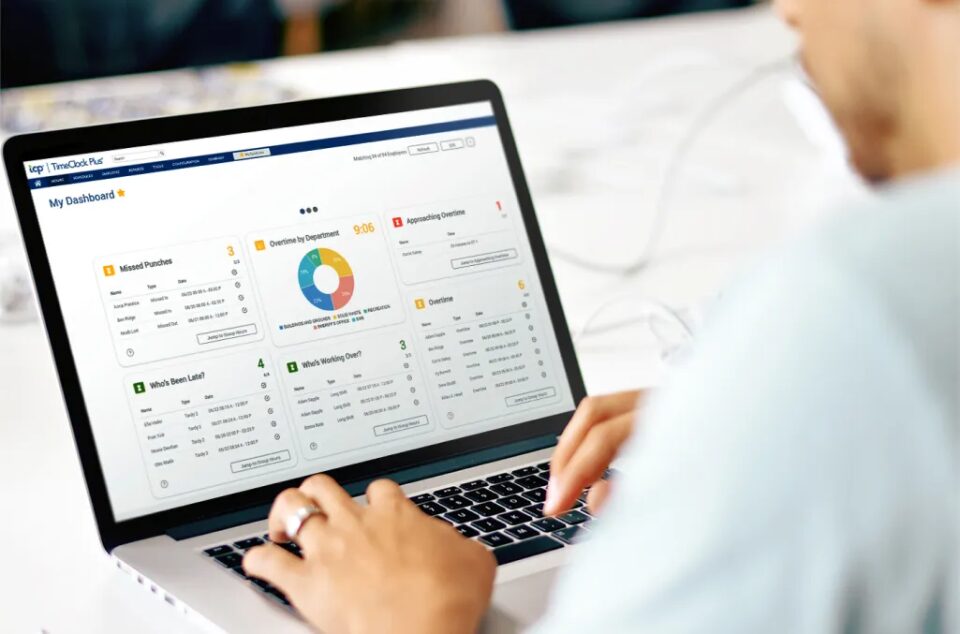
Real-time visibility into who’s working helps leaders protect coverage while keeping labor costs predictable.
- Faster staffing adjustments – Identify gaps quickly and make changes before shortages or overtime snowball.
- Better planning and oversight – Use trends and alerts to guide scheduling and surface compliance risks early.
For district staff
When employees can easily verify time and pay, trust rises — and confusion drops.
- Accurate pay across roles and sites – Track multiple jobs, rates, and locations cleanly to reduce errors.
- Self-service access to records – Review hours and request corrections without long back-and-forth cycles.
Challenges in time tracking for K-12 education
The strategy to improve time tracking for K-12 centers around tracking dozens of job types, locations, pay rules, and funding codes without losing accuracy. Below, each table highlights a daily reality, its challenge, and the impact on that role.
HR and payroll teams
| Daily reality | Time tracking challenges | Impact experienced |
| You collect time from multiple schools, validate it, and chase corrections across roles and approval chains. | Paper, email, and disconnected systems hide errors until the last minute. Missed punches and role changes create time-consuming exceptions. | Payroll slows down, errors increase, and pay delays drive frustration—plus higher compliance risk from weak documentation. |
Finance directors
| Daily reality | Time tracking challenges | Impact experienced |
| You budget, forecast labor, and report hours by school, program, and funding source—including grants. | If hours aren’t coded correctly up front, finance has to rebuild the story later using inconsistent data and workarounds. | Variances are harder to explain, audits feel riskier, and labor reporting becomes less reliable—especially when overages appear late. |
Superintendents and principals
| Daily reality | Time tracking challenges | Impact experienced |
| You manage coverage and labor spend while handling daily absences and shifting needs. | Without near real-time visibility, time data is backward-looking. Issues show up after schedules and staffing decisions are made. | Coverage gaps are harder to prevent, overtime is discovered late, and leaders spend more time reacting than planning. |
District staff
| Daily reality | Time tracking challenges | Impact experienced |
| You may work multiple roles or move between sites with different rates or codes. | Systems that can’t handle multi-role work push staff into notes and manual fixes, creating confusion and delays. | Payroll errors rise, trust drops, and HR/payroll gets pulled into avoidable disputes and rework. |
Substitute and floating staff
| Daily reality | Time tracking challenges | Impact experienced |
| You work across schools, often on short notice, with changing locations and assignments. | When time isn’t centralized, sites track hours differently, and key details aren’t captured consistently. | Pay is more likely to be delayed or wrong, and districts lose clear visibility into substitute usage and costs. |
Field-based workforce
| Daily reality | Time tracking challenges | Impact experienced |
| You work on routes and job sites, so clocking in/out has to work even when you’re away from an office. | Rigid clock methods lead to missed punches and reliance on office staff to correct the time later. | Time data is less accurate, frustration grows, and small gaps turn into repeat issues every pay period. |
How to improve time tracking for K-12 schools and districts
You don’t need more layers of systems or approval processes to dig through each week. You just need your time tracking system to either:
a) Make what you have actually work in a district setting through extra tools and add ons (though this usually just creates extra problems for extra money).
b) Be able to handle your complexities — from multiple roles to multiple sites — from the start so you’re not forced to patch together a workaround stack.
If b) sounds like the better option, here are the practical steps you need to take to improve time tracking for K-12 systems by working from the foundation.
Increase visibility across roles, sites, and programs
You’re already experiencing this day to day, whether you’re managing a few dozen employees in one school or several hundred across a district: K-12 time data gets messy when employees move between schools, work multiple jobs, or log hours tied to specific programs.
Visibility improves when time is captured with the proper context from the start.
- Top time tracking use cases – Role/job selection at clock-in, site/location tagging, program or grant coding (Title I/IDEA), mobile and web punch options for staff who don’t share a central office.
Automate pay rules and reduce payroll rework
When pay rates vary by role, assignment, or policy, manual payroll calculations create avoidable errors and disputes. Automation applies the right rule before payroll runs, so your teams aren’t stuck cleaning up problems right before a deadline.
- Top time tracking use cases – Multi-rate rules, overtime/comp time calculations, premium pay for extra duty management, validation rules that flag entries that don’t match policy.
Strengthen time capture and exception control
Most payroll headaches start less like a sudden catastrophe and more like a spiral of small exceptions (missed punches, late approvals, mismatched assignments) that pile up across schools. Catching issues earlier keeps payroll clean.
- Top time tracking use cases – Missing punch prompts, real-time supervisor exception queues, alerts when employees approach hour limits, notifications for overtime pay risk before it hits.
Simplify compliance and audit readiness
Whether it’s wage/hour rules, district policy, or grant documentation, maintaining compliance is easier when the system applies rules while work happens.
- Top time tracking use cases – Break and shift prompts, job-based rule enforcement, hour threshold alerts, audit-ready records that show who worked, where, when, and under which code.
Connect time tracking with payroll and district systems
Disconnected systems force double entry and create mismatches between “approved time” and “processed pay.” Integrations reduce rework and improve reporting confidence.
- Top time tracking use cases – Payroll exports from approved timecards, SIS-linked reporting support, funding-specific labor reporting for audits, and standardized district-wide approval workflows.
Give employees self-service tools
Self-service reduces decision noise around time management without removing oversight. When staff can view timecards, understand status, and request fixes correctly, HR and payroll spend less time on avoidable back-and-forth.
- Top time tracking use cases – Timecard visibility, accrual and balance views, correction request workflows, confirmation of extra duty submission/approval status.
The ROI of improving time tracking for K-12 schools and districts
Regardless of your district’s size, improving how you track time is a direct path to a stronger operation. Even small improvements here save weeks of admin time over a school year.
The ROI becomes clear through two avenues: concrete results (better budget control, airtight compliance) and cultural wins (less stress for your payroll staff, more satisfaction from every employee). It all adds up as a clear case to improve time tracking for K-12.
- Faster payroll processing — Districts reduce payroll preparation from days to hours, freeing staff to focus on higher-priority projects and direct support for schools.
- Lower payroll costs — Early alerts on overtime and duplicate entries help finance teams prevent unnecessary expenses and better allocate grant and general funds.
- Stronger audit readiness — Digital records let administrators quickly provide grant and labor reports during audits, maintaining labor compliance and building public trust.
- Simplified compliance — Automated enforcement of CBAs, FLSA, and grant rules reduces manual checks and eliminates many costly payroll errors.
- Better data for decision-making — Accurate time and labor data give leaders the insight needed to adapt staffing, manage budgets quickly, and plan program coverage.
- Higher staff satisfaction — Transparent, timely pay supported by self-service access improves morale and decreases the potential for grievances or turnover.
- Improved cross-department collaboration — When HR, payroll, and site leaders access the same accurate information, response times improve, and staff can spend more time supporting students and teachers.
Next steps to improve time tracking for K-12 schools and districts
No matter where your district starts, modernization works best as a progression: centralize first, then expand capabilities, then optimize district-wide.
At TCP Software, we’ve seen school districts with tens of thousands of students stuck in basic time tracking (Stage 1), while a school district with a thousand kids total just needed a better time tracking system (Stage 3).
Size isn’t always correlated to sophistication, so check out the stages below to understand your next steps.
Stage 1: Manual processes
At this stage, time tracking is still mostly reactive. Payroll depends on paper trails, inbox searches, and supervisors doing manual cleanup at the end of every pay period.
You might be here if:
- Time is tracked on paper, spreadsheets, or emailed records
- Supervisors spend hours verifying, correcting, and re-entering data
First moves:
- Centralize time collection and approvals in one system
- Offer multiple clock options (kiosk, web, mobile) based on role and location
- Give supervisors real-time visibility to review and approve before payroll
Stage 2: Basic tools that don’t keep up
Now you’ve moved past spreadsheets, but the system still can’t handle the way your districts actually operate — multi-role staff, split funding, and constant exceptions.
You might be here if:
- Your system can’t handle multi-role employees, split funding, or frequent exceptions
- Teams still spend significant time reconciling mismatches or moving files between systems
First moves:
- Enable multi-job and multi-rate tracking that matches how staff actually work
- Require job/site/program codes at the point of entry (not after the fact)
- Integrate payroll exports and reduce manual transfers between systems
Stage 3: District-wide modernization
At this stage, the foundation is strong, but consistency becomes the challenge. Your district has the right tools, but adoption, configuration, and visibility still vary from school to school.
You might be here if:
- You have a robust system, but usability, adoption, or configuration varies by school
- Leaders still rely on workarounds outside the system to get answers
First moves:
- Pick a solution built for K–12 so school and district teams can manage time tracking without a heavy technical lift
- Look for flexibility around pay rules, multi-rate roles, and grant/program coding without turning every change into IT tickets
- Evaluate vendors based on real use: ease of adoption, fast reporting, and clean payroll integration
What a better K-12 time tracking approach looks like
As your school district’s needs change or expand, so do the headaches. Manual time tracking and generic software can quickly lead to payroll errors, compliance risks, and administrative burnout.
You need to be able to simplify repetitive and complex tasks without oversimplifying to the point of losing the capabilities you actually need.
This is what a solution built specifically to improve time tracking for K-12 education gives you. Easy clock-in and clock-out options tailored to each role, visibility for timekeeping and reporting, and configurability to match your IT, HR, and administrative needs.
If your current software or system can’t keep up, it’s time to consider something tailored to the needs of your school or district. Making the right decision to improve time tracking for K-12 will free up your staff to focus on what they do best: support students, not endless admin cycles.
TCP Software’s employee scheduling and time and attendance solutions have the flexibility and scalability to suit your business and your employees, now and as you grow.
From TimeClock Plus, which automates even the most complex payroll calculations and leave management requests, to Humanity Schedule for dynamic employee scheduling that saves you time and money, we have everything you need to meet your organization’s needs, no matter how unique. Plus, with Aladtec, we offer 24/7 public safety scheduling solutions for your hometown heroes.
Ready to learn how TCP Software takes the pain out of employee scheduling and time tracking? Speak with an expert today.