
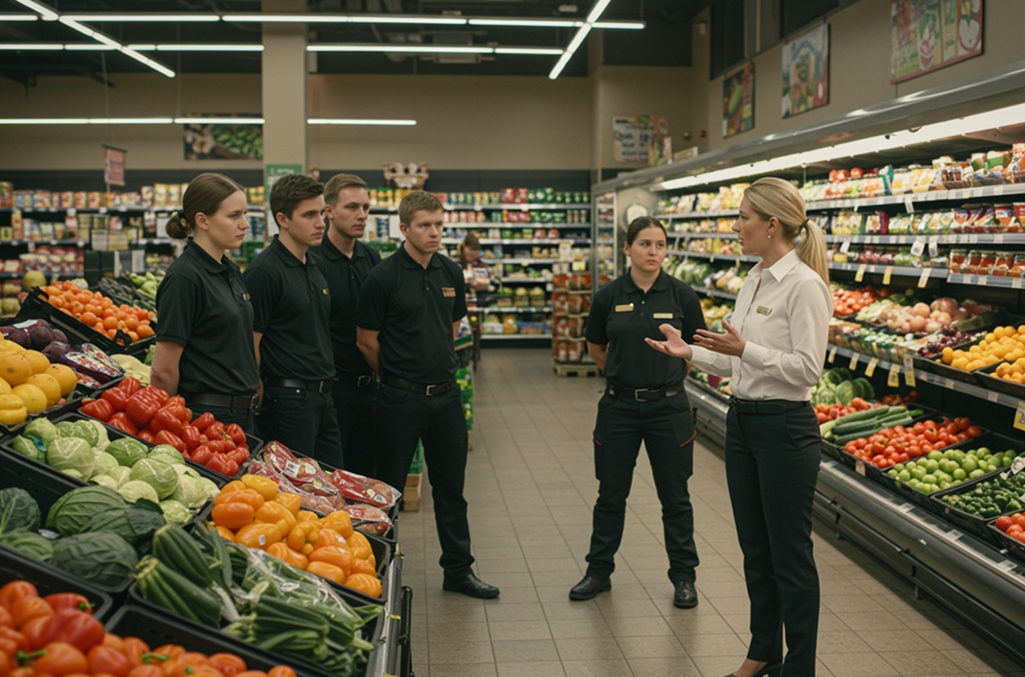
Retail time tracking is the process of recording when hourly employees clock in, clock out, and take breaks, then feeding that data into payroll accurately. Every day in retail can feel like you’re starting from scratch when shift updates, unexpected absences, and payroll deadlines all hit at once.
As an owner, store manager, or team member, keeping up is difficult when time tracking isn’t working in your favor. Instead of supporting operations that demand flexibility, time tracking can get in the way and create rework that ripples all the way to payroll.
Accurate, reliable time tracking is the difference between smooth payroll runs and a backlog of issues that take time and energy to resolve. When your process works, planning your workweek is simpler, labor costs are clear, and everyone can focus more on customers than on corrections.
This guide will help you pinpoint where common pitfalls happen in retail, from automotive and grocery to home improvement and specialty retail, and walk through practical steps for improving time tracking, no matter the size or type of retail operation you manage.
Time tracking challenges in retail by industry and function
Time tracking in retail has its own flavor of complexity.
Whether you run a grocery chain, home products store, auto service franchise, or a specialty shop, the fundamentals are the same: staff move between roles, shifts change at the last minute, and payroll needs accurate records fast.
Here’s what’s really at stake for each department, broken down by industry:
- Grocery and convenience
- Specialty and apparel
- Home improvement and home lifestyle
- Automotive retail and services
Grocery and convenience
Grocery and convenience operations juggle multi-department staffing, minor and part-time labor rules, undocumented shift changes, and compliance exposure, often all at once. Tackling these grocery store time tracking hurdles with practical solutions helps reduce payroll errors and keeps operations running smoothly.
| Function | Key challenges | Impact on the day-to-day |
| Frontline Store Management | • Missed punches and timecard exceptions pile up during rush periods • Keeping break compliance accurate in real time is hard • Multi-role staff need manual timecard edits | • More corrections and follow-up calls • Manager time drain • Compliance and wage-and-hour exposure • Less time spent supporting staff or customers |
| Department Management | • Employees move between departments without a clear way to attribute their hours • Part-time and minor staff whose availability keeps changing • Delayed or missed punch corrections | • Inaccurate job costing and payroll • Disputes over hours worked • Frequent manual corrections • Staff frustration and fairness concerns |
| Operations / Regional Leadership | • Time and exception practices that vary store to store • Overtime that creeps past the labor budget when demand shifts • Limited real-time reporting | • Hard to compare stores • Uneven enforcement of policies • Labor overruns that only surface after payroll runs |
| HR / Payroll | • Exception volume that overwhelms approval queues • Incomplete or lagging time data Reconciling multiple pay rates and shift differentials | • Payroll delays and last-minute corrections • Higher risk of compliance violations • More audit workload and eroded employee trust |
| IT / Systems | • Time data stuck in disconnected tools • Time tracking, payroll, and POS that don’t talk to each other • Uneven adoption of new tech | • Manual exports and imports • Reporting gaps • Added support tickets • Data quality that varies by location |
Specialty and apparel
Specialty and apparel retailers deal with constant staffing changes, a mix of employee types, and schedules that shift week to week. Reliable time tracking cuts down on missed punches and compliance risk, which matters most during peak seasons and promotional events.
| Function | Key challenges | Impact on the day-to-day |
| Frontline Store Management | • Frequent shift changes that lead to missed punches • Tracking break compliance across coverage that’s always in flux • Catching late approvals on timecard edits | • Regular payroll exceptions • More time spent reconciling hours and coaching staff on compliance • Risk of late pay and employee frustrationLess time with customers when admin tasks pile up |
| Operations / Regional Leadership | • Navigating inconsistent exception rules between stores • Spotting trends in overtime or unapproved exceptions • Getting stores to adopt policy consistently across formats | • Difficulties comparing locations • Overtime creep and unplanned labor costs • Uneven enforcement of company standards • Delays in addressing performance or compliance gaps |
| HR / Payroll | • Time data that arrives incomplete or late from stores • Sorting out corrections for staff who switch roles or work across locations • Figuring out who owns each exception dispute | • Increased corrections • Payroll delays • Greater audit exposure • Employee inquiries that slow down processing |
| Finance | • Attributing labor costs and pay rates correctly when employees flex between departments or handle multiple pay rules • Explaining variances tied to constant schedule changes | • Reporting gaps and inaccurate labor cost analysis • Difficulty matching actual spend to budgets • Unclear explanations for variances • Challenges in forecasting and cost control |
| IT / Systems | • Getting POS, payroll, and time clocks to work together with consistent usability and adoption • Supporting employees and managers through workflows that all look a little different | • Manual reconciliation and frequent support tickets • Unreliable or missing data • Increased demand on IT for troubleshooting • Lower trust in system reports |
Home improvement and home lifestyle
Home improvement and lifestyle retailers face challenges with shift coverage, employee break law compliance, and managing diverse roles across large stores. Clear, accurate time tracking heads off departmental friction and keeps teams focused on serving customers.
| Function | Key challenges | Impact on the day-to-day |
| Frontline Store Management | • Break tracking and exception handling get messy during traffic spikes • Balancing coverage across specialized departments and long shifts • Confirming accurate time capture for mobile staff | • More violations and edits • Managers pulled off the floor to handle exceptions • Rising compliance risk and staff fatigue |
| Operations / Multi-Store Leadership | • Standardizing processes and compliance across stores is difficult • Labor rules and policy drift lead to inconsistent time tracking • Limited visibility into overtime patterns | • Uneven risk exposure • Inconsistent reporting and benchmarking • Labor overages that go unnoticed until they’ve already happened |
| HR / Payroll | • Missed punches and manual follow-up • Handling multi-rate and multi-department employees creates correction bottlenecksTracking break compliance for complex shift structures | • Slower payroll cycles from extra checks • High correction volume • Extra audit work and greater risk of compliance fines |
| Finance | • Attributing labor costs accurately when demand keeps shifting • Missing real-time data to spot variable overtime and payroll anomalies before they add up | • Poor labor forecasting and variance explanations • Delays in identifying cost overruns • More resources spent on reconciliation |
| IT / Retail Systems | • Fragmented, disconnected systems that make it hard to bring time, payroll, POS, and compliance data together • Inconsistent adoption at the department level • Supporting complex store structures | • Low trust in consolidated reporting • Rollout friction that leads to patchwork workarounds • More support tickets and downtime |
Automotive retail and services
Auto retail and service operations juggle mixed pay types, sales floor demands, and labor compliance hurdles. Closing these automotive time tracking gaps keeps payroll accurate and lets your team focus on customers instead of corrections.
| Function | Key challenges | Impact on the day-to-day |
| Store Management | • Timecards full of exceptions • Approvals that come in late or inconsistently • Timekeeping for staff working multiple roles or locations | • Frequent manual clean-up • Payroll friction • Compliance risk • Less time spent on sales floor coaching |
| Sales Floor Management | • Missed or late punches during peak days • Callouts and shift changes that hit right when pressure is highest • Keeping up with variable commission or mixed pay rules | • Pay disputes • Inaccurate earnings • Manager rework • Staff disengagement during busy periods |
| Operations / Regional Leadership | • Limited visibility into cross-store exception patterns and overtime that outpaces budget • Inconsistent labor rule enforcement • Difficulty standardizing processes • Reducing high turnover rates | • Uneven labor control • Difficult benchmarking • Performance issues that surface late • Increased audit/compliance exposure |
| HR / Payroll | • Mixed pay environments, hourly, commission, and different roles, mean inaccurate hours cost more • Reconciling varied pay rules and correcting exceptions • Maintaining audit trails | • A backlog of payroll errors • Delays in processing • Lower trust from staff • Compliance concerns tied to wage and hour laws |
| IT / Systems | • Clunky, disconnected systems that make payroll and DMS integration difficult • Sales staff and managers who don’t fully adopt the tools • Poor data flow between locations | • Bad or missing data • Increased support tickets • Manual workarounds • Technology that can’t scale as the organization grows |
Best practices to improve time tracking in retail
Improving time tracking doesn’t require an overhaul. Focus on the areas below where even small changes simplify daily work and cut down on errors, moving from quick fixes toward something more sustainable.
1. Build accuracy into your job codes
Reliable job coding (job costing) keeps your labor costs clear and payroll errors in check, whether you’re coordinating shifts in a multi-department grocery store, managing specialized departments in home improvement, or balancing floor and service staff through automotive time tracking.
What it is: Recording exactly which role or department an employee worked during each shift or task.
Why it matters: When job codes are accurate, payroll stays correct, labor costs are easier to track, and questions about pay rates or department budgets are easier to answer, especially for associates who float between roles or locations.
What to do:
- Set up departmental job codes in your time system
- Train managers and staff to apply them the same way every time
- Review regularly for hours that are missing or misattributed
Get the job codes right first. Everything else here builds on them.
2. Put time capture where the associates are
In convenience or grocery store time tracking, you manage staff who move between departments constantly; in specialty stores and apparel, associates juggle changing shifts or break coverage on the fly. Accessible options keep records accurate and cut down on the missed-punch cleanup that piles up during busy shifts.
What it is: Placing time clocks or digital punch options where your team actually works, whether that’s mobile, kiosks, or department devices, meets staff where they are.
Why it matters: If punching in or out is tough to access, you’ll see more missed punches and corrections. Easy options help keep records cleaner when stores get busy.
What to do:
- Offer mobile, kiosk, or POS-based employee time clocks
- Put punch options right where staff already work, at stations or throughout the store
- Keep that time data synced with your broader time tracking software
Quick wins here mean fewer mistakes and more time focused on customers.
3. Automate minor and break compliance
In grocery and home improvement stores, long shifts and busy departments make missed breaks easy to overlook. Automated rules catch them before they turn into compliance violations or payroll problems.
What it is: Using system rules and alerts to enforce required breaks and minor labor laws automatically.
Why it matters: Break and minor labor law violations lead to fines and complaints for managers and payroll. Automation takes the guesswork out and reduces risk, even during peak demand.
What to do:
- Configure system alerts for meal breaks, rest breaks, and minor labor limits
- Automate break pay calculations so managers aren’t doing the math by hand
- Review missed break flags on a regular basis
A little prep work up front prevents costly corrections on the back end.
4. Standardize time tracking across all retail locations
Uniform time tracking systems apply your time policies the same way everywhere. For grocery and specialty retail franchises, for example, leaders get clear, near-term data to spot trends and solve problems quickly.
What it is: Consistent time tracking rules and practices across all stores, so there’s less confusion and easier comparison.
Why it matters: Different processes at each store open the door to costly errors and uneven enforcement. Standardization creates smoother operations and supports compliance.
What to do:
- Set clear rules and policies, and roll them out the same way at every store
- Keep time and attendance data synced across all locations
- Pull reporting into one place for store leaders and HR
Standardization doesn’t mean rigid protocols. It means a repeatable framework that still flexes to the realities of each location.
5. Test your payroll mappings before peak season
Peak project times or weather-driven sales spikes can quickly expose gaps in pay setup for industries like home improvement and home goods stores. Auto services teams, on the other hand, often face holiday rushes that stress-test payroll accuracy across mixed pay types and commission roles. Testing now saves your team from last-minute corrections when it matters most.
What it is: Validating payroll and pay rules before busy periods, so there are fewer last-minute surprises.
Why it matters: Volume ramps up during holidays or big promotions, and missed issues can snowball fast. Testing your setup catches problems early so payroll management keeps flowing.
What to do:
- Run test payroll exports before the season starts
- Verify every pay rule configuration is set up correctly
- Catch and fix mistakes with practice payroll runs before your busiest seasons hit
A time tracking setup that holds up during your busiest stretch gives managers confidence in the hours they approve and employees confidence in the pay they receive.
6. Integrate scheduling updates directly into your time tracking system
Choosing to integrate scheduling into your time tracking system is a valuable step for any retailer where quick shift swaps and coverage adjustments are part of daily life, which describes just about every retail organization.
What it is: Feeding schedule changes, like swaps or coverage fixes, directly into your time tracking system so records stay aligned.
Why it matters: When updates are disconnected, payroll can drift from reality, leading to frustration and more corrections. Direct integration keeps everyone on the same page.
What to do:
- Log shift swaps and changes in your time tracking solution as they happen
- Route shift swaps through the same system that tracks coverage gaps and time data
- Keep one unified exception log for all scheduling and time edits
Scheduling and time tracking work best in retail when they’re connected, not managed as separate tasks. Managers get real-time insight into who’s covering the floor, and payroll stays accurate no matter how quickly things change.
Next steps to improve time tracking in retail
Where you go next depends on where your time tracking stands today.
Whether you’re managing a single boutique or a multi-location chain, here’s practical action for every stage of your retail operation.
Stage 1: Manual / paper time tracking processes
At this stage, time tracking is still mostly reactive: paper timesheets, wall clocks, or spreadsheets, with payroll depending on manual entry, physical records, and hours spent cleaning up data each week.
You might be here if:
- Paper timesheets or spreadsheets are capping your team’s productivity
- Supervisors spend hours each week verifying, correcting, and re-entering time tracking spreadsheets
First moves:
- Move to a digital time clock system that syncs punches directly with payroll
- Offer a mix of clock options, kiosk, web, and mobile, matched to store layouts and associate roles
- Give supervisors real-time visibility so they can review and approve punches before payroll runs
What changes: A foundation for improving time tracking in retail, with fewer missed punches, faster payroll, and a digital audit trail for every hour worked.
Stage 2: Basic time clocks and software that don’t scale
Here, your processes have grown past manual entry, but a basic POS or simple time clock can’t keep up with a growing team or multiple locations. As stores add departments or job roles, key functions get harder to manage.
You might be here if:
- Your time clock only works in one location or can’t handle flexible job codes
- Payroll and exceptions still take heavy manual reconciliation across stores
First moves:
- Move to a system built to handle multiple locations, job codes, and compliance rules
- Look for dashboards that let you compare labor, overtime, and exceptions across stores
- Turn on policy enforcement and connected scheduling across your operation
What changes: Cleaner reporting, fewer exceptions, and smoother payroll for growing or multi-site operations.
Stage 3: Enterprise legacy systems that are too clunky
At this point, larger organizations may have an enterprise HCM or legacy system packed with features that are hard for teams to actually use. Complicated workflows, dated interfaces, or poor mobile options limit adoption, so managers and payroll still deal with workarounds and regular frustration.
You might be here if:
- Legacy software creates more complexity than it solves
- Teams avoid the system and lean on outside spreadsheets or manual edits instead
- Mobile access and exception workflows are missing or too clunky to rely on
First moves:
- Evaluate more user-friendly, mobile-first options built for usability at scale
- Choose a system with intuitive exception workflows and direct payroll integrations
- Focus on roll-out plans and training at every level
- Build a plan to consistently assess and improve time tracking in retail
What changes: Higher adoption, less hassle for store managers, and less rework for payroll teams.
What’s the ROI of better time tracking in retail?
Better time tracking pays off in every retail organization, whether you’re struggling with compliance, payroll, or cost management. Here’s where the ROI shows up:
- Fewer payroll errors and manual corrections – Accurate job codes and automated pay rates cut down on mistakes, saving time for managers and payroll teams.
- Lower compliance risk and tighter labor cost control – Automated alerts for breaks and overtime guard against fines and keep budgets in check.
- Easier handling of seasonal peaks and shift changes – Digital time tracking keeps payroll fast and accurate, even during your busiest periods.
- Real-time visibility into labor trends – Centralized data helps managers catch issues early, fine-tune staffing, and sharpen reporting.
- More trust through reliable, on-time pay – Accurate records keep payroll running smoothly, so employees get paid correctly and on time.
Better time tracking lets managers and staff focus on what matters most: supporting customers and growing the organization.
Why it might be time for dedicated retail time tracking software
As your retail organization changes, so do the challenges. Manual fixes and generic systems can lead to lost time, messy payroll, and repeated corrections, especially when every location operates a little differently.
To improve time tracking in retail, you need a way to handle repetitive and complex tasks without losing important controls.
If your current setup can’t keep pace, it may be time for a solution that reflects how your retail organization actually works. The right retail time tracking software reduces payroll issues, stabilizes scheduling, and gives your managers time back to focus on leading their teams and serving customers.
TCP Software’s employee scheduling and time and attendance solutions have the flexibility and scalability to suit your business and your employees, now and as you grow.
From TimeClock Plus, which automates even the most complex payroll calculations and leave management requests, to Humanity Schedule for dynamic employee scheduling that saves you time and money, we have everything you need to meet your organization’s needs, no matter how unique. Plus, with Aladtec, we offer 24/7 public safety scheduling solutions for your hometown heroes.
Ready to learn how TCP Software takes the pain out of employee scheduling and time tracking? Speak with an expert today.




 Link copied!


