

Once upon a time, keeping track of employee hours wasn’t needed — when work was from sunup to sundown. Since the start of industrialization and factory assembly lines, however, organizations have needed a time and attendance tracking system to manage employee workloads.
A time and attendance tracking system is software that records when employees start and stop work, calculates hours worked, manages leave and overtime, and feeds accurate data into payroll.
For organizations with hourly and frontline workforces — in healthcare, retail, hospitality, government, and public safety — a reliable time and attendance system is the foundation of accurate pay, labor compliance, and labor cost control.
In this guide, we’ll break down each type of time and attendance tracking system, from old-school punch cards to enterprise-grade software, and walk you through what to consider before making your next move.
Types of time and attendance tracking systems
Picking a time and attendance system sounds straightforward, but getting it right is another story. Use outdated tools and you’re inviting payroll errors, compliance risks, and frustrated employees. Go too complex too soon, and you could overwhelm your teams with systems they don’t need (yet).
Every time and attendance tracking system comes with its pros and cons. Choosing the right time and attendance tracker depends on your business needs, workforce type, and compliance requirements. Here are the types we’ll cover in this article:
- Free time tracking systems (spreadsheets, some SaaS)
- Physical time tracking systems (paper timesheets, punch cards, time clocks)
- Digital time tracking systems (online timesheets, desktop apps, mobile apps, browser extensions)
- Automated and passive time tracking systems (biometric time clocks, RFID/NFC badge systems, GPS tracking, geofencing, CAM, passive time capture)
- Project/task-based time tracking systems (per-project logs, billable vs. non-billable tracking)
- Specialized time tracking systems (timesheet approval systems, tracking via communication tools, scheduling integrations, wearable devices)
- Hybrid time tracking systems
Frequently asked questions about time and attendance tracking systems
What is a time and attendance tracking system?
A time and attendance tracking system is software that records employee work hours, manages leave, calculates pay based on configured rules, and feeds validated data to payroll. Modern systems replace paper timesheets and manual calculations with automated tracking through mobile apps, physical time clocks, biometric devices, or web browsers. For organizations with hourly and shift-based workforces, these systems reduce payroll errors, support compliance with labor laws, and give managers real-time visibility into labor costs.
What features should I look for in a time and attendance system?
The most important features for frontline and hourly workforce organizations are: automated time capture (mobile, web, or physical clock), automated pay rules, exception tracking, leave and accrual management, payroll integrations, compliance guardrails, and real-time labor visibility. For multi-location operations, look for multi-site dashboards and geofencing to validate where employees are clocking in.
What is the difference between time tracking and time and attendance?
Time tracking typically refers to logging hours worked, often for billing or project management purposes. Time and attendance is a broader category that includes not just when people work, but also absence management, leave tracking, overtime calculations, compliance with labor laws, and payroll integration. For organizations with hourly or shift-based workforces, time and attendance software handles the full scope of workforce timekeeping.
What types of time and attendance systems are there?
Common types include paper timesheets, punch cards, physical time clocks, biometric time clocks (fingerprint, facial recognition), RFID/NFC badge systems, mobile apps with GPS, web-based timesheets, and fully automated time and attendance software. Most modern organizations use a dedicated time and attendance solution that combines several of these input methods — physical clocks for on-site staff, mobile apps for field workers — with centralized data management, payroll integration, and compliance tools.
With the context established for time and attendance tracking systems, let’s start with the lowest barrier to entry for the types of solutions.
Free time and attendance tracking systems
When running lean or just testing the waters, free time tracking tools can feel like a lifesaver. They’re accessible, easy to set up, and often cover the basics well enough for small teams or short-term projects.
Paper timesheets
The original time tracker, paper timesheets, are simple, familiar, and self-explanatory. These are a go-to for micro teams or job sites with minimal tech infrastructure.
| Pros | Cons |
| Low barrier to entry | Error-prone |
| No software needed | Time-consuming to process |
| Vulnerable to buddy punching and other forms of time theft | |
| No audit log | |
| Can lead to non-compliance and penalties |
Spreadsheet-based tracking
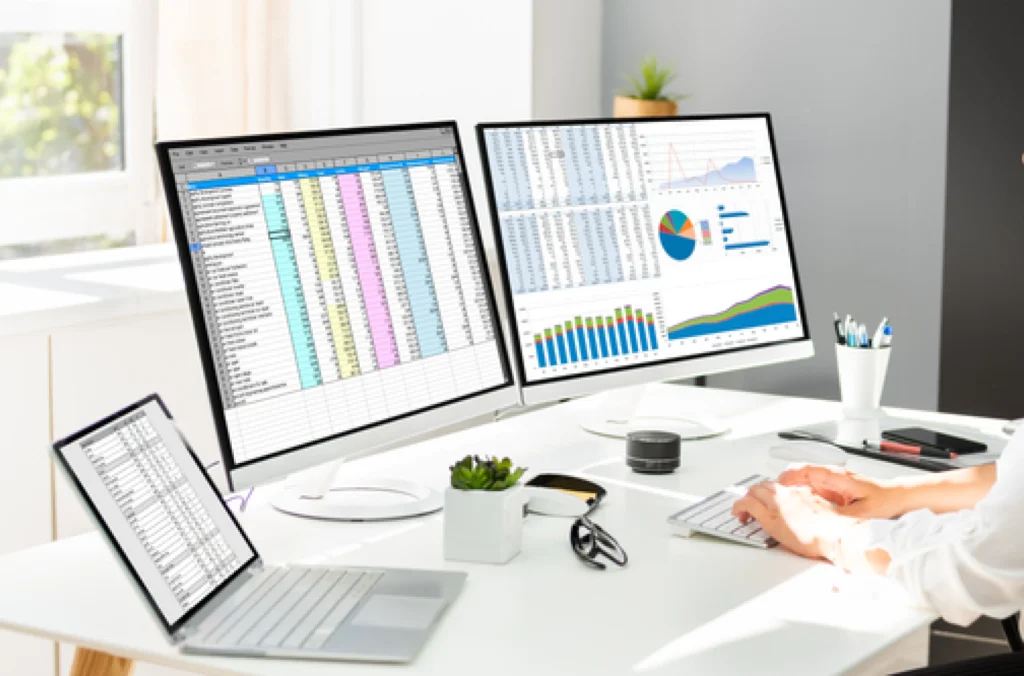
Templates in Excel and Google Sheets are usually the DIY choice for businesses trying to track digital time without the overhead.
| Pros | Cons |
| Flexible | Still manual |
| Easy to access | Vulnerable to version control nightmares |
| Customizable templates | Easy to manipulate |
| Basic formulas for totaling hours/pay | Cumbersome to maintain historical sheets |
Free web-based tools and apps
A handful of SaaS players offer free plans to get you started. These platforms usually offer cloud-based timesheets, clock-in/out features, and basic reporting. However, they’ll often limit functionality (like integrations and advanced analytics) to paid tiers, or cap usage by headcount or trial periods.
Popular options include:
- Clockify
- Toggl
- TimeCamp
These tools are designed primarily for freelancers, consultants, and project-based teams billing by the hour — not for organizations managing hourly or shift-based workforces.
A free app can be a great start if you’re looking to test the premise of time tracking systems before committing. But if you’re looking to roll out time tracking beyond a single department or handful of people, trying to scale up a free solution can cause more headaches than expected.
Calendar apps
Some teams rely on calendar tools like Google Calendar or Microsoft Teams to time and project block indirectly. These can work in a pinch but aren’t built for deep labor tracking or compliance-heavy environments.
Physical time and attendance tracking systems
Manual systems are the old guard of time tracking. While their tactile, straightforward elements still have usefulness in some applications, they are best when complemented by a digital counterpart.
Punch cards
A manual card collection machine is used to start and stop the clock on employee timecards. These machines are still used in some warehouses, manufacturing floors, and industrial sites.
| Pros | Cons |
|---|---|
| Dead simple with a low learning curve | Easily gamed for time theft (buddy punching, time padding) |
| Little tech implementation required | Physically tedious, prone to admin errors |
| Requires manual reconciliation |
Time clocks
Time clocks are a step up from punch cards, offering timestamped records and in some cases, biometric identifiers for better integrity. These are a daily touchpoint that integrates into a full-scale employee time tracking software.
| Pros | Cons |
|---|---|
| Familiar | Still requires oversight |
| Durable | No deep project-level tracking |
| Slightly more automated | Limited visibility for remote or hybrid teams |
Digital time and attendance tracking systems
Digital systems make time tracking easier to manage, scale, and audit, especially with a growing or distributed workforce. Depending on your team’s work style and environment, there are different types of digital tracking systems available, each offering unique benefits and limitations.
Web-based timesheet systems
Classic online interfaces, usually through spreadsheets or an online timesheet interface, where employees log hours and track time from any device.
| Pros | Cons |
|---|---|
| Centralized | Still dependent on manual user input |
| Accessible | Risk of errors or omissions remains |
| Provide better audit trails | Requires internet access |
Desktop applications
Installed directly on workstations, these apps can include features like idle detection, activity tracking, and seamless clock-in/out.
| Pros | Cons |
|---|---|
| Advanced time tracking features | Lacking capabilities for mobile/field workers |
| Tailored to desk-based and on-location teams | Investment in installation and upgrades needed |
| Integrates well | Can raise privacy concerns |
Mobile time tracking apps
A must-have for mobile teams and hybrid workplaces, these apps give employees the capabilities of desktop app on the go.
| Pros | Cons |
|---|---|
| Great for remote/field workers | Needs reliable mobile data and access |
| Easy clock in/clock out | Can be gamified without location services |
| Usually includes GPS tagging and/or geofencing | Can raise privacy concerns |
Browser extensions
Ideal for freelance-heavy or project-based teams, browser-based trackers offer quick start/stop functionality for billable hours.
| Pros | Cons |
|---|---|
| Easy to launch | Limited use to browsers |
| Can scan web activity for productivity tracking | Not a complete solution |
| Often free | Incompatible for on-the-go workers or in-the-field |
| Can raise privacy concerns |
Project or task-based systems
If you bill by the hour or juggle multiple clients, using project time tracking or task-based tracking can be the difference between profitability and working in the red. These systems can give you visibility into how time is spent, not just when.
- Project – Logs time per project for better budgeting and capacity planning
- Billable vs. non-billable – Critical for agencies, legal teams, and consulting firms to ensure accurate client billing
| Pros | Cons |
|---|---|
| Improves financial clarity | Requires team discipline |
| Enhances client transparency | Can get overly granular |
| Improves project profitability | Initial setup time |
| Informs better resource planning | Not always necessary |
Dedicated time tracking software
If you’ve read through the previous systems and thought, “This isn’t enough,” a complete solution might be worth considering. Dedicated platforms — shameless plug for us at TCP — combine a full suite of capabilities for your time tracking strategy.
Here’s what to look for:
- Automated timekeeping
- Labor tracking + job costing
- Leave and accrual management
- Payroll and ERP/HCM integrations
- Custom reporting + analytics
It’s everything you need to maintain compliance, dial in labor costs, and keep your workforce organized without drowning in manual processes.
For organizations with hourly and shift-based workforces — healthcare, government, retail, hospitality, and public safety — dedicated time and attendance software does more than log hours. It automates complex pay rules, tracks exceptions before they reach payroll, and gives managers real-time visibility into who’s working and what labor is costing.
Automated and passive time tracking systems
These systems usually work within a full-time tracking software to reduce (or entirely eliminate) the need for manual input from employees.
Biometric time clocks
Fingerprint, facial recognition, or iris scanners protect time integrity and provide an airtight solution for preventing time theft like buddy punching or ghost shifts. This type of time and attendance system is ideal for high-security environments
RFID/NFC badge systems
Employees tap a badge to clock in/out, making the process fast and easy while still capturing essential data.
Mobile clocks with GPS tracking + geofencing
Built for mobile teams, these systems place virtual boundaries around employee clock-ins, while giving pinpoint accuracy for clock-in locations.
Computer activity monitoring
These tools log app usage, keystrokes, and idle time for desk-based roles to provide full visibility into work patterns.
Passive time capture
Some advanced systems track time automatically based on app usage or digital cues, reducing the need for manual start/stop engagement.
Specialized time and attendance tracking systems
Sometimes, you need a system tailored to your specific workflow.
- Timesheet approval systems – Add an extra layer of oversight before time gets sent to payroll.
- Time tracking via communication tools – Slack, Microsoft Teams, and other workplace apps now offer built-in tracking or sync with existing time tracking software.
- Scheduling integrations – Pair employee scheduling with time tracking for a seamless experience.
- Wearable devices – In industries like healthcare and logistics, wearables help track time and movement in real-time.
Hybrid time and attendance tracking systems
Your organization might decide to use a mix of systems, depending on the complexity or a specific use case needed. Hybrid setups often combine elements of manual and automated time tracking methods to meet your unique operational needs.
For example, you can pair a biometric clock-in with a mobile dashboard or web-based approvals, tied to RFID punch-ins, to provide a solution for in-office and field workers.
Other combos might include:
- Field employees using GPS-based apps + office staff using desktop apps
- A warehouse setup with RFID + supervisors using a desktop dashboard
- A small business choosing an all-in-one solution for time tracking and payroll management
Hybrid systems offer flexibility but need thoughtful integration to avoid data silos.
Key features of a time and attendance tracking system
If you’re evaluating time and attendance tracking systems for a frontline or hourly workforce, here are the capabilities that matter most.
Automated time capture
Employees clock in and out through a mobile app, web browser, physical time clock, or biometric device. The system records the timestamp automatically — no manual entry, no paper timesheets to reconcile later.
Automated pay rules
Pay rules — overtime thresholds, shift differentials, union rules, meal break deductions — are configured once and applied consistently to every timecard. This reduces manual corrections and keeps pay calculations consistent across a distributed workforce.
Exception tracking
The system flags missed punches, early clock-outs, unapproved overtime, and other anomalies before they reach payroll. Managers review and resolve exceptions in a dedicated workflow rather than digging through raw time data.
Leave and accrual management
Tracks paid time off, sick leave, FMLA, and other absence types alongside hours worked. Employees can submit requests through the system; managers approve or deny with full visibility into balances and coverage impact.
Payroll and HR integrations
A time and attendance system should connect directly to your payroll provider and HRIS, passing validated time data without manual exports or double entry. Look for pre-built connections to the systems you already use.
Compliance guardrails
Built-in rules apply break requirements, hour limits, and scheduling restrictions automatically — reducing compliance risk from predictive scheduling laws, minor labor laws, and state-specific overtime rules.
Real-time labor visibility
Managers see who’s clocked in, where, and how hours are tracking against budget — in real time, across locations. This makes it easier to act on coverage gaps or overtime risk before they affect service or cost.
How to choose the right time and attendance tracking system
Deciding on your system is really about understanding exactly how much of a system you need. It helps to map your current processes first to pinpoint exactly where inefficiencies or risks live.
Before you invest, remember the most important questions and factors you should weigh:
- Workforce – Are you managing desk workers, field teams, or both? How many?
- Integrations – Will your system sync with payroll, billing, and HR tools?
- Laws – What labor compliance and union rules must you follow?
- Accuracy – Do you need highly secure validation (biometrics) or is manual entry sufficient?
- Privacy – How will you balance monitoring with employee trust, especially with GPS or biometric tracking?
Time tracking isn’t just about logging hours. If you care about protecting your payroll, optimizing productivity, and keeping your teams happy and compliant, you need to think bigger.
Whether you’re just starting out with spreadsheets or ready to upgrade to a full-service platform, there is a time and attendance tracking system for you.
TCP Software’s employee scheduling and time and attendance solutions have the flexibility and scalability to suit your business and your employees, now and as you grow.
From TimeClock Plus, which automates even the most complex payroll calculations and leave management requests, to Humanity Schedule for dynamic employee scheduling that saves you time and money, we have everything you need to meet your organization’s needs, no matter how unique. Plus, with Aladtec, we offer 24/7 public safety scheduling solutions for your hometown heroes.
Ready to learn how TCP Software takes the pain out of employee scheduling and time tracking? Speak with an expert today.
What to read next
Explore all resources




 Link copied!


