
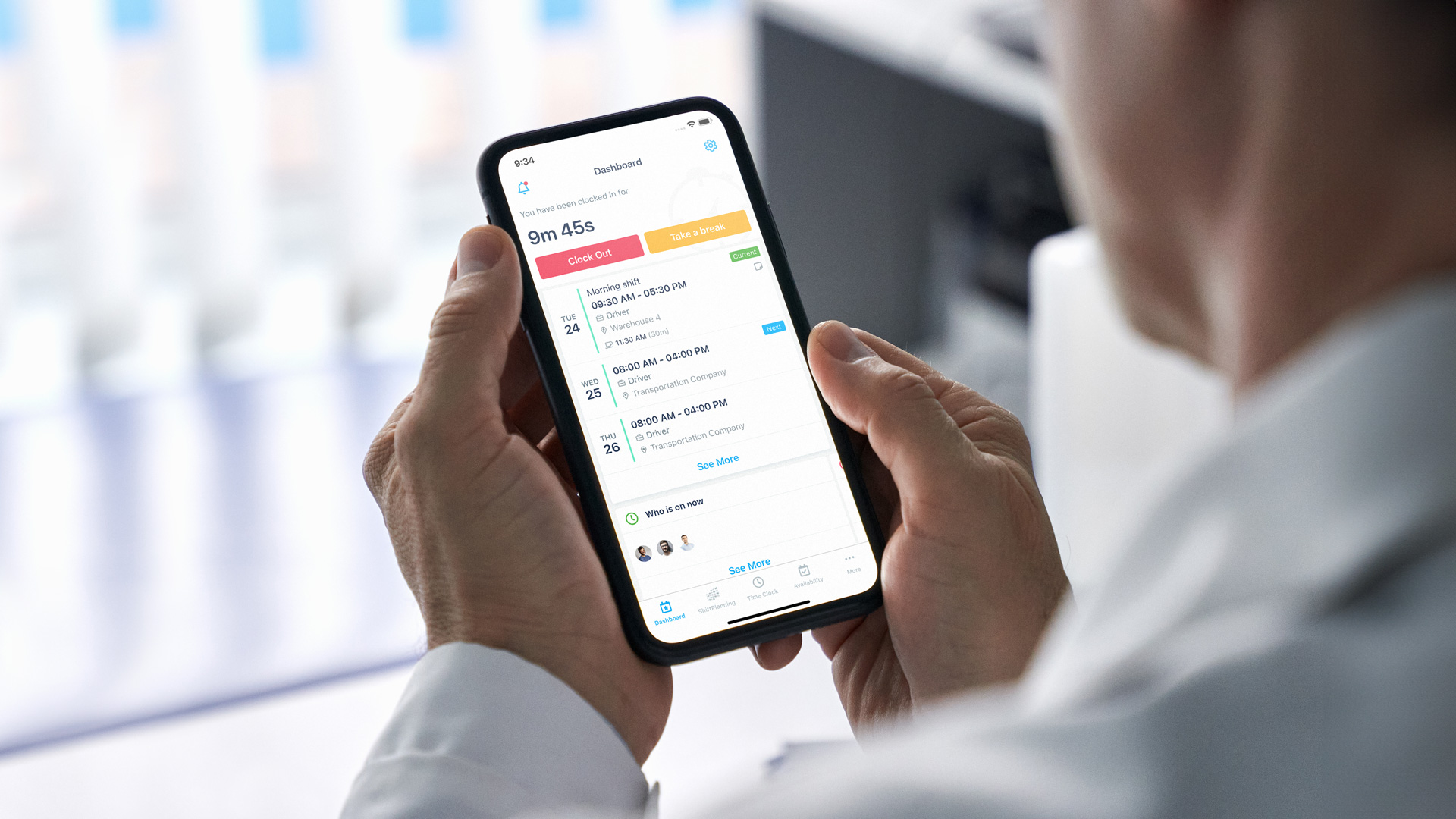
Perhaps you’re familiar with a common scheduling scenario we’ve seen play out for hundreds of buyers who’ve become TCP customers over the years:
It’s the start of a busy week. Two employees swapped shifts without telling their manager, another employee called out sick, and a supervisor is stuck texting the team to cover an open shift. By the time the dust settles, labor costs are off track and everyone’s stressed for no good reason.
Now you’re weighing whether dedicated scheduling software would earn its place next to the HCM you already have.
Scheduling touches compliance, labor costs, employee experience, and how your day-to-day operations run. With this much at stake, it pays to understand the tradeoffs. Is standalone employee scheduling software worth it, or is “good enough” in an all-in-one HCM suite actually good enough?
This guide compares both paths so you can decide what fits your workforce.
Overview: standalone scheduling vs. all-in-one HCM
Side-by-side, both options can publish a schedule. But beyond that, they serve your organization in different ways:
- HCM suites – Your home base for people data, payroll, and benefits, with scheduling as one module among many
- Standalone scheduling software – Built only for scheduling, with deeper rules, smarter forecasting, and screens made for the managers and employees who live in the schedule every day
Here’s how they compare on the factors that matter most:
| Factor | Standalone employee scheduling software | HCM suite with scheduling module |
|---|---|---|
| Feature depth | Built for scheduling, compliance, and industry-specific rules | Covers everyday scheduling needs well |
| User experience | Interfaces designed for managers and employees; quick to onboard and learn | Familiar to HR users already working in the suite |
| Implementation | Goes live quickly, since there’s one function to set up | Rolls out alongside the rest of your HR functions |
| Data connection | Shares shifts with time tracking, payroll, and your HCM through open APIs | Keeps HR, payroll, and scheduling data in one place |
| Industry fit | Handles niche scheduling rules and workflows out of the box | Fits common scheduling patterns, with room to customize |
| Cost view | Pays back through manager hours, overtime control, and fewer open shifts | One contract covers several HR needs |
| Flexibility | Grows or changes on its own timeline | Keeps more of your HR technology with one vendor |
Think of it as a division of labor. Your HCM keeps track of who your people are and how they’re paid. Scheduling software decides who works when and where, then hands those shifts off to time tracking and payroll.
Where HCM scheduling modules fit
Most HCM or ERP suites include a scheduling module as part of their package. One login, one contract, one system of record. It’s convenient, and for plenty of organizations, it’s enough.
When the HCM module covers what you need
If you’re a smaller organization with straightforward needs in one location, the module may handle everything, with perks like:
- One vendor and one relationship to manage
- Consistent look and feel across HR apps
- Built-in links between payroll, benefits, and schedules
- Potential savings for simple use cases
When scheduling starts asking for more
Growth changes the math. A second site brings new labor laws. A new service line brings new roles. A handful of new shift leads means more people building schedules who’ve never done it before. That’s usually when teams start looking for:
- Rules for labor law compliance, CBAs, predictive scheduling, and union agreements that run in the background
- Forecasting a busy manager can use without a data background
- Screens built for the shift lead on the floor, not just HR
- Shift swaps, pickups, and time-off requests from a phone
- New scheduling features on a faster release cycle
None of that means replacing your HCM. Scheduling software layers on top of it.
Why scheduling software earns its keep next to your HCM
Employee scheduling software like Humanity Schedule is built for the people doing the actual scheduling work. The managers building shifts, the employees requesting changes, and the administrators who help you maintain compliance. Every workflow is tuned to make those tasks faster and less error-prone, and it plugs into the HCM, time tracking, and payroll software you already have.
The payoff shows up downstream
Every new piece of software has to justify its cost. With scheduling, the return shows up in numbers you already watch: the hours managers spend on the schedule, how long open shifts sit empty, and how often overtime catches you off guard.
That return grows with you. In a growing organization, scheduling usually lands on someone who already has a full-time job. Win back a few hours a week for each of those people, then multiply it by every location you add.
Results vary, but the pattern holds. A schedule that’s right on Monday saves cleanup all week long.
Fewer hours spent on the schedule
Templates, availability, and staffing rules give managers a working draft instead of a blank grid. When something changes, they adjust one shift instead of rebuilding the week. That time goes back to coaching, customers, and the floor.
Faster fills after a call-out
When someone calls out, managers can send the open shift to every qualified employee at once and let the first available person grab it. No phone trees, no group texts, and a much shorter gap on the floor.
Fewer overtime surprises
Demand forecasts show how many people you’ll actually need, and alerts flag overtime pay before the schedule goes live. Managers can fix it on Tuesday instead of explaining it on payday.
Teams that stick around
Earlier schedules, honored availability, and phone-based swaps give employees more say over their week. When you’re hiring to grow, keeping the people you already have matters just as much.
A setup that scales with you
Opening a new site shouldn’t mean starting from scratch. Copy templates and rules to the new location, give new managers a process that works on day one, and see coverage across all your sites in one view.
Higher adoption and easier onboarding
Interfaces designed specifically for scheduling lead users straight to the tasks that matter, like building shift schedules, approving swaps, or managing time-off requests. Instead of wading through generic HR menus, managers and employees can get in, get what they need done, and move on.
That simplicity drives adoption:
- Employees are more likely to use the system consistently
- Managers spend less time answering basic questions
- Your organization gets stronger coverage and more reliable scheduling data.
That matters most when you’re bringing on new managers and hourly staff quickly.
Deeper functionality where it counts
Standalone scheduling software comes with advanced capabilities baked in, like shift bidding, demand forecasting, and rules that help you maintain compliance with fair workweek laws. These capabilities adapt to your real-world challenges without manual workarounds.
Here are a few examples of where standalone employee scheduling software makes all the difference.
Example: Complex coverage needs
If you manage multiple departments, locations, or job roles, building schedules can feel like solving a puzzle where the picture keeps changing. Dedicated scheduling software lets you layer in skills, availability, union rules, and compliance laws, so you can build accurate schedules without hours of manual adjustments. Every new site or role adds another piece, which is why this is often the first place growing teams feel the strain.
Example: Last-minute changes
When someone calls out sick or a demand suddenly spikes, coverage can’t wait until next week’s payroll cycle. Dedicated scheduling solutions update in real time, making it easy to reassign shifts, notify employees instantly, and keep coverage intact.
Trying to get an all-in-one suite to adapt to these scenarios is as tricky as handling the scenarios themselves.
How your HCM and scheduling software share the work
Your HCM handles who’s on the team, what they’re paid, and which benefits they have. Scheduling software handles when and where they work. The two stay in sync, so nobody types the same thing twice.
Worried about juggling another login? Modern scheduling software comes with open APIs and ready-made connectors for HR, payroll management, time tracking software, and communication apps, so information moves automatically without the need for manual fixes. In practice, that looks like:
- Schedules sync to timekeeping and payroll – no duplicate entry or spreadsheet corrections
- Demand forecasting pulls from sales data or census systems – helping you build right-sized schedules that match real demand
- HRIS changes flow through automatically – roles, locations, and skills update scheduling eligibility and assignments
- Alerts and shift openings reach employees instantly – through text, email, or mobile apps, so coverage gaps close quickly
- Each piece can evolve – upgrade your scheduling or switch HCMs without starting over on the other
That independence pays off over time. Your scheduling rules, templates, and history stay put if your HCM changes, and your HCM stays put if your scheduling needs shift.
Scheduling built around how your industry works
Your organization doesn’t run like everyone else’s.
You have your own workforce structure, compliance rules, and service expectations. Public safety has union and minimum-staffing requirements. Healthcare balances rest rules and credentials. Retail and hospitality juggle unpredictable demand and predictive scheduling laws. Construction and manufacturing schedule across jobs and crews.
Scheduling software gives you room to set up those specifics, so schedules reflect your real rules from the start. Your HCM keeps running the rest of HR, and your managers get schedules they can trust and defend.
Here’s what that looks like by industry:
| Industry | How scheduling software helps |
|---|---|
| K-12 education | Cover substitutes, manage extra duty assignments, and stay within hourly limits – connected scheduling cuts down manual admin work. |
| Government and public safety | Apply complex overtime pay rules and union agreements, keep 24/7 rotations staffed, and track certifications to help maintain compliance. |
| Healthcare | Staff around 12-hour rotations, on-call pools, and credentialed roles; adjust to patient volume in real time. |
| Retail and hospitality | Forecast demand, enable self-service swaps, and stay aligned with fair workweek rules. |
| Manufacturing and construction | Tie shifts to jobs and differentials; support remote and offline crews. |
| Growing organizations | Launch new locations quickly, use the same rules at every site, and add advanced scheduling only for the teams that need it while core HR stays in your HCM. |
Real-world examples: your HCM plus scheduling software
On paper, both options can “schedule employees.” But in your day-to-day operations, the gaps show up fast: a shift nobody covered, a union rule nobody caught, a schedule redone by hand after a call-out. Here’s how adding scheduling software changes the week in different industries.
K-12 education
- HCM module only – A district’s HCM records teacher hours, but substitutes and extra duty coverage get arranged by phone and spreadsheet.
- HCM plus scheduling software – K-12 scheduling software connected to the HCM assigns qualified substitutes automatically, tracks extra duty hours, and pushes accurate data straight to payroll.
See what K-12 employee scheduling software looks like in action.
Healthcare
- HCM module only – A clinic group’s HCM posts shifts, while nurse managers double-check credentials, fatigue limits, and patient volume on their own.
- HCM plus scheduling software – Employee scheduling software that supports healthcare enforces credential rules, monitors rest and overtime requirements, and adjusts staffing in real time as patient census changes.
- See what healthcare employee scheduling software looks like in action.
Manufacturing
- HCM module only – A plant’s HCM can create schedules, but role-based pay rates, certifications, and rotating crews live in side spreadsheets.
- HCM plus scheduling software – Manufacturing employee scheduling software ties shifts directly to roles and projects, applies differentials automatically, and feeds labor cost data into the plant’s ERP software in real time.
See what manufacturing employee scheduling software looks like in action.
Public safety and government
- HCM module only – The HCM logs officer and firefighter shifts, while supervisors check union rules, seniority-based assignments, and minimum staffing by hand.
- HCM plus scheduling software – Public safety scheduling software enforces union and seniority rules as schedules are built, flags conflicts instantly, and maintains an audit-ready record of every assignment.
See what public safety and government employee scheduling software looks like in action.
Retail
- HCM module only – The weekly schedule gets posted, but swaps and demand spikes get sorted out over text.
- HCM plus scheduling software – Retail employee scheduling software makes it easy to update schedules at any time, enables employee self-service for swaps, and helps maintain compliance with fair workweek laws even when plans change.
See what retail employee scheduling software looks like in action.
Deciding what’s right for your team
There’s no single right answer, and you’re the best judge of what your team needs. A few questions can point the way:
- Do you schedule across more than one location or shift type?
- Are union agreements or predictive scheduling laws part of your week?
- Do you expect to add sites, roles, or headcount in the next year or two?
- Do managers fill call-outs by text or phone?
- Does overtime show up only after the schedule has run?
If you answered yes to a few of these, scheduling software is worth a closer look, whether your HCM stays put for years or you plan to move on someday. If most answers are no, your HCM module may serve you well for now.
How Humanity Schedule fits alongside your HCM
Humanity Schedule is purpose-built for employee scheduling yet designed to connect with your payroll, time tracking, and HCM software. That focus pays off with:
- Accurate, real-time schedules – instant updates keep everyone aligned
- Smarter schedule building – drag-and-drop features and AI-driven forecasting cut hours off admin time
- Fewer coverage gaps – managers reassign quickly, employees swap or claim shifts through self-service
- Compliance confidence – predictive scheduling, CBAs, and credential rules built in
- Better adoption – a user-friendly interface that drives engagement and reduces training needs
Humanity Schedule keeps your workforce confident, compliant, and covered today and as your organization grows.
TCP Software’s employee scheduling and time and attendance solutions have the flexibility and scalability to suit your business and your employees, now and as you grow.
From TimeClock Plus, which automates even the most complex payroll calculations and leave management requests, to Humanity Schedule for dynamic employee scheduling that saves you time and money, we have everything you need to meet your organization’s needs, no matter how unique. Plus, with Aladtec, we offer 24/7 public safety scheduling solutions for your hometown heroes.
Ready to learn how TCP Software takes the pain out of employee scheduling and time tracking? Speak with an expert today.



 Link copied!


