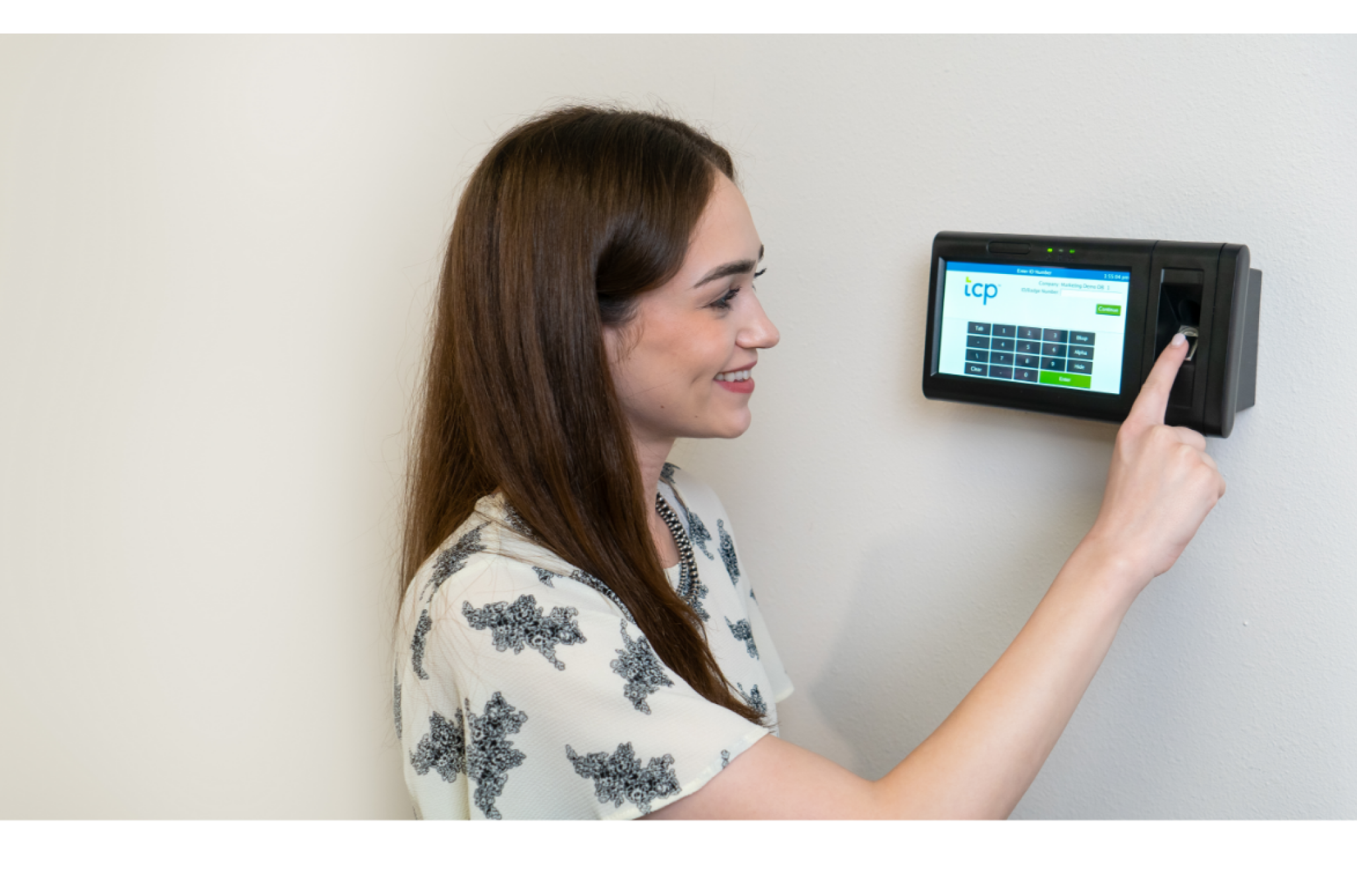
If you’ve ever chased down a missed punch, fielded a payroll complaint, or tried to enforce overtime rules with incomplete records, you know how quickly time tracking can spiral. The right employee time clock system keeps all of that in check.
The best time clock strategy reduces human error, stops time theft in its tracks, and provides a consistent framework for accountability. When you work with accurate data and cleaner processes, you have fewer fires to put out.
In this guide, we’ll break down what time clocks are, explore the most common types, and show how they fit into a broader time and attendance strategy that actually works.
What are employee time clocks?
A time clock is any tool employees use to record when they start and end their shifts.
These can be physical devices, like wall-mounted punch or biometric clocks, or digital tools like employee time clock apps or browser-based systems. No matter the format, their purpose is the same — to consistently capture employees’ hours worked.
Time clocks rarely operate in isolation. They’re often connected to larger systems that handle everything from employee scheduling and time tracking to labor law compliance and leave requests. Employee time clock systems streamline data collected from time clocks, are built to integrate with payroll and HR, and serve as dependable touchpoints for both employees and managers.
The best time clock setups solve your needs in the moment and create opportunities in your time tracking strategy — smarter scheduling decisions, reducing administrative load, or visibility into employees’ hours and accruals.
Types of employee time clock systems
Your organization has a unique work environment, staffing needs, and level of complexity. Some time clock systems are best suited for small, co-located teams. Others offer the automation, security, and compliance level that enterprise or distributed organizations require.
Here are the most common types of employee time clocks, how they stack up against the others, and what you should know about how they function.
- Simplicity = Ease of use and learning curve
- Convenience = Accessibility and employee effort required
- Security = Resistance to time theft or manipulation
1. Punch card
Simplicity: 9/10 | Convenience: 4/10 | Security: 2/10
Punch card clocks are the original time tracking tool. Employees insert a physical card into a machine to stamp the time they arrive and leave. It’s simple, low-cost, and still used in some small or analog-heavy workplaces.
This type is often considered the best employee time clock for small business environments with a low upfront investment and minimal setup. For example, a small retail shop with a handful of employees may rely on punch cards to track hours without investing in digital systems.
That said, punch cards come with tradeoffs. Manual payroll entry increases the risk of errors, cards can get lost or damaged, and buddy punching is easy. As organizations grow, these limitations tend to surface quickly.
2. PIN or password time clock
Simplicity: 7/10 | Convenience: 6/10 | Security: 5/10
These clocks use a keypad where employees enter a personal code to clock in or out. They’re a step up from punch cards in security while still remaining accessible and affordable
PIN-based systems are often the best time clock for small business teams transitioning to digital tracking. For example, a small hospitality group with multiple locations might use PIN clocks to standardize timekeeping without deploying more complex hardware.
However, shared or forgotten codes can create inconsistencies. While more secure than manual methods, they still require oversight to maintain accuracy.
3. Magnetic swipe or proximity card
Simplicity: 6/10 | Convenience: 7/10 | Security: 6/10
These systems record time using swipe badges or RFID fobs. Each badge is assigned to a specific employee and can often double as an access card. They’re quick and familiar but can get expensive to replace when lost, and the terminals are prone to wear and tear.
They’re often the best time clock for retail or manufacturing environments where speed and throughput matter. A manufacturing plant, for example, may use badge-based employee time clocks at entry points to track shift changes without creating bottlenecks.
4. Biometric time clock
Simplicity: 5/10 | Convenience: 7/10 | Security: 9/10
Biometric time clocks (often thought of solely as fingerprint employee time clocks) can verify identity using fingerprints, facial recognition, or hand scans. They virtually eliminate buddy punching and improve accuracy on clock in/clock out times.
This type is often the best time clock for healthcare or large companies that need strict compliance and accurate labor tracking. For example, a hospital system might use fingerprint or facial recognition clocks, the best biometric options, to ensure every shift is tied to the correct employee, supporting both payroll accuracy and regulatory compliance.
They’re secure, reliable, and ideal for compliance-heavy environments. The main drawback for some organizations? Privacy concerns and hardware maintenance.
5. Mobile time clock
Simplicity: 8/10 | Convenience: 9/10 | Security: 7/10
For many teams, a mobile employee time clock app is the most reliable way to stay connected and on schedule. The best versions include geofencing and GPS tracking to verify location and prevent misuse.
They’re perfect for distributed teams like home care workers, delivery crews, or construction teams which don’t report to a central office. However, mobile time clocks depend on device availability, and some require reliable online mobile connectivity.
6. Web-based or digital time clocks
Simplicity: 8/10 | Convenience: 8/10 | Security: 6/10
Web-based clocks work through an internet browser, allowing employees to log time from a shared terminal, desktop, or tablet. These systems are accessible from anywhere and often include self-service tools for PTO requests, accrual balances, and messaging managers.
They are often the best employee time clock for tablets and centralized environments like offices, universities, or retail back rooms. For example, a retail store might use a shared tablet at the manager’s station for employees to clock in before their shift.
This type is also commonly considered the best time clock for multiple sites that want flexibility without installing dedicated hardware.
However, they rely entirely on a stable internet connection and can introduce risks if employees forget to log out or use shared devices. Browser-based tools depend on user discipline — mistimed punches or skipped clock-ins may still occur without automated prompts or restrictions.
7. Thermal sensor time clocks
Simplicity: 4/10 | Convenience: 7/10 | Security: 10/10
Thermal clocks detect a person’s presence and can trigger identification via face scan, badge, or ID input.
They are seen as one of the best time clocks for hospitality and healthcare organizations where hygiene and speed are priorities. For example, a busy hotel or hospital entrance can use thermal clocks to allow employees to clock in quickly without touching shared surfaces.
They also prevent time theft and reduce hardware wear and tear, although their applications may not be practical for all industries.
Why are employee time clocks important?
Time clocks are your first line of defense for protecting your payroll, workforce management, and labor compliance. They capture the details that determine whether employees are paid correctly, shifts are properly staffed, and time-related policies are enforced without guesswork.
Accurate time collection gives you a stable foundation to build from — one that supports:
- Payroll accuracy – When hours are logged consistently, it’s easier to process payroll without back-and-forth corrections, manual adjustments, or employee complaints. Everyone knows what to expect on payday.
- Labor law compliance – Regulatory requirements around breaks, overtime, shift length, and rest periods vary widely across states and union contracts. Time clocks help document what happened (not just what was scheduled) so you can respond confidently to audits, grievances, or internal reviews.
- Employee trust – When timekeeping is transparent and consistent, it reduces friction. Employees know their time is being logged fairly, and they have a simple way to confirm or contest any discrepancies before it affects their paycheck.
- Operational visibility – Managers can spot coverage gaps in shift schedules, late arrivals, or unplanned absences faster, and take action before those issues create downstream problems in service, safety, or output.
Most issues with time tracking — buddy punching, missed punches, or payroll delays — can be traced back to either the wrong time clock setup or no real time tracking system at all.
Getting it right upfront reduces the noise, cuts down on rework, and keeps teams focused on what actually moves the business forward.
Most common types of time clocks by industry
You wouldn’t run a construction site the same way you’d run a university campus. They aren’t the same and neither are their employee time clock systems. The work your team performs, the environment they work in, and the required compliance level all shape which solution fits best.
Here’s a simple breakdown of common clock types by industry to help guide (or update) your selection.
| Industry | Common Clock Types |
| Small business | PIN clocks, mobile apps, web-based tools |
| Enterprise | Biometric terminals, ERP-integrated clocks |
| Manufacturing | RFID or biometric at entry points |
| Construction | Mobile apps with GPS/geofencing |
| Retail | Web-based or badge-based at the POS |
| Healthcare | Biometric or thermal with shift tracking |
| Education | Web-based or PIN clocks by department |
| Hospitality | Mobile or badge-based, property-dependent |
| Public safety | Mobile clocks with scheduling integration |
Comparing time clocks and workforce systems
Your organization should evaluate a mix of solutions when selecting an employee time clock, especially when balancing the needs of small teams versus large, distributed workforces. The best employee time clocks for small business may not scale as the for large companies with more complex scheduling, compliance, and reporting requirements.
Dedicated providers like ATS (Accu-Time Systems), Lathem, uAttend, Pyramid, Allied Time, NoahFace, and NGTeco focus on physical clocks and standalone tracking. These options can be effective for straightforward environments where the priority is consistent time capture with minimal setup.
Enterprise systems such as Oracle, Workday HCM, and SAP take a broader approach by embedding time tracking within larger HR and payroll systems. While this can centralize data, time tracking is often one function among many, which can limit flexibility at the operational level.
Look for solutions that align more closely with how your teams actually work. That includes support for industry-specific needs and flexible options such as mobile apps or tablet-based systems. Systems that connect time clocks with scheduling, compliance, and payroll tend to create a more consistent and manageable workflow across the business.
How employee time clocks fit into your time and attendance strategy
Time clocks are just the input. But what happens next matters just as much. Your clock should feed into a time and attendance system that tracks hours, flags exceptions, handles PTO, and integrates with payroll, all without manual intervention.
Shameless plug coming for TCP here.
Our employee time clocks work seamlessly with our time and attendance platform. Whether you need physical clocks with badges or biometric readers, mobile apps with geofencing, or browser-based options, we make it easy to configure for every role, every location, and every employee.
When time clocks work how they should, employees spend less time worrying about timekeeping, and you get the accuracy, accountability, and efficiency you need to keep moving forward.
TCP Software’s employee scheduling and time and attendance solutions have the flexibility and scalability to suit your business and your employees, now and as you grow.
From TimeClock Plus, which automates even the most complex payroll calculations and leave management requests, to Humanity Schedule for dynamic employee scheduling that saves you time and money, we have everything you need to meet your organization’s needs, no matter how unique. Plus, with Aladtec, we offer 24/7 public safety scheduling solutions for your hometown heroes.
Ready to learn how TCP Software takes the pain out of employee scheduling and time tracking? Speak with an expert today.
What to read next
Explore all resources