
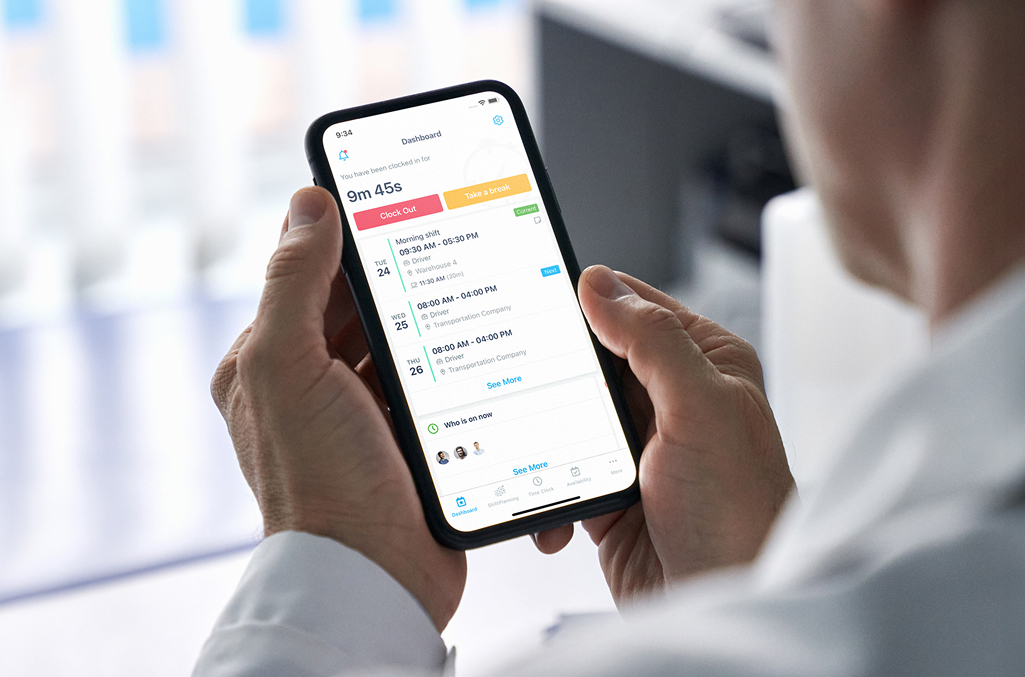
If you manage hourly or shift-based teams, time tracking software isn’t a nice-to-have. You need a system of record that decides whether payroll runs clean, whether compliance holds up under audit, and whether managers spend their day fixing timecards instead of running their teams.
For most frontline organizations, labor runs 70-85% of total operating costs, and the margin for error is thin. Every uncorrected timecard, missed punch, and manually calculated overtime rule is a direct hit to payroll accuracy, compliance confidence, and labor cost control.
This guide evaluates the 11 best time tracking software solutions for 2026, with a specific lens: frontline and hourly workforce operations.
What matters most is how a solution performs when your workforce clocks in across multiple sites, runs 24/7 shifts, or operates under union agreements and state labor law requirements, not how clean it looks on a laptop.
What is the best time tracking software? At a glance
Several solutions on this list are strong options for freelancers, project-based teams, or desk-based workers tracking billable hours. We have noted clearly who each solution is and is not built for, so you can make the right call for your organization. We’ve also widened the field this year to cover more of the deskless and hourly-focused tools organizations actually compare against TimeClock Plus, not just the enterprise HCM suites.
Here is a quick snapshot of how the seven best employee time tracking software solutions for 2026 compare, including who each one is best suited for.
| Solution | Best for | Standout capability |
| TimeClock Plus | Frontline and hourly workforces with complex pay rules, multi-location operations, and compliance requirements | Automated pay rule enforcement, real-time exception tracking, 50+ payroll and HRIS integrations |
| ClockShark | Small to mid-sized construction and field-service crews tracking labor and job costs in the field | GPS-verified mobile clock-in with job costing tied to sites and projects |
| Connecteam | Deskless, frontline teams across construction, food service, healthcare, retail, and field services | Time tracking, scheduling, task checklists, and team communication in one app |
| Paycom | Organizations that want payroll, HR, and time tracking in a single-application HCM | Employee-driven Beti payroll model within a unified HCM database |
| UKG | Large enterprises consolidating time, HR, and workforce data under one vendor | Broad enterprise HCM suite spanning payroll, benefits, talent, and analytics |
| Homebase | Small, single or multi-location hourly businesses in restaurants, retail, salons, and home services | Payroll built directly on the time clock, plus a usable free tier |
| QuickBooks Time | Small businesses already running payroll and accounting on QuickBooks | GPS time tracking and geofencing that flows straight into QuickBooks payroll |
Is this guide right for your organization?
This guide is written for operations, payroll, and HR leaders managing the complexity that comes with hourly and shift-based teams. If any of the following describes your organization, you are in the right place:
- You have hourly or shift-based employees with varying schedules across one or more locations
- You handle complex pay rules like overtime differentials, blended rates, union agreements, or multiple pay classes
- You manage compliance requirements tied to state labor laws, meal break and rest break rules, or credentialing
- You have multi-location operations where employees clock in from the field, the floor, or a shared kiosk, not a desktop
- You need payroll accuracy beyond basic hour totals: exception management, retroactive corrections, and audit documentation
If you’re tracking billable hours for a consulting team or managing project time for a small agency, the solutions near the bottom of this list, Clockify and Toggl Track, are simpler, lower-cost options that may serve you better. We have called those out in each entry.
And if you’re running a single-location hourly business without complex pay rules yet, Homebase, Connecteam, and QuickBooks Time are worth a look, too — we’ve flagged where each one starts to run out of room as you grow.
Now let’s look at each solution in detail.
1. TimeClock Plus (TCP Software)
If your organization manages hourly employees across multiple locations, runs complex shift patterns, or needs pay rule automation and audit-ready compliance tracking, TimeClock Plus is built for that operational reality.
It’s not a lightweight time logger. TimeClock Plus is an employee time and attendance solution built for the complexity that makes payroll hard: overtime calculations, union rule enforcement, shift differentials, leave accruals, exception management, and multi-location workforce data.
You get payroll that runs on accurate data, managers who spend less time resolving timecard discrepancies, and compliance confidence that does not rely on someone remembering the rules.
A modern interface keeps adoption friction low for both employees and managers, including field staff and hourly workers who don’t work at a desk. TimeClock Plus also comes with multiple time clock options — biometric terminals, badge readers, web clocks, and mobile apps with geofencing.
| Ease of use | Modern, intuitive interface designed for fast adoption across employee types. Employees clock in and out the same way regardless of location or device. Managers see exceptions and resolve them without navigating complex menus. |
| Features | Automated employee time tracking software, complex pay rule automation (overtime thresholds, shift differentials, blended rates, union rules), exception tracking and resolution workflows, leave and accrual management, compliance documentation and audit logs, payroll-ready reporting, and multiple clock-in methods. |
| Standout features | • Automated overtime and differential calculations applied in real time. • Exception alerts that flag missed punches, early clock-outs, and rule violations before they reach payroll. • Audit trails and attestation workflows for compliance documentation. • K-12 resource management modules for substitute management and extra duty tracking. • Extensive success stories in state and local government sectors. • Connected to Humanity Schedule for organizations that also need dynamic employee scheduling. |
| Who it’s built for | • Local government agencies managing union rules and migrating off legacy on-premise Kronos or UKG systems. • K-12 districts tracking substitute teachers, extra duty pay, and multiple employee types under one district payroll. • Non-hospital healthcare organizations managing credentialed staff, complex shift patterns, and compliance requirements. • Retail and hospitality organizations managing multi-location, high-turnover hourly workforces. • Any organization with 200 or more hourly or shift-based employees where pay rule accuracy and compliance documentation are operational requirements. |
| Reasons to buy | • Built for organizations with complex labor rules, multiple locations, and compliance requirements. • Connects directly to Humanity Schedule for combined scheduling and time data so what gets scheduled reflects what gets paid, without manual reconciliation. • More than 50 payroll, ERP, and HCM integrations, including ADP, Paylocity, Paycom, Paychex, and more. |
| Reasons to avoid | The depth of features and configurability can require additional onboarding time. Organizations with simple, single-location needs and no pay rule complexity may find lighter solutions easier to deploy initially. Implementation timelines are longer than those for basic time trackers. |
2. ClockShark
ClockShark is a time tracking and job management solution built specifically for construction and field-service crews.
It pairs GPS-verified mobile clock-in with job costing, so hours get tied to the site or project they were actually worked on. Drag-and-drop scheduling and integrations with QuickBooks, Sage 100 Contractor, ADP, and Paychex round out the toolset.
ClockShark says it supports more than 9,500 companies across construction trades, electrical, roofing, landscaping, and facility management. It’s built for ease of use and quick setup, not for the pay rule depth that larger, multi-location contractors eventually need.
| Ease of use | Straightforward mobile app built for field crews. Quick setup with minimal training required. |
| Features | Mobile time tracking with GPS, job and cost-code tracking, drag-and-drop scheduling, and payroll-ready reporting. |
| Standout features | GPS-verified clock-in tied directly to job costing, so labor hours map to specific sites or projects without a separate reconciliation step. |
| Reasons to buy | A strong fit for small to mid-sized construction and field-service crews that need job costing and mobile time tracking without the overhead of a full workforce management solution. |
| Reasons to avoid | Not built for complex pay rules, union agreements, multi-employee-type payroll, or the compliance documentation that larger frontline organizations require. Contractors that outgrow single-purpose job costing will find gaps in leave management, exception tracking, and audit trails. |
3. Connecteam
Connecteam bundles time tracking, scheduling, task checklists, and team communication into one mobile app built for deskless, frontline teams.
One-tap clock-in with location verification feeds directly into scheduling and payroll, while digital forms and checklists give managers photo and signature documentation from the field. A company knowledge base and instant messaging replace the group texts many frontline teams still rely on.
Connecteam says it’s used by more than 80,000 businesses across construction, food and beverage, healthcare, retail, cleaning, and field services. It covers a lot of ground for smaller, single-location teams, but its pay rule automation and compliance documentation aren’t built for the audit requirements larger, multi-location employers face.
| Ease of use | Mobile-first design with a low learning curve. Free tier available for teams under 10 employees. |
| Features | Time tracking, AI-assisted scheduling, task management with digital forms, team communication, and HR operations including onboarding and time-off requests. |
| Standout features | Time tracking, scheduling, task checklists, and team messaging in a single app, aimed at replacing scattered point solutions for deskless teams. |
| Reasons to buy | A strong fit for smaller, single or multi-location frontline teams that want time tracking, scheduling, and communication in one place without a heavy implementation. |
| Reasons to avoid | Pay rule automation, union rule enforcement, and compliance documentation aren’t built to the depth larger frontline organizations need. Organizations with 200 or more employees, complex pay classes, or state-by-state compliance requirements will outgrow it faster than smaller teams. |
4. Paycom
Paycom takes a single-application approach to HCM, where all functions, from hiring to payroll, exist within one database. Time and attendance features are part of this unified structure, designed to give employees more visibility and control over their own data.
Paycom’s Beti functionality lets employees review and approve their own payroll before it runs, which depends on accurate time data flowing through the same system. That employee-driven model is Paycom’s clearest differentiator and the main reason organizations choose it over standalone solutions.
| Ease of use | Clean, modern interface with a strong emphasis on employee self-service and mobile access. |
| Features | Time and attendance, payroll, HR, benefits administration, talent management, and employee-driven payroll review. |
| Standout features | Beti payroll model, which routes payroll review and approval to employees before processing, reducing corrections after the fact. |
| Reasons to buy | Appeals to organizations that want a unified HCM with all workforce data in one place and a strong emphasis on employee involvement in payroll accuracy. |
| Reasons to avoid | Requires adoption of the full suite, which limits flexibility for organizations that want to keep their existing HR or payroll provider. Pricing can be high relative to standalone solutions. Customer support experiences vary. Organizations that need deep configurability for complex union rules, multi-location exception management, or specialized compliance workflows may find Paycom’s time and attendance features less flexible than a solution built specifically for that complexity. |
5. UKG
UKG is a large, enterprise-focused HCM provider that bundles time and attendance into a broader suite of HR, payroll, and workforce management solutions.
Its time tracking capabilities are substantial on paper, but they’re designed to support the needs of a centralized HR system rather than function as a flexible, configurable time and attendance solution in their own right.
Vendor consolidation is the appeal for large organizations considering UKG, and that trade-off comes at a cost: high total cost of ownership, long and complex implementations, and a learning curve steeper than most mid-market or even enterprise organizations want to absorb for a time and attendance problem.
| Ease of use | Feature-dense but complex, with a steep learning curve for both administrators and employees. Manager adoption is a common friction point. |
| Features | Time and attendance, payroll, benefits administration, talent management, and workforce analytics within a large HCM suite. |
| Standout features | Broad enterprise HCM suite with deep integration across HR functions for organizations already standardized on the UKG ecosystem. |
| Reasons to buy | May appeal to very large enterprises seeking a single HR platform and willing to invest in the associated implementation and change management. |
| Reasons to avoid | High total cost of ownership, long implementations, steep learning curve, and inconsistent customer support. For organizations looking to modernize time tracking specifically, without replacing their entire HR stack, UKG introduces more complexity and cost than the problem requires. More than 50% of all-in-one HCM users report wishing their organization had implemented a standalone solution instead. (Nucleus Research, 2022) |
6. Homebase
Homebase bundles scheduling, time tracking, payroll, and hiring into one mobile-first solution built for small, hourly businesses.
Employees clock in from a phone or shared tablet with GPS verification and break monitoring, and hours flow straight into payroll without manual re-entry. Homebase says more than 150,000 small businesses use it, concentrated in restaurants, retail, salons, and home services.
A free tier covers a single location with up to 10 employees, which makes it a common starting point for owner-operators before they need multi-location or pay rule complexity.
| Ease of use | Mobile-first and built for owner-operators. Minimal setup, with a free tier for a single location. |
| Features | Scheduling, GPS-verified time tracking, payroll with tax filing and direct deposit, and hiring and onboarding tools. |
| Standout features | Payroll built directly on top of the time clock, so hours flow into paychecks without manual re-entry, plus a fully functional free tier for one location. |
| Reasons to buy | A practical, low-cost starting point for single-location or small-chain hourly businesses that need scheduling, time tracking, and payroll together without enterprise complexity. |
| Reasons to avoid | Not built for complex pay rules, union agreements, multi-state compliance, or the audit documentation larger frontline organizations require. Homebase fits best below roughly 200 employees and a small number of locations; beyond that, the pay rule and compliance gaps start to show up at payroll. |
7. QuickBooks Time
QuickBooks Time is Intuit’s time tracking solution, built to plug directly into QuickBooks Online, QuickBooks Desktop, and more than 50 third-party accounting and payroll platforms.
It covers digital timesheets, mobile and kiosk clock-in, GPS and geofencing on its Elite tier, and job costing for construction, landscaping, and field-service teams. QuickBooks says businesses that connect it to payroll save up to two hours per payroll cycle.
For organizations already running accounting through QuickBooks, that native connection is the whole draw. Outside the QuickBooks ecosystem, it’s a less compelling case.
| Ease of use | Straightforward for teams already working inside QuickBooks. Mobile app and physical time kiosks both supported. |
| Features | Digital timesheets with approval workflows, mobile and kiosk clock-in, GPS and geofencing (Elite tier), project time tracking, and payroll and job-costing reports. |
| Standout features | Native integration with QuickBooks Online, QuickBooks Desktop, and 50-plus accounting and payroll platforms, so time data flows directly into payroll processing. |
| Reasons to buy | A logical choice for small to mid-sized organizations already running payroll and accounting through QuickBooks, especially in construction, landscaping, retail, and restaurants. |
| Reasons to avoid | Not built for complex pay rules, union agreements, or the compliance documentation multi-location or heavily regulated employers need. The value drops off quickly for organizations that don’t already run on QuickBooks. |
8. TimeCamp
TimeCamp is an employee time tracking solution built for productivity monitoring and project-based work.
Its passive background tracking captures time automatically using app activity and keyword detection, which is useful for desk-based teams that need to understand where hours are going without manual entry.
It integrates well with project management solutions and offers invoicing support, making it a practical option for agencies focused on billable hour visibility. It’s not designed for frontline or hourly workforce management.
| Ease of use | Easy to set up for desk-based teams. Minimal friction for knowledge workers who need project time visibility. |
| Features | Automated background tracking, project and task tracking, invoicing support, and integrations with project management software. |
| Standout features | Passive time tracking that runs in the background using app detection and keyword rules, without requiring manual timer starts. |
| Reasons to buy | Strong option for agencies and desk-based teams focused on billable hour accuracy and project visibility. |
| Reasons to avoid | Not built for frontline or hourly workforce management. TimeCamp has no shift scheduling crossover, pay rule enforcement, exception tracking, or the compliance documentation that hourly workforce operations require. Organizations managing shift workers, multiple clock-in locations, or complex labor rules will find significant gaps in the areas that matter most at payroll. |
9. Clockify
Clockify is a free time tracking solution with broad adoption among freelancers, startups, and small teams.
It lets users track hours across projects and tasks with a simple timer, and offers a generous free tier with unlimited users. For teams that need to understand where time is going on client or project work, it’s an accessible starting point.
Clockify is built for project-based time visibility, not workforce management.
| Ease of use | Extremely simple and intuitive with minimal setup. Works well for individuals and small teams starting from scratch. |
| Features | Time tracking by project and task, basic reporting, project budgeting, and team management. |
| Standout features | Generous free tier with unlimited users and projects. Low barrier to entry for small, project-focused teams. |
| Reasons to buy | Ideal for freelancers, startups, or small teams that need basic time tracking at low or no cost. |
| Reasons to avoid | Not designed for frontline or hourly workforce management. Clockify does not enforce pay rules, manage overtime calculations, track exceptions, or produce compliance documentation. For organizations managing shift schedules, hourly pay rules, or labor compliance requirements across frontline teams, those gaps compound at payroll and create correction cycles that cost more than the solution saves. |
10. Toggl Track
Toggl Track is a time tracking solution focused on simplicity and project visibility.
Creative agencies, developers, and consultants who bill by the hour make up its core audience. Its one-click timer, clean interface, and profitability reporting make it effective for teams that need to track time across clients and projects without a lot of administrative overhead.
| Ease of use | Highly polished and low-friction. Strong for individuals and teams where consistent time tracking behavior is the main goal. |
| Features | Project and client-based time tracking, reporting, idle detection, and productivity insights. |
| Standout features | Project and profitability reporting for billable work. Clean interface that reduces the behavioral barrier to tracking time consistently. |
| Reasons to buy | Strong fit for agencies, consultants, and development teams billing clients by the hour. Simple, fast, and effective for project-based time visibility. |
| Reasons to avoid | Not built for attendance enforcement, payroll accuracy, or labor compliance. Toggl Track has no pay rule automation, shift management, exception tracking, or compliance documentation. For frontline organizations managing shift-based workforces, those gaps aren’t minor limitations, they’re missing core requirements. |
11. Jibble
Jibble is a cloud-based attendance solution focused on quick deployment and accessibility. Employees can clock in via mobile, web browser, or shared kiosk with facial recognition. It’s a practical option for small teams that need basic attendance verification across locations without complex setup.
Its simplicity is also its ceiling.
| Ease of use | Intuitive and quick to deploy. Low administrative overhead for basic attendance use cases. |
| Features | Time tracking, attendance verification, basic scheduling, GPS tracking, and mobile or kiosk clock-in with facial recognition. |
| Standout features | Facial recognition clock-in and a generous free tier for small teams with straightforward attendance needs. |
| Reasons to buy | Useful for small teams that need simple attendance verification across a small number of locations without needing to manage pay rules or compliance documentation. |
| Reasons to avoid | Jibble verifies that someone showed up. It doesn’t manage what happens next. For organizations with complex pay rules, leave management requirements, detailed scheduling needs, or payroll integration requirements, Jibble’s feature set creates gaps that show up at payroll. It’s not built for frontline workforce management at scale. |
Which time tracking software is right for your workforce?
The right choice comes down to how much complexity your workforce creates. Here’s how to match your situation to the right solution.
If you manage hourly or shift-based workforces with complex pay rules or compliance requirements
TimeClock Plus is the right fit.
It’s the only solution on this list built for the operational realities of frontline work: overtime and differential calculations, exception tracking, multi-location clock-in, leave and accrual management, and audit-ready compliance documentation.
For organizations that also need dynamic employee scheduling, TimeClock Plus connects directly to Humanity Schedule, TCP Software’s scheduling solution, so what gets scheduled and what gets paid stay in sync without manual reconciliation between systems. Scheduling data, time data, and labor cost data move together.
If you manage a K-12 district with substitute tracking and extra duty needs
TimeClock Plus with the Sub Manager and Extra Duty Manager modules handles the substitute scheduling, absence tracking, and multi-employee-type payroll complexity that general time tracking solutions aren’t built for.
Districts manage classified and certificated staff, substitutes, and extra duty employees under a single payroll, each with different pay rules. TimeClock Plus handles that without requiring manual workarounds.
If you manage a construction or field-based workforce
TimeClock Plus supports mobile clock-in with geofencing, which validates time and location together for field crews. Cost-code tracking ties hours to specific job sites or project codes for accurate labor costing. For organizations managing multiple sites with varying crew compositions, that data flows directly to payroll without manual export or reconciliation.
For a smaller crew that just needs job costing without the pay rule and compliance depth, ClockShark is a leaner, lower-cost alternative worth a look — it won’t hold up once you add union rules, multiple employee types, or state-by-state compliance requirements, but it covers the basics well for a single crew or small contractor.
If you manage a fully deskless, multi-site frontline team and want scheduling, time, and communication in one app
Connecteam covers that combination well for smaller teams: one-tap clock-in, AI-assisted scheduling, task checklists, and team messaging in a single mobile app. Once your organization crosses into complex pay rules, union agreements, or state-by-state compliance documentation, that’s where TimeClock Plus takes over.
If you’re a small, single-location hourly business just getting off paper schedules
Homebase and QuickBooks Time both work well here. Homebase bundles scheduling, time tracking, and payroll for restaurants, retail, and home services with a usable free tier; QuickBooks Time makes more sense if your accounting already runs on QuickBooks. Neither is built for the pay rule automation or compliance documentation that kick in once you add locations, union rules, or 200-plus employees.
If you want to bundle employee time tracking into a broader HR platform
Paycom and UKG offer time tracking as part of a larger HCM suite. That can work for organizations prioritizing vendor consolidation, but it comes with trade-offs in configurability and cost for complex time and attendance needs.
If you’re a freelancer, agency, or desk-based team tracking billable hours
Clockify and Toggl Track are built for that need. They offer strong project-based time visibility at a low cost of entry. They’re not designed for frontline workforce management, pay rule automation, or compliance documentation, and should not be evaluated against solutions that are.
If you need simple attendance verification for a small team
Jibble offers fast deployment and basic clock-in functionality for small organizations with straightforward needs. When requirements extend to pay rules, compliance, or payroll integration, it will not hold up.
The path forward for frontline organizations is not a simpler solution or a bigger platform. It’s accurate data, applied rules, and fewer correction cycles every pay period. That’s what TimeClock Plus is built to deliver.
Frequently asked questions
What is the best time and attendance software for small businesses?
Humanity Time is the small business time tracking from TCP Software. It handles automated pay rules, exception tracking, leave management, and payroll integration for small and mid-size organizations, without the overhead or extra complications of an enterprise HCM suite or broader time and attendance solution.
For very small or single-location teams that don’t yet need pay rule automation, Homebase, Connecteam, and QuickBooks Time are also worth evaluating — Humanity Time becomes the better fit once pay rules, multiple locations, or compliance documentation enter the picture.
What’s the difference between employee time tracking software and time and attendance software?
The short version:
| Time tracking | Records hours worked. |
| Time and attendance | Manages what happens with those hours: pay rule calculations, overtime enforcement, exception alerts, compliance documentation, leave accruals, and payroll-ready exports. |
For hourly and shift-based workforces with complex pay rules or compliance requirements, basic time tracking creates gaps that show up at payroll. Look for solutions that incorporate time tracking as part of a broader time and attendance tracking system.
What should frontline organizations look for in a time clock solution?
Look for hardware flexibility (mobile apps, biometric terminals, badge readers, and web clocks), automated pay rule enforcement, multi-location support with centralized visibility, payroll integration with your existing provider, and compliance tracking with audit logs.
A time clock that only records a punch is not enough if it can’t enforce the rules that govern what that punch means. TimeClock Plus covers all of these requirements and supports hundreds of payroll, ERP, and HCM integrations.
How does TimeClock Plus handle complex pay rules and overtime?
TimeClock Plus applies pay rules automatically.
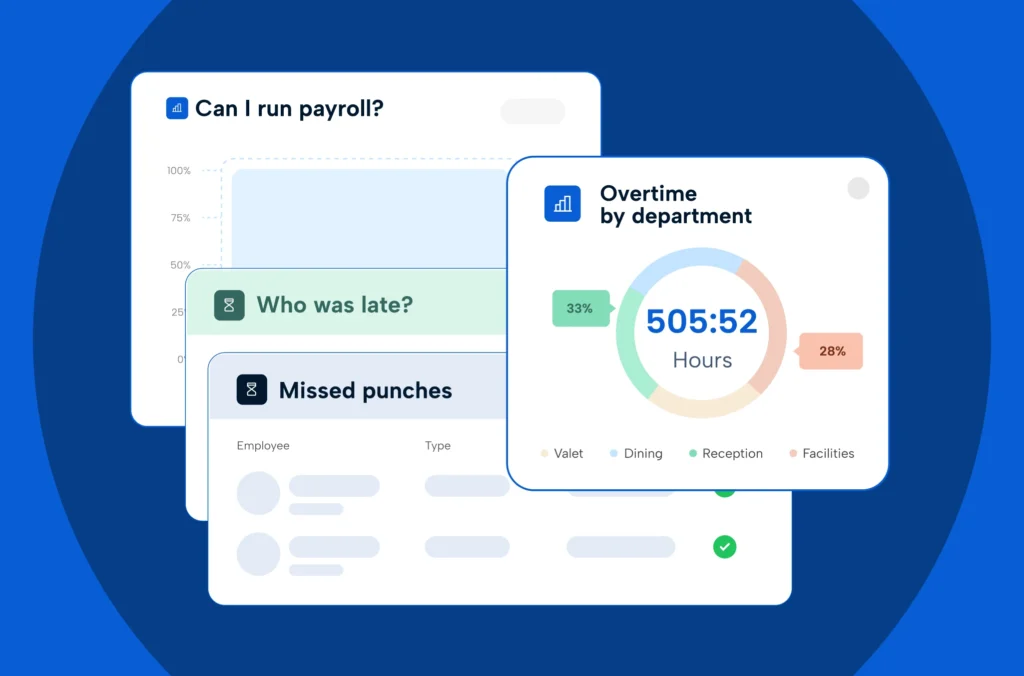
Overtime thresholds, shift differentials, blended rates, and union agreements are configured once and applied consistently without manual calculation. Real-time exception alerts flag missed punches, early clock-outs, and rule violations before they reach payroll, which reduces correction cycles after the fact. Audit logs document every change for compliance reporting.
What time tracking software works for organizations with multiple locations?
TimeClock Plus supports multi-location operations through a combination of hardware options and centralized reporting.
Employees clock in from terminals, mobile apps, or kiosks at any location. Managers see real-time data across all sites. Pay rule enforcement and compliance requirements apply consistently across locations, not site by site. For organizations with field-based workforces, geofencing validates location at clock-in so time data is accurate before it reaches payroll.
Is TimeClock Plus a good fit for construction or field-based workforces?
Yes. TimeClock Plus supports mobile clock-in with geofencing, which validates time and location together for field crews. Job cost tracking ties hours to specific job sites or project codes for accurate project labor costing.
For contractors managing multiple sites with varying crew compositions, that data flows directly to payroll without manual export or reconciliation. For a smaller crew that hasn’t hit that complexity yet, ClockShark is a lighter-weight option worth comparing.
Next steps: picking the best employee time tracking software
Choosing the right employee time tracking solution comes down to understanding how much complexity your organization actually needs to manage — and where today’s options may start to fall short as you grow.
Lightweight tools such as Jibble can be a good fit for smaller teams that need quick setup and basic attendance verification without extensive configuration.
Project-focused tools like Clockify and Toggl Track work well for freelancers and small teams that need simple, manual tracking of billable hours.
TimeCamp fits teams that want deeper visibility into project work through automated, passive time tracking, particularly in desk-based or agency environments.
Homebase, Connecteam, and QuickBooks Time serve growing hourly businesses well below the complexity TCP Software is built for, especially single-location retail, hospitality, and field-service teams. ClockShark fills a similar niche for smaller construction and field-service crews that need job costing without full payroll complexity.
Platforms like UKG and Paycom may appeal to organizations looking to bundle time tracking into a broader HR or payroll system, where time is one part of a larger HCM strategy.
But TimeClock Plus is designed to help teams stop fighting their time tracking solution and start trusting it. By automating time capture and applying labor rules consistently, it reduces corrections, prevents payroll surprises, and brings confidence back to time accuracy and compliance.
In that confidence and consistency comes what you really need — fewer late nights fixing timesheets, second guesses, and conversations that start with “something doesn’t look right.” You get accurate time tracking, handled reliably, so people can move on to the work that actually matters.
If your organization is ready to mature from manual timesheets or entry-level tools, without the unnecessary and unusable baggage of an all-in-one HCM, TimeClock Plus offers you a flexible, long-term foundation for better time tracking.
TCP Software’s employee scheduling and time and attendance solutions have the flexibility and scalability to suit your business and your employees, now and as you grow.
From TimeClock Plus, which automates even the most complex payroll calculations and leave management requests, to Humanity Schedule for dynamic employee scheduling that saves you time and money, we have everything you need to meet your organization’s needs, no matter how unique. Plus, with Aladtec, we offer 24/7 public safety scheduling solutions for your hometown heroes.
Ready to learn how TCP Software takes the pain out of employee scheduling and time tracking? Speak with an expert today.
What to read next
Explore all resources




 Link copied!


