
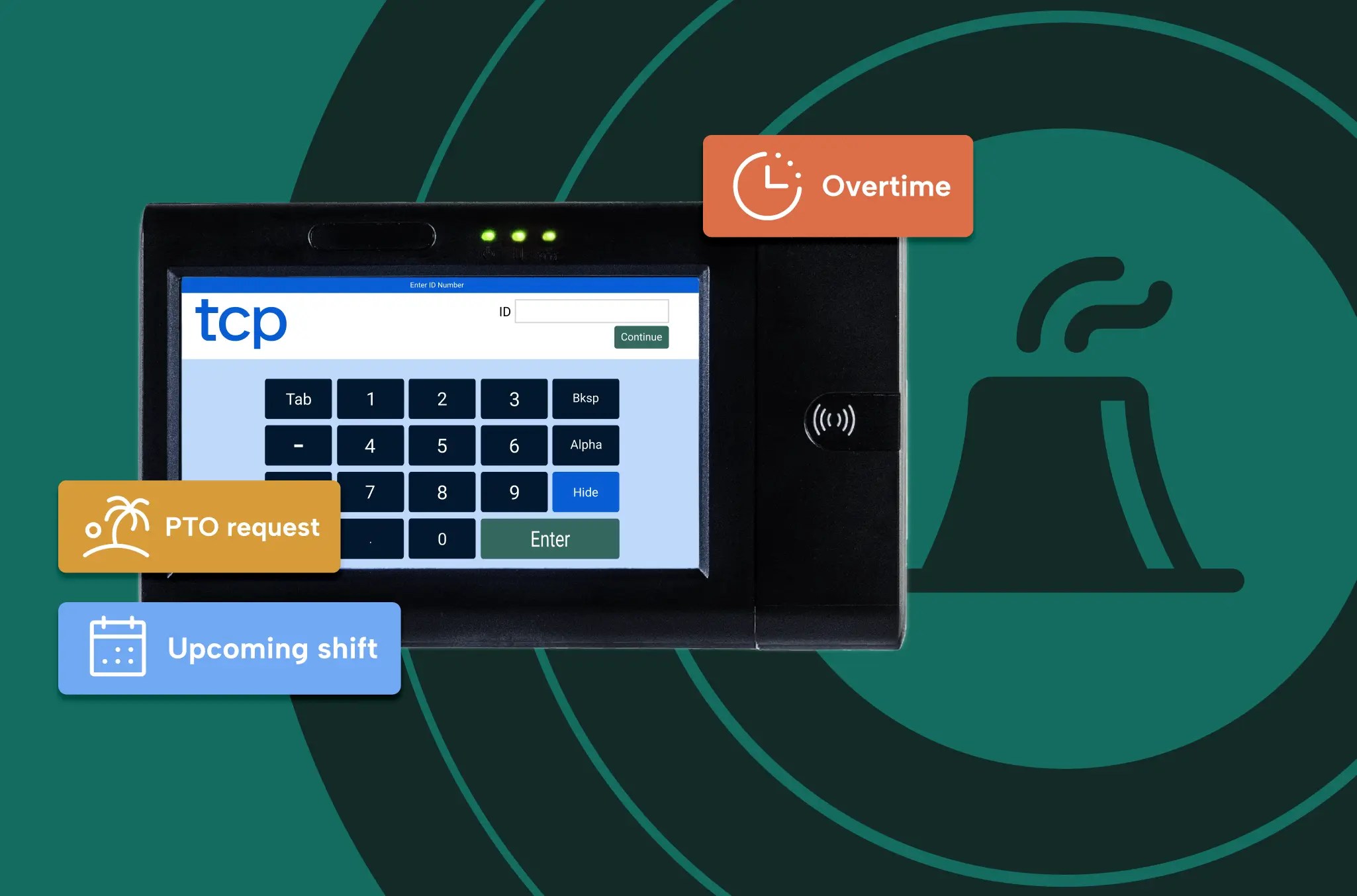
Manufacturing time tracking software has to handle what a general timekeeping product was never built for: shift differentials, blended overtime, contract-defined overtime order, wash-down environments, and a crew spread across three shifts and sometimes several plants.
When time tracking lives in spreadsheets, whiteboards, shift notes, or a timekeeping setup installed years ago and never revisited, the cleanup lands on supervisors, payroll, and HR after the shift ends.
How that plays out depends mostly on the size of your organization:
- Small plants – A single site where one person often covers several functions and time is the main constraint. Timecards get rebuilt from paper and memory after the shift.
- Mid-sized plants – Two or three shifts, with most functions owned by someone different. A timekeeping setup installed years ago can’t support the pay rules.
- Large or multi-site operations – Functions split into teams, and the work shifts to applying the same rules and reporting the same way across shifts and sites.
This guide breaks down what manufacturing time tracking software should do, how those requirements change as your plant moves from paper and spreadsheets to multiple sites, and which questions separate a strong software fit from an expensive mismatch.
Why time tracking is different in manufacturing
A manufacturing time record has to answer three questions at once: who covered the station, what the coverage cost, and what each person gets paid.
About 69% of manufacturing’s 12.6 million workers are hourly and time-tracked, and overtime is part of how a plant runs. Plants organize work around fixed shifts and production lines, so when a station sits empty, production slows or stops. The crew can’t make up the difference by working faster.
That’s why the schedule and the time record can’t drift apart. Callouts, machine downtime, quality holds, and production changes force supervisors to adjust the crew mid-shift, and by the next handoff the floor can look very different from the plan.
Responsibility for the record is split, too:
- Operations sets coverage and controls overtime pay
- Payroll reconciles and pays what operations records
- HR owns attendance policy and leave
- Finance holds the labor budget
When the first three touch the same record and none of them owns it from start to finish, errors travel all the way to the paycheck. Formal grievances are also relatively frequent in manufacturing, so the time record has to stay accurate and documented when someone challenges it.
Six manufacturing roles and how time tracking affects them
Six groups touch manufacturing time data, each with a different stake in getting it right. In a small plant, one person often covers several of these roles.
| Stakeholder | Who’s in this role | What they need to see |
|---|---|---|
| Plant operations leadership | Plant managers, production managers, plant superintendents | How each coverage decision affects overtime before the week is over, and what changed on the floor behind a labor variance |
| Frontline supervision | Production supervisors, production leads, team leaders | The best person to cover a callout, the contract’s overtime order applied without relying on memory, and less timecard cleanup after the shift |
| Plant HR | HR generalists, HR business partners | Attendance policy and leave rules applied the same way on every shift, including shifts with no HR on site |
| Payroll | Payroll specialists, payroll administrators, time and attendance administrators | Missed punches resolved the day they happen, the right pay rate applied automatically, and a clear history of every change |
| Finance | Plant controllers, division controllers, corporate FP&A | Labor variance traced to the shifts and decisions behind it, and one comparable view of labor across plants |
| IT and systems | ERP analysts, plant IT managers, manufacturing systems analysts | Configurable rules and integrations in place of custom interfaces, and a new plant added without a new one-off connection |
Plant operations leadership: the owner of the plan
Plant managers, production managers, and superintendents answer for labor cost per unit, overtime percentage, and on-time delivery. They approve overtime against the labor budget, then explain why the plan changed: staffing, machinery, materials, or demand.
When the time record shows hours days late (or arrives full of errors), nobody can say why overtime percentage climbs while output stays flat.
What you should be looking for in time tracking software:
☑ Shows overtime as the week builds, not after the period closes
☑ Separates planned overtime from avoidable overtime
☑ Traces labor variance back to the coverage decisions behind it
Frontline supervision: the shift’s shock absorber
Production supervisors and leads run a full shift and absorb the exceptions: callouts, reassignments, meal and rest break coverage, and late arrivals. The admin half of the job pulls them from the floor or after the floor work ends.
When the schedule sits in a spreadsheet and punches sit somewhere else, supervisors rebuild the roster most mornings and finish timecard cleanup past the end of the shift. The same few cross-trained operators end up absorbing the overtime week after week.
What you should be looking for in time tracking software:
☑ Applies overtime offers in the contract’s order without supervisors relying on memory
☑ Shows who’s approaching overtime before they’re scheduled for more
☑ Sends schedule changes to the time record on its own
Plant HR: the policy keeper on shifts HR never sees
Plant HR generalists and business partners own attendance policy, leave, and labor relations. Second and third shift usually run without anyone from HR on site, so supervisors apply the policy alone.
Inconsistent enforcement leads to grievances. A grievance won over inconsistent application means the plant has to follow the process exactly from then on.
What you should be looking for in time tracking software:
☑ Applies rules the same way on every shift
☑ Tracks leave, including Family and Medical Leave Act (FMLA) and intermittent leave, against coverage needs in one place
☑ Records what changed, who approved it, and why, ready for an audit or a grievance
Payroll: the last check before the paycheck
Payroll specialists and administrators reconcile hourly time from records that arrive incomplete. They apply differentials, blended and weighted overtime, and multiple job-code rates, and a wrong paycheck becomes their problem wherever the error started.
When pay errors grow with every new differential or rule, off-cycle correction runs turn routine.
What you should be looking for in time tracking software:
☑ Flags missed punches the day they happen
☑ Applies pay rates automatically as people move between shifts and jobs
☑ Keeps a clear history of what changed, who changed it, and why
Finance: the one defending the number
Plant controllers and finance leaders own the labor budget and review variance each month. They rarely see shift-level data, and they stop trusting the numbers when payroll and labor reporting disagree.
What you should be looking for in time tracking software:
☑ Ties labor variance back to the shifts and decisions behind it
☑ Compares actual hours with the labor plan as the week unfolds
☑ Gives one comparable view of labor across plants
IT and systems: the connector
IT owns the connections between enterprise resource planning (ERP), manufacturing execution systems (MES), timekeeping, access control, and payroll, and inherits a new set with every acquisition. Custom interfaces break when a pay rule changes, and an on-premises timekeeping setup nearing end of life can force a migration decision.
What you should be looking for in time tracking software:
☑ Uses configurable rules and integrations in place of custom interfaces
☑ Adds a new plant without a new one-off interface
☑ Keeps the ERP as the source of truth without forcing supervisors to work in it
All six roles want less rework after the shift, fewer surprises at payroll, and numbers they can trace back to the floor.
Core capabilities every manufacturing time tracking solution should have
Paper timecards, time tracking spreadsheets, and shift notes work until someone has to reconstruct what happened three days later. A generic timekeeping product can capture a punch, but it struggles with a timecard that carries four punches, two job codes, and two pay rates in one shift.
Here are the seven core capabilities to look for:
- Time capture built for the plant floor
- Pay rules built for manufacturing timecards
- Overtime tracking and contract-order rules
- Exception management and audit trails
- Leave and accrual tracking
- Multi-plant reporting and integrations
- Connected scheduling and time data
1. Time capture built for the plant floor
Time capture depends on two pieces: the time clock hardware and the software it connects to. Evaluate both, because a strong pay engine can’t fix punches that never get recorded.
Features to look for:
- Clocks that fit each area – Sealed and industrial-rated terminals, badge readers, tablets, and biometric options you can mix by area. A wash-down line and a front office don’t need the same clock.
- Mobile where it makes sense – Helps where phones are allowed on the floor, but doesn’t solve the problem in plants that ban them.
- Interchangeable authentication modules – One rough area doesn’t force you to replace the whole terminal.
- Offline recording – Clocks keep recording when the connection drops and sync punches once they reconnect. A failed terminal at shift change can mean hundreds of unrecorded punches and a manual payroll rebuild.
- Fast shift-change punching – A full crew can clock in without a line forming at the terminal.
For a closer look at hardware, see our time clock hardware buyer’s guide.
2. Pay rules built for manufacturing timecards
Shift differentials, blended and weighted overtime, multiple job-code rates, split pay, and union terms often land on the same timecard.
Features to look for:
- Configurable rate cards – Define each rule once, so payroll doesn’t recalculate it every period.
- Automatic pay calculations – Regular pay, overtime, and differentials calculated without manual recalculation.
- Regular rate handling – Federal law requires overtime at 1.5 times the regular rate, and that rate has to include shift differentials and non-discretionary bonuses.
- Policy-based pay logic – Internal policies, union rules, and contracts applied the same way across all time data.
With the rules built in, payroll reviews exceptions instead of rebuilding the math every period.
3. Overtime tracking and contract-order rules
Overtime is the fastest fix for a coverage gap and the most visible line in labor variance.
Features to look for:
- Overtime as the week builds – Real-time tracking with alerts before overtime crosses the budget threshold.
- Cost at the point of decision – Shows supervisors what each coverage decision costs before they make it.
- Contract-order rules – Applies the order your collective bargaining agreement sets, whether seniority within a classification, a rotating list, or lowest hours first.
- Fatigue and union rule tracking – Adds a check on who’s approaching long stretches of hours.
Your plant and its labor relations team interpret the contract. The software applies the rules you’ve defined the same way every time and records how it applied them.
4. Exception management and audit trails
Exceptions are routine on a plant floor, and fixing them gets harder the longer they sit. Five days on the calendar doesn’t feel like much, but five days can feel like years during a long week on the floor. Nobody wants to remember things after the fact.
Features to look for:
- Exception alerts – Flag missed punches and breaks, wrong-terminal punches, and unrecorded schedule changes as they happen.
- Resolution workflows – Route each exception to the right supervisor while the shift is still fresh.
- Audit logs – Keep a complete record of time, schedule, and pay changes, so you can answer a grievance, an audit, or a wage-and-hour review without piecing together shift notes.
5. Leave and accrual tracking
Manufacturing leave runs from paid time off (PTO) and paid sick leave to FMLA, intermittent leave, holiday pay, and plant shutdown weeks.
Features to look for:
- Configurable accrual rules – Match how each plant and contract earns and carries over leave.
- Balances employees can see on the clock – Fewer leave questions landing on supervisors and HR.
- Leave and coverage needs in the same picture – Supervisors see who’s out while they’re making coverage decisions, and payroll doesn’t reconcile a separate spreadsheet.
6. Multi-plant reporting and integrations
Multi-plant organizations often inherit different timekeeping through acquisition, so one labor report can mean combining data from several sources.
Features to look for:
- Local rules, shared data – Each plant keeps its own shifts, policies, and contract terms while time and pay data are recorded the same way everywhere.
- Labor reporting by job, department, or location – Hours, overtime, and labor cost in one view. Where your plant tracks labor by job or cost code, confirm the code is easy to select at the clock.
- Integrations – Connections to your payroll, HR, and ERP solutions, so approved time flows through without rekeying and the ERP stays your source of truth.
7. Connected scheduling and time data
In a fixed-shift plant, building the schedule rarely takes long. The pressure starts after it’s published, when someone calls out, a machine goes down, or a floater moves to another line.
Features to look for:
- Open shift posting and backfill – Post the open shift, find qualified and available staff, and see the overtime impact before production starts.
- Schedule changes that reach the time record – Punches, coverage changes, and pay rules stay in sync, with fewer timecard fixes later.
- Rotations and patterns – Support process plants that run continuous crews on rotating shift schedules.
- Built-in scheduling rules – Support fair overtime distribution.
That gives you one record of planned coverage, hours worked, and the labor cost of every change, and less reconciling of schedules and timecards after payroll.
How core capabilities apply to your plant
Use these three stages as a rough guide. A small shop moving off paper has different priorities than a multi-plant manufacturer comparing labor across sites, and plants often sit at different stages in different departments.
Basic time tracking stage
Who this is for: Small single-site plants and job shops, plus isolated departments inside larger plants, such as a maintenance crew, a shipping operation, or a satellite line that never made it into the main rollout.
At this stage, the biggest problem is manual effort. Punches, schedule changes, and corrections live on paper, whiteboards, and spreadsheets, so supervisors rebuild timecards from memory after the shift. The right software moves all of that into one record and shows supervisors what changed while the shift is still fresh.
What you’re running into:
“We’re still doing this in Excel and have to catch things that fall through the cracks.”
“I find out we’re over on overtime when payroll runs.”
| What you need | Why it matters | Risks to watch for |
|---|---|---|
| Time clock hardware that fit each area of the plant | Gives every punch a reliable place to land from the start | Missed or wrong punches, timecards rebuilt from memory |
| Exception alerts and resolution workflows | Catches a missed punch the day it happens | Problems found at payroll, days after the shift |
| Overtime tracking and alerts | Shows overtime building before the shift is worked | Learning you’re over budget when payroll runs |
| Open shift posting and automated backfill | Replaces the phone tree when someone calls out | Slow fills, uncovered stations, and overtime offered from memory |
| Schedule and time details visible on the clock (or mobile phones, where allowed) | Lets employees check shifts and hours without asking a supervisor | Schedule questions that pull supervisors off the floor |
Intermediate time tracking stage
Who this is for: Plants running two or three shifts, typically with a timekeeping setup that was installed years ago and never revisited while scheduling stayed in Excel.
At this stage, most plants already have software. It records hours, but it doesn’t connect to the schedule or keep up with your pay rules, so supervisors and payroll keep spreadsheets alongside it. Connecting the schedule to the time record lets exceptions surface during the week instead of at close.
What you’re running into:
“We have timekeeping software, but everyone still uses their own spreadsheet.”
“The data’s in there, it’s just inaccurate most of the time or three days too late to do anything about it.”
| What you need | Why it matters | Risks to watch for |
|---|---|---|
| Scheduling and time data in sync | Lets exceptions surface during the week | Schedules in one place and punches in another, reconciled by hand |
| Overtime tracking and alerts | Flags overtime before the shift is worked | The same handful of operators absorbing overtime unnoticed |
| Configurable rate cards | Moves differentials, blended overtime, and job-code rates out of spreadsheets | Pay errors that grow with each new rule |
| Automatic pay calculations | Applies the right rate as employees move between shifts and jobs | Off-cycle corrections that become routine |
| Job and cost-based time tracking | Ties hours to the right job or cost code at the clock | Hours landing in the wrong place, which muddies labor reporting |
Advanced time tracking stage
Who this is for: Larger single-site and multi-plant manufacturers with corporate HR, a formal labor budget, and timekeeping inherited through acquisition. Many already run a large workforce management or ERP-native time module that supervisors find too complex.
At this stage, the challenge is consistency and adoption. Each plant keeps its own contract and shifts, yet leaders need one comparable view of labor, and supervisors need software that’s easy to use and doesn’t create more admin work. Connecting scheduling and time across sites puts planned coverage next to actual hours.
What you’re running into:
“Our rules are consistent on paper, but second shift still does it their own way.”
“Corporate wants one number, and it takes me three days to build it.”
“It works when supervisors use it, and some of them still don’t.”
| What you need | Why it matters | Risks to watch for |
|---|---|---|
| Cross-location scheduling and coverage view | Shows staffing and coverage gaps across plants at a glance | Coverage and overtime visible only plant by plant |
| Multi-location reporting and insights | Gives leaders one labor view without forcing every plant to run the same way | Days of manual reconciliation behind each corporate report |
| Policy-based pay logic | Applies each plant’s contract and pay rules the same way on every shift | Rules applied differently from one shift to the next |
| Fatigue and union rule tracking | Flags long stretches of hours and contract rules before they become a grievance or a safety concern | Problems found after the fact, usually when an audit shows up or fine is issued |
| Payroll, HR, and ERP integrations | Keeps one source of truth without custom interfaces | One-off interfaces that break when a pay rule changes |
| Workflows supervisors will lean on | Consolidates capabilities into an easy-to-use workflow, so they keep using software instead of disconnected systems | Spreadsheets that reappear on the floor and data you can’t trust |
Questions to ask before you buy
Operations, HR, payroll, finance, and IT all weigh in on a manufacturing time tracking purchase. Their questions go beyond whether the software can capture a punch to the details that create the most rework: pay rules, contract order, exceptions, and shift handoffs.
Before your first demo, pull your three hardest timecards. Choose ones that combine a differential, overtime, and more than one job code or pay rate. Ask each vendor to configure and run them live instead of describing how they (potentially) would. Then repeat the exercise with the supervisors who’ll use the software on the floor.
Time capture and clocks
☑ Which clocks and authentication options fit each area of your plant, including wash-down lines, dust, cold storage, and gloved hands?
☑ What happens to punches if a clock loses its connection at shift change, and how do you keep recording?
☑ Can you swap authentication types without having to replace the whole terminal?
☑ How quickly can a full crew punch in at shift change?
☑ Which punch methods work in areas where phones aren’t allowed on the floor?
Pay rules and overtime
☑ Which pay rules does your current system not support, and where does someone still calculate pay by hand?
☑ Can the software show the regular rate used for overtime, including shift differentials and non-discretionary bonuses?
☑ Can it handle blended and weighted overtime, split pay, and multiple job-code rates on one timecard?
☑ How does it capture time between putting on required gear and starting the line, and how is that time paid?
☑ How do you test a new differential or contract cycle before it applies to real pay?
Union and contract rules
☑ How does the software apply your overtime offer order, such as seniority within a classification, a rotating list, or lowest hours first?
☑ Can supervisors see who’s next on the overtime list and who’s approaching overtime?
☑ What record shows how each overtime offer was made and applied?
☑ When a contract changes, who updates the rules, and how long does it take?
Exceptions and payroll accuracy
☑ How does the software flag missed punches and breaks, wrong-terminal punches, and unrecorded schedule changes, and how soon?
☑ Are exceptions and timecard changes documented before each shift handoff for the incoming shift supervisors or managers?
☑ What information isn’t exportable to payroll reports? How much manual work is involved beyond time approvals?
☑ Are edit histories easy to review during a grievance, an audit, or a wage-and-hour inquiry? How long is the data stored?
Leave and attendance
☑ Can leave requests, balances, and approvals live in the same record as time?
☑ How does the software handle calculating PTO, paid sick leave, FMLA, intermittent leave, and plant shutdown weeks?
☑ Will supervisors see upcoming leave while they’re making coverage decisions?
Scheduling and callouts
☑ When someone calls out last-minute., how does a supervisor find a qualified, available replacement, and what do they see about the overtime impact?
☑ Do schedule changes flow into the time record on their own, or does someone re-enter them?
☑ If scheduling and time tracking are separate, how do you reconcile planned coverage with hours worked?
☑ Can schedulers apply fair overtime distribution rules when they build and adjust the schedule?
Multi-plant reporting and integrations
☑ Can each plant keep its own shifts, policies, and contract terms while reporting rolls up the same way?
☑ How long does it take to build one labor report across plants, and what still happens by hand?
☑ How does the software connect with your ERP, payroll, and HR solutions. What happens when we need to change a pay rule?
☑ What does it take for IT to add a new or acquired plant?
Adoption and support
☑ How long does it take a supervisor to learn the daily workflow?
☑ What does setup look like for your pay rules and contracts, and how long does it take?
☑ What support is available when something breaks at shift change?
ROI and total cost of ownership
The software license is one line item. The rest of the cost sits in the time to run payroll, supervisor time after the shift, unplanned overtime, correction runs, grievances, and custom interfaces IT maintains. Compare the figures below with your own records.
Where the savings show up
- Payroll time – Northwest Steel Fab, a fabrication shop of about 70 employees, moved from paper timecards to TCP time clocks and TimeClock Plus. Payroll processing dropped from four days to one, a 75% reduction. West Texas Lighthouse for the Blind, with about 60 employees, went from more than a day and a half per cycle to hours.
- Data validation – Vertiv, a Fortune 500 manufacturer with about 34,000 employees, sends punches through TCP Direct into Oracle Time and Labor in near real time. One senior HR applications analyst estimates it saves about three hours or more per pay period for each of roughly ten people on their team.
- Overtime – Production and nonsupervisory manufacturing workers averaged 4.1 overtime hours a week at $45an hour (BLS, August 2026). TCP customers report labor cost savings of 5%-15% within six to nine months once they can see overtime and coverage costs as they build.
- Supervisor time – TCP customers report recovering 3-7 minutes per employee per day. At 500 employees, 3 minutes a day adds up to 25 labor hours every day.
Risk and compliance use cases
- Wage-and-hour exposure – A federal jury awarded $22.25 million in back pay against a battery manufacturer over unpaid changing and showering time, and the Third Circuit upheld the verdict in December 2024 (Secretary of Labor v. East Penn Manufacturing). Small compliance issues each shift compound across a large hourly crew and a multi-year lookback.
- Audit records – Northwest Steel Fab’s clocking questionnaire captures daily activity notes at clock-in, so the shop can answer state inquiries without reconstructing records.
- Safety – Manufacturing records 2.7 recordable injury and illness cases per 100 full-time workers, and private industry overall records 2.3 (BLS, 2024 data). Long shifts and concentrated overtime with the same operators lead to burnout and higher safety risk.
What total cost includes beyond the license
- Clock hardware – Replacement cycles in harsh areas. Northwest Steel Fab has kept the same terminals in service for years in a fabrication shop, thanks to clocks that can withstand every test the manufacturing floor throws at them.
- Workarounds and interfaces – Hours payroll teams spend calculating pay by hand, spreadsheets supervisors keep, and IT time maintaining connections that break when a pay rule changes.
- Switching and adoption – Security gaps pushed Vertiv to replace its previous solution, and the Oracle-certified TCP Direct integration now turns raw punches into data ready for human capital management (HCM) software. If supervisors go back to spreadsheets, the cost keeps running and the savings don’t show up.
How to size up manufacturing time tracking software for your plant
Go through these questions before you build the case for budget:
- How much of last month’s overtime came from covering callouts versus planned volume, and who absorbed most of it?
- Where does someone still calculate pay by hand, and how many hours a period does that take?
- How many grievances came out of overtime or attendance last year?
Run every shift and every pay period right with TCP
A differential applied wrong repeats every pay period until someone catches it. A callout turns into overtime nobody planned.
Start by finding the part of your plant that drives the most labor cost or takes the most time from your crews. Whatever’s most broken, bring it and your three hardest timecards to the first demo.
TimeClock Plus handles pay rules, overtime, exceptions, leave, and reporting. TCP time clocks are built for rough environments, with interchangeable authentication modules and offline recording for up to four hours. Humanity Schedule helps supervisors fill a callout with qualified, available staff and carries the change into the time record. Payroll, HR, and ERP integrations let your ERP stay the source of truth.
No matter the size or complexity of your manufacturing time tracking process, TCP can match the pay rules, contract terms, and clocks to how each plant runs, from a single shop moving off paper to a multi-plant operation with several contracts.
TCP Software’s employee scheduling and time and attendance solutions have the flexibility and scalability to suit your business and your employees, now and as you grow.
From TimeClock Plus, which automates even the most complex payroll calculations and leave management requests, to Humanity Schedule for dynamic employee scheduling that saves you time and money, we have everything you need to meet your organization’s needs, no matter how unique. Plus, with Aladtec, we offer 24/7 public safety scheduling solutions for your hometown heroes.
Ready to learn how TCP Software takes the pain out of employee scheduling and time tracking? Speak with an expert today.
What to read next
Explore all resources



 Link copied!


